Tag Archives: TOS Review

Essentials In Writing . . . Where Students Learn to Write T.O.S. Review

Recently, I had the chance to use and review a writing curriculum called Essentials in Writing with my younger children, who are chronologically almost 12 years old, but who, for varying reasons, have had some significant delays.

EssentialsinWritinglogo_zps7affe1cf

Essentials In Writing was founded by Matthew Stephens. He was a middle school English teacher in the public school before he created the Essentials in Writing curriculum, and has taught at nearly every grade level.

Since my twins “Mr. Loquacious” and “The Puzzler” are just at the beginning stages of being able to focus on any formal academics, I chose the grade 1 curriculum, which is intended for aged 6 – 7.

gr1logo

The grade 1 curriculum is $40.00, and includes the DVD lessons and a PDF file with all of the worksheets and answer keys, should you need them. There is an option to purchase a pre-printed workbook offered during the checkout process for $20.00. I chose to print the worksheets a few days at a time, rather than printing them all out at once.

From the website page about the grade one curriculum:

“In First Grade, your child will learn: how to use words to make complete sentences, basic grammar, capitalization and punctuation of sentences, compose a friendly letter and a paragraph, and other topics.”

The grade 1 curriculum covers the following basics of written communication:

•Review Letter Formation and Sounds
•Introduction to Complete Sentences
•Capitalization Rules: Beginning of sentences, names

•Punctuation Rules: period, question mark, & exclamation point

•Basic Grammar: Subject/Predicate, Nouns, Action Verbs

•Parts of a Personal Letter
•Writing a Personal Letter
•Parts of a Paragraph
•Writing a Paragraph
•Other Forms of Written Communication: Lists
•Introduction to Narrative and Descriptive Paragraphs

•Text Features of Poetry

You may view a sample lesson here by scrolling down to the bottom of the page.

“Mr. Loquacious” and “The Puzzler” were not very enthusiastic about trying this curriculum at all when we began. They said “Mr. Stephens talks to us like we’re little kids!”. The plain fact, though, is that they were learning things while watching the lessons that they had not learned when they WERE age 6 – 7! They did not come into our family until they were age 8, and were not yet at that time reading, let alone writing in sentences.

This curriculum is SUPER easy to use, especially for the home schooling mom who finds herself either too busy for, or not comfortable with planning out lessons. The student watches each lesson on the DVD, and then does the assignments related to that lesson (which you, the parent, have either printed from your PDF file, or purchased in the pre-printed workbook). Some of the lessons have just one assigned worksheet, while others have two or three, labeled by letter (lesson 8A, 8B, 8C, for example). So, depending on the particular lesson and the child/children involved, one lesson can take anywhere from one – three days. So far, the most assignments my children have had from one DVD lesson has been three. I generally let them watch the lesson and then do one worksheet on the same day, with the remaining pages done one per day until completed. Because of their developmental delays, it is definitely taking longer to do each lesson than it may take your child.
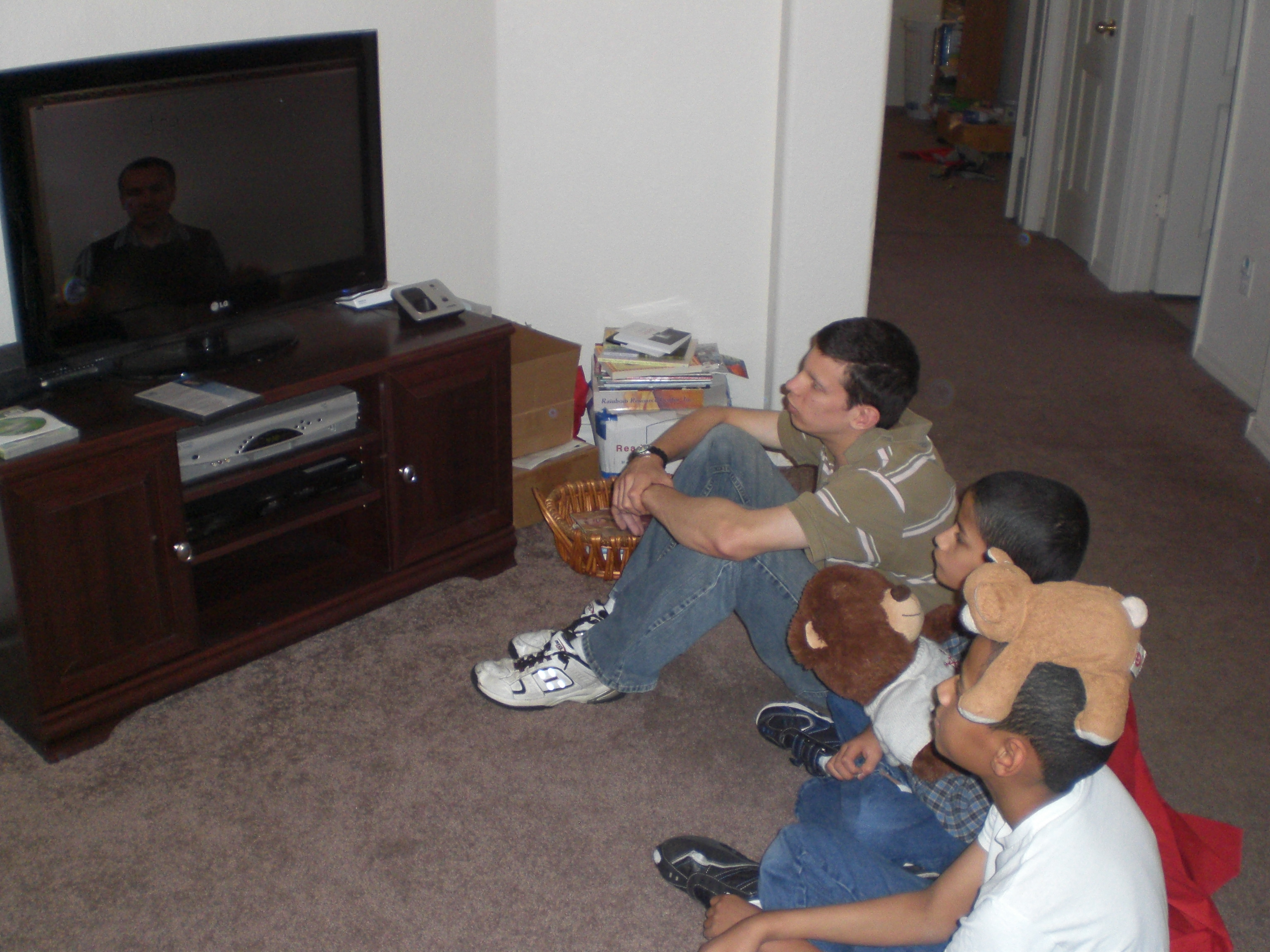
022

“Mr. Loquacious”, “The Puzzler” & “The Batman, watching Mr. Stephens teach lesson number 10.

023

. . . and now they are doing worksheet number 10 A.

“The Puzzler”, my perfectionist, gets exasperated whenever Mr. Stephens goes even slightly outside of the lines on the board when he is teaching the lessons, and even more so whenever he himself makes a mistake in spacing, or capitalization, etc . . . but he is getting more practice at doing these things than he was before we began using this curriculum.

“Mr. Loquacious” is my speed demon . . . he wants to skip ahead of the instructions and do things his own way. He is discovering, though, that when he slows down and listens, he remembers better how to form his written sentences. He also sees how much neater his printing is by slowing down and paying attention to the task at hand.

“The Batman” didn’t really need the beginning lessons, but I brought him in with the others once we got past beginning letter formation and into proper capitalization, spacing of words, and punctuation. All three boys (and I’m considering having their brother “The Artist” join us too) will benefit from everything we are getting to at this point, and continuing on with, especially when we get to the sections on writing letters and different types of paragraphs. We have good friends in Michigan where we used to live, as well as family members there and in other states. All of my boys would very much like to be able to write proper letters. Or, maybe it’s me who would like them to be able to do so, LOL!

What I really like about Essentials in Writing is how simple it is for us to use. All I have to do is print out the worksheets, put the DVD in, and we are good to go! Really, it could not be any easier. I also do think that Mr. Stephens is a good teacher, and he is good at giving the lessons in a basic, easy to understand manner. One of my boys, “The Puzzler”, functions much younger than his twin, and he is having no problem understanding the lessons while watching Mr. Stephens teach. As I said before, though, he doesn’t like it when Mr. Stephens’ writing is not perfectly lined up. 🙂 I like that the lessons are very short, and that the written work is broken up so that it can be spread over a few days before moving on to the next lesson. The lessons are apparently filmed within a classroom setting, because when Mr. Stephens asks questions, there is often a child’s voice giving an answer. My kids noticed that before I did.

I do feel the production values of the DVD lessons could be better. The video recording did not seem to have been professionally done in either my husband’s opinion, or my own. It sort of looks like it was done by a person holding a video camera, as opposed to even having the steadiness of a tripod. There is visible shakiness in spots, and we can at times see what looks like the shadow of the camera person reflected on the white board that Mr. Stephens is using as he teaches the lessons.

Over all, I can say that Essentials in Writing Grade 1 IS giving my children the basics of written grammar and communication, and we will continue to use it, at least through the end of this level, although I would like to see the company revisit the quality of the filming in future editions.

disclaimer

Crew members reviewed this and other grade levels of Essentials in Writing . . . click below to find out what they thought!

Photobucket

1 Comment

Filed under education, home education, homeschool products, homeschooling, Kids, Schoolhouse Review Crew Post

TouchMath . . . T.O.S. Review

touchlogo_zps5760f524

For a little over a month now, I have been working with a new (to us) math curriculum with three of our kids. It’s called
TouchMath, and after looking over what would be covered, we chose to review the first grade curriculum.

touchmath 1st<

This is a downloadable curriculum, and as we received the full first grade, it took some time to download it all, but it was quite worth the time! There are four units, and each one includes the following:

Implementation Guide
6 Module Guides with Instructional Strategies
90 Student Activity Sheets
6 Assessments (one per module)
Real World Connections
Answer Keys
Progress Monitoring
Vocabulary

This curriculum can be purchased by the unit, at the cost of $59.95, or you can get the full year at once for $199.95, a savings of $39.85.

In addition to receiving the download of the full first grade curriculum, the company shipped us a very big box that contained a number of manipulatives. In our box were the following:

TouchNumerals with Base 10, which are available for $99.00
Flip Cards, available for $19.00 per set
TouchMath Tutor First Grade Software, available for $99.00
Student Number Cards, available for $24.00

The Student Number Cards come in a pack of ten sets, and it is suggested that they be laminated and then cut apart. I chose to take a set for each of my children (including my step-son, “The Artist”, who is currently working at a different grade level in math) to an office supply store and get them laminated. The person who did the work at the store suggested that in order to keep the laminate from separating, we break the cards apart at the perforations and THEN laminate them, cutting them apart after that. I am happy with the results of that choice, and it cost exactly the same as if we’d done it the other way. Now they each have a set, and they will be nice and sturdy, and last for a long time. When and if they DO wear out, or are lost (again, these are boys, who often-times do not take really good care to be very organised with their belongings), there are six remaining sets in the package, and if it becomes necessary, I can take them to the office supply store and do the same thing again, although I AM hoping for a laminator of my own soon, along with a binding machine, since a good deal of curriculum we are finding ourselves using these days is downloadable and printable . . . (big hint here, to my husband, LOL!)

The following free resources are available here:

Sample Pages
Pre-K
Kindergarten
First Grade
Second Grade
Upper Grades
Money Educator Materials
Instructional Guides
Scope & Sequence
Correlations
Pre-Post Tests
Fun and Games
Software Demo
TouchCubes
Calendars and Fun Sheets

The scope and sequence of TouchMath is here, and you may view the
detailed standards and correlations here.

My twins (“Mr. Loquacious” and “The Puzzler”) are actually age 11, but when we adopted them a few years ago at age 8, they could not read, even a little, and over the first few years they have been with us, we really had to prioritize working on behavioral issues before they could manage to focus on academics at all, so even though I could tell that the very beginning of the first grade curriculum would be mostly review for them, we are fairly quickly getting into things they do not have a good handle on yet.

My oldest child, “The Batman” has always had problems with math as a result of his fetal alcohol syndrome, so once the twins were past the very beginning portion of the first unit, I added him in with us.

TouchMath was an entirely new and different concept for us, but makes a lot of sense when working with special needs children, as I do in our home school and our life. My children are extremely hands on, and visual, so it seems to be working for them.

Some examples from the “About TouchMath” section of the website:

number_squares_three

“Using pictorial objects and our trademarked TouchPoints, we teach young children to associate numerals with real values (number quantities).
The three is touched at the beginning, middle and end of the numeral while counting: “One, two, three.”

6-T-C-P_numbers

“The six begins the use of double TouchPoints (dots with circles). These double TouchPoints should be touched and counted twice whenever they appear. Six is touched and counted from top to bottom: “One-two, three-four, five-six.”

We are just finishing up with Unit A, module 2, a lot of which was review for my boys, but since, as I said previously, we are brand new to the TouchMath system, I really wanted to get them grounded with it before moving on.

The worksheets (15 per module, plus a post test worksheet) are fun for them, and they enjoyed coloring the pictures on each of them after finishing with the instructed work. They ended up wanting to also color in the double touch point circles as well, once we reached the numbers that had them.

With some of the worksheets, there was a suggestion at the end to have the child turn the page over and draw a picture having to do with the number they had worked with on that sheet, and tell me about it. My boys enjoyed doing that, each one either drawing and telling about (for example) their three favorite toy cars, sports cards, or games, or making up a little story about seeing five of something while out and about.

The manipulatives, while not necessary to use this curriculum, are a very nice add-on, especially when one has special needs children to work with. I’ve already told you about the Student Number Cards, and now I’m going to talk about the TouchNumerals with Base 10. From the website:

“This set contains brightly-colored 6” foam numerals, operation symbols, TouchPoints and Base 10 trays. Students place the TouchPoints on the numerals in the correct Touching/Counting Patterns, remove them and practice on the other numerals. As students explore basic computation with the numerals 1–9 and higher using the Base 10 trays and TouchPoints, they begin to make the connection between concrete objects and numerical values. A complete teacher’s manual is included.”

What was included in our set:

Three sets of numerals 0–9
205 TouchPoints
Operation signs
Ten Base-10 trays

There are sample views of things you can do with this set here.

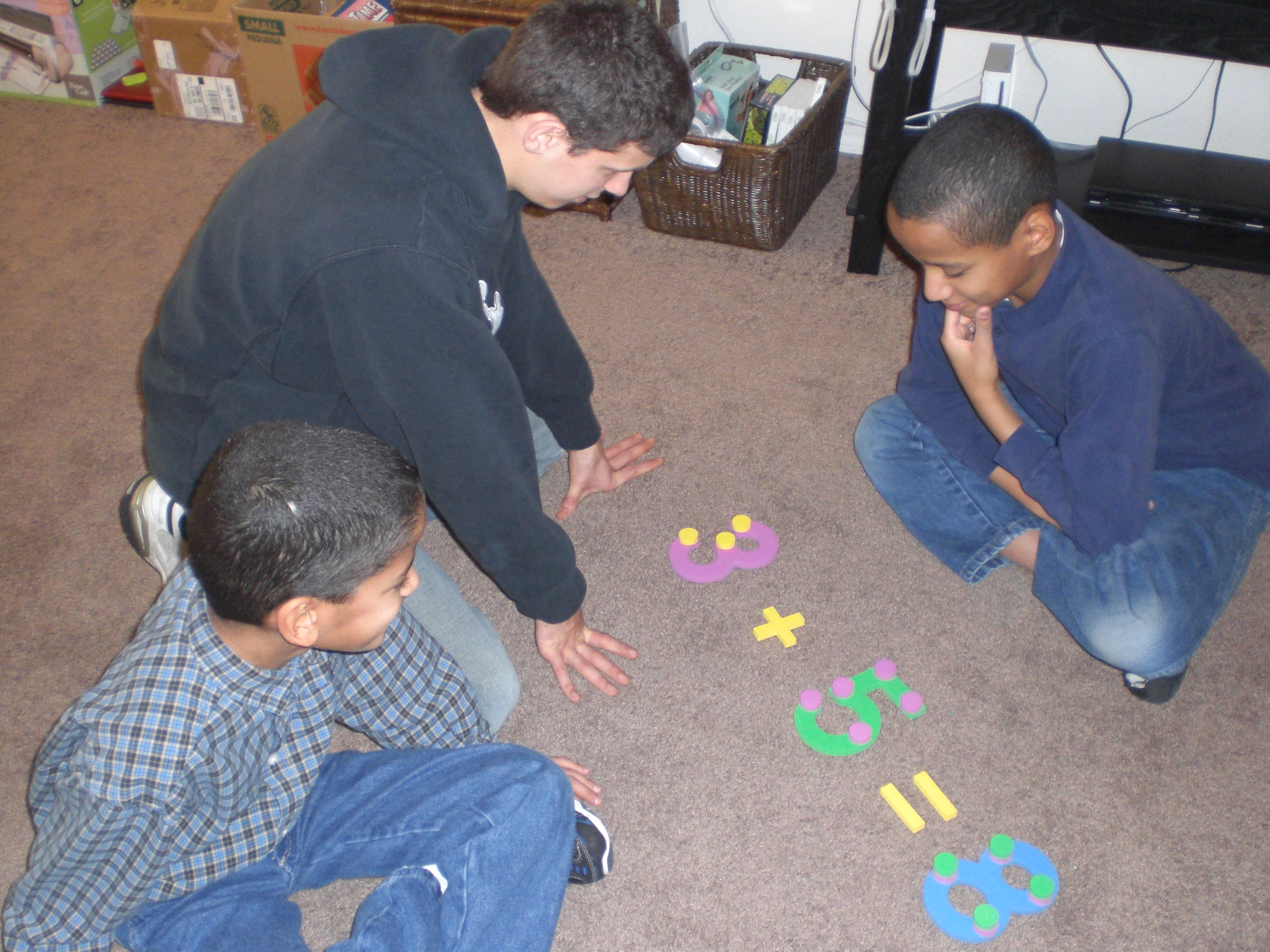
018

Here are my boys putting together an addition problem with the Touch Numerals and the Touch Points . . .

These hands on manipulatives are wonderful, although I personally wish they were constructed of something much sturdier than foam, if only so that they would last a lot longer when one has four rough and tumble boys, like I have! 🙂 They are quite nice, though, and good size, at six inches. They make it very easy and fun to spread out and use the floor for learning. We can set out the numerals and put the touch point circles on them to practice touch point counting, we can add the operation signs to practice addition, subtraction, multiplication and division. The base ten trays are nice for holding the touch point circles, as well as using them as a hands on visual of grouping in tens.

The Flip Cards are pretty impressive. There are twelve different sets for the full curriculum. They are, as I said above, $19.00 per set, but I find them to be worth it, if you have children who like a hands on approach to learning and they can be fit into your budget. When you get all of the sets, they will cover the following:

Counting Cards 1–120, Addition and Subtraction 0–9 with TouchPoints, Comparing Numbers with Multiple Representations, Addition Fact Families 10–18, Subtraction Fact Families 10–18, Place Value Cards 10–20, Adding and Subtracting 10, Adding and Subtracting 2-Digit Numbers No Regrouping, Place Value Cards 10–60, Measuring Objects Using Objects, Defining Geometric Shapes 2-D and 3-D, & Fractions in Geometric Shapes Halves through Sixths.

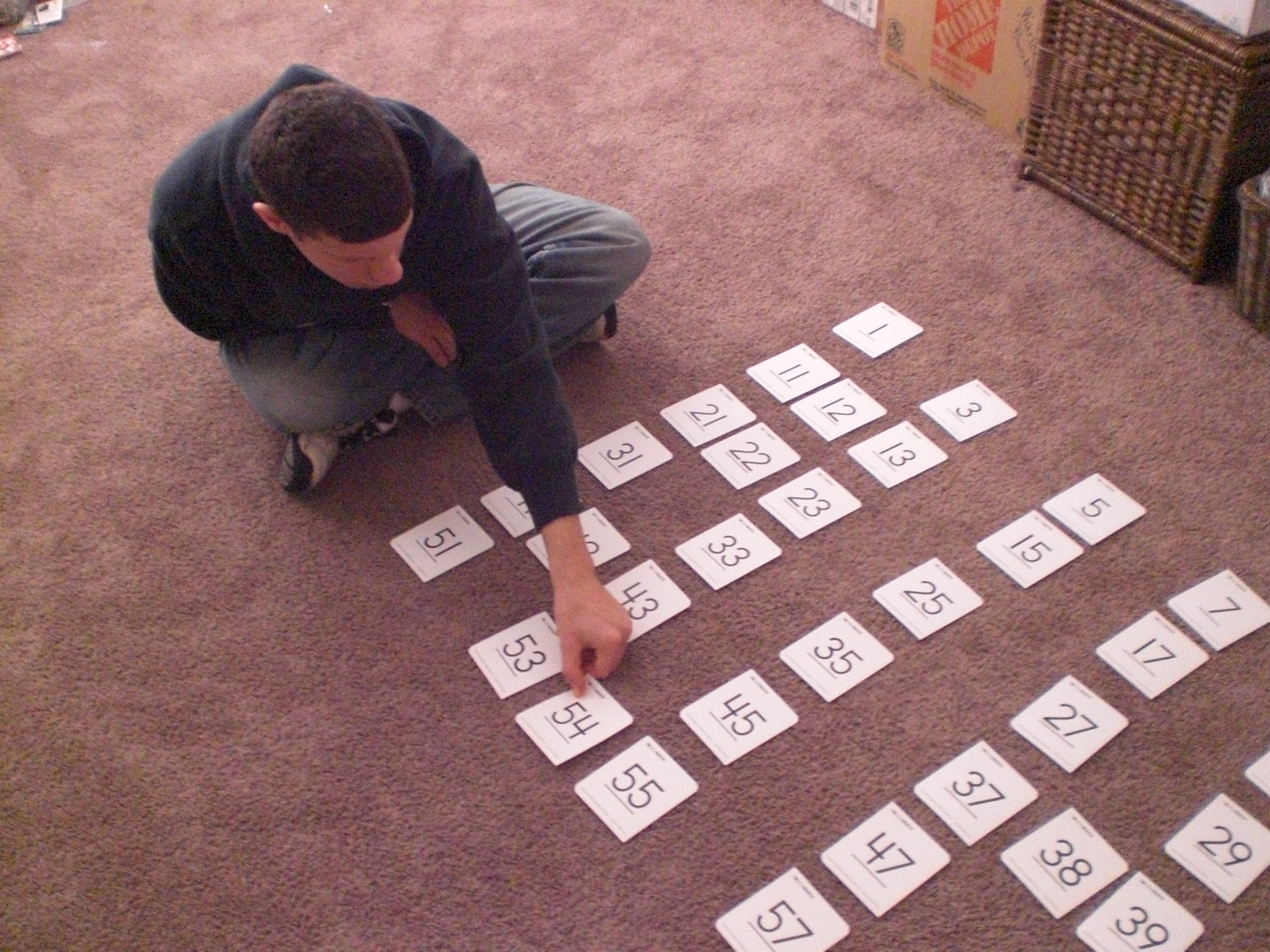
At $19.00 per set, they may seem pricey, but they are extremely sturdy, they are large, two-sided cards, and the number of cards varies in each set, ranging from 50 – 100 cards. So far, we’ve gotten into just the first set, which can be used in a variety of ways, such as making a memory game on the floor by laying them all out, or even choosing a set number to lay out, removing some and having the children figure out which number must go either before or after the number showing.

017

“The Batman” replacing one of the missing cards after drawing from the deck . . .

015

“Mr. Loquacious” putting his card into place . . .

013

. . . and finally, “The Puzzler”, taking his turn!

Because of the benefit the flip cards, the Touch Numerals and the Student Number Cards are to my special needs children, I can honestly say that if I had not received them to review, and would be able to fit them into my educational budget, I would purchase them.

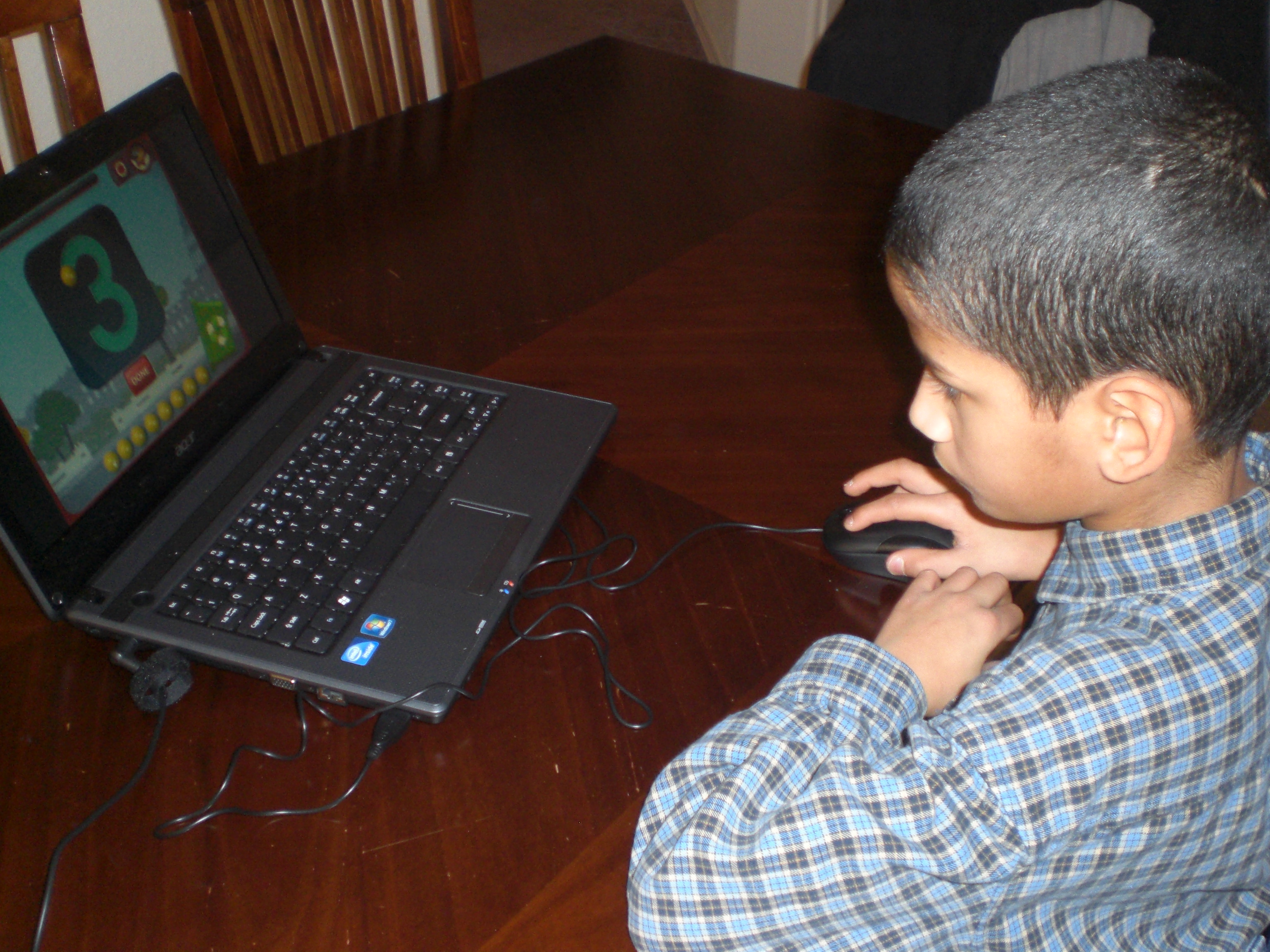
The TouchMath Tutor Software is not a NECESSITY, but it is a fun reinforcement game for the kids, which also incorporates some geography. If it fit into my budget, and had not been generously given to me by the company, I would probably purchase it. My children love computer games, and my personal preference when it comes to the purchase of them is to try to get educational games as much as possible.

019

Here are all three of the boys learning how the game works while “Mr. Loquacious” is playing . . .

020

“The Puzzler” is giving it a try . . .

021

. . . and now, “The Batman” gets a turn, too!

I really like this curriculum, and my children seem to be enjoying it a great deal.

disclaimer

Other crew members reviewed this and other grade levels of TouchMath. To read their opinions, please click on the graphic below.

Photobucket

2 Comments

Filed under Uncategorized