Tag Archives: homeschool products

Computer Science For Kids . . . TOS Review

We’ve grudgingly admitted recently that, as part of their continuing education in today’s electronic world, we’re going to have to teach our kids how to do more with a computer than just hit the power button and push the mouse around. My husband is the techie of the family, but his last computer programming class was 25 years ago. While we were considering what route to take to show our kids just how those games they play are actually made, we received the opportunity to review Computer Bible Games for Microsoft Small Basic from Computer Science For Kids.

Note: For those who are interested, there is a secular version of this program as well.
The Christian version of this course, which is the one we reviewed, is currently available and priced as follows:

Option #2
Single User License
Digital E-Book Download Only
Item #104-DL $59.95
$34.95 – SALE PRICE!

The secular version is available and priced as follows:

Option #2
Instant Internet “Download Only”
Digital E-Book Edition
Single User License
Item #111-DL $59.95
$34.95 – SALE PRICE!

From the vendor on how long the sale will last:

“We plan to keep the $34.95 sale price going though July 4th, 2013”

From the website:

“Computer Bible Games for Microsoft Small Basic is designed to help beginner Christian middle-school students understand Small Basic programming concepts while developing “fun and simple” learning games and Computer Bible Games. Microsoft Small BASIC is a simple BASIC programming environment designed specifically for kids to help prepare them for more complex programming languages like Visual Basic, Visual C# and Java. Small Basic also includes a “graduate code” button which automatically converts the student’s source code into Microsoft Visual Basic”.

While you don’t need to be a computer programmer to take or teach this course, it is recommended you have some familiarity with navigating the Windows environment. You don’t have to know how to write a program, but you do need to know how to find them in your computer! Knowing how to move and re-size windows is a plus. You’ll also want to be able to print Microsoft Word files and download Microsoft Small Basic. There’s a “Start Here” file included that outlines all this and tells you where you can find Small Basic.

Once you’ve installed Small Basic and Computer Bible Games, you’ll find yourself looking at a step-by-step guide to learning Small Basic. There are over 400 pages of documentation included with this course, so I asked my husband to help me get everything printed out, collated and 3-hole-punched into a large binder (it was at this point that I gave in to temptation and purchased a heavy-duty hole puncher from our local warehouse club, along with a couple of bulk packages of three-ring binders in different sizes!). He opted to print it out a class at a time for me, as he is stingy about ink and was running low.

Here’s a quick look at the Table of Contents:
• Class 1: Introducing Small Basic – gives you a brief history of the BASIC programming language, plus download and installation instructions for the Microsoft Small Basic Program
• Class 2: Small Basic Program Basics
• Class 3: Your First Small Basic Program
• Class 4: Small Basic Program Design, Input Methods
• Class 5: Debugging, Decisions, Random Numbers
• Class 6: Small Basic Looping, Subroutines
• Class 7: More Small Basic Looping, Arrays
• Class 8: Small Basic Graphics, Mouse Methods
• Class 9: Timers, Animation, Keyboard Methods
• Class 10: Noah’s Ark Project
• Class 11: Daniel and the Lions Project
• Class 12: Elijah and the Ravens Project
• Class 13: More learning Games and Computer Bible Games

“The Artist” volunteered to be the student for this review. He has a favorite computer game that he “invents” characters for (on paper). And while I am game to try anything to further my children’s education, I was very happy to have my husband to fall back upon for technical support!

The “Start Here” file states: “Computer Bible Games is a self-paced course.” It’s recommended for anyone age 10 and up, and is designed in bite-sized chunks that the student can run with, asking questions as needed. This turned out to be a good thing. In spite of some non-fatal form of plague that hit our household, we managed to get through the first five classes during the review period.

Computer Science for Kids recommends one class per week and 3 to 6 hours of study for each class. There were a couple of weeks where first Dad, then Mom, then “The Artist”, were in no shape to work. In fact, whatever this virus was, it hit just about every member of the family one right after the other, even necessitating a trip to the emergency room one night! Fun times, right? And here’s where a compliment to the course developers comes in: the course is written in such a manner that, if you do need to take a break for any reason (Ebola virus, vacation, life interference, etc.), it is incredibly easy to pick up where you left off! When my husband or I were down, “The Artist” read the material and did the class project alone. When we were healthy enough to help, The Artist was down for a few days. I was able to use the time to get back up to speed and then check The Artist’s work while awaiting his recovery.

We asked “The Artist” how he liked taking the Computer Bible Games for Small Basic course. His response? “I like it . . . it’s fun! It’s teaching me how to create my own programs. At some point, I’d like to write my own computer games, and I think this is a good beginning.”

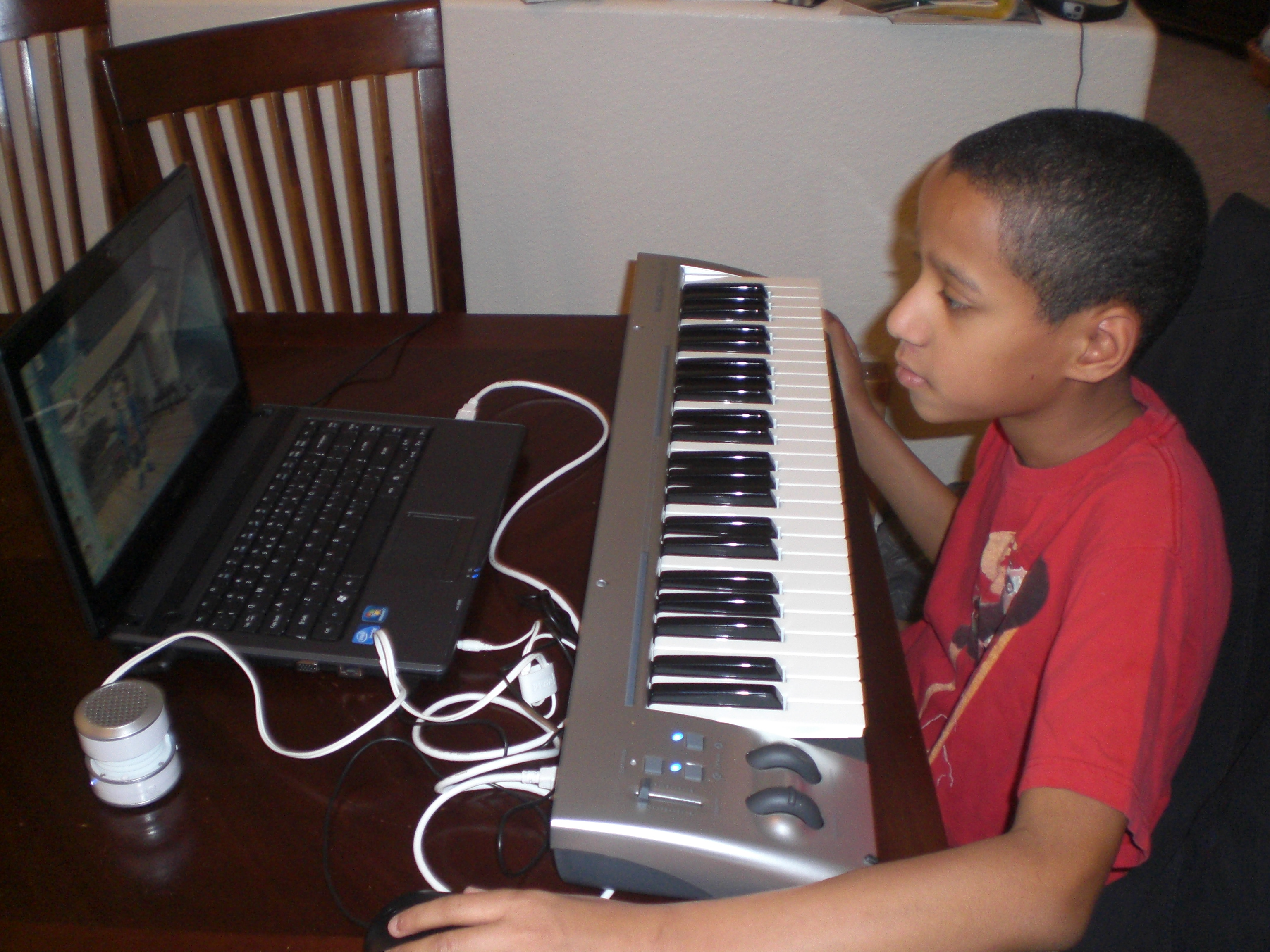
Here is “The Artist”, studying and learning to program small things at this point . . .
004

If I didn’t make it clear earlier, I am NOT a techie. But I do like the way the class is formatted, and I did manage to pick up some programming education along the way. The important thing is that “The Artist” is enjoying learning computer programming, and is able to do so without a huge amount of parental support. He is looking forward to writing his own computer games, and his brothers are looking forward to playing them in the near future!

Other crew members also reviewed Computer Science For Kids, along with Beginning Microsoft Small Basic. Please go check out what they thought of these courses, too!


Photobucket

Leave a comment

Filed under education, home education, homeschool products, homeschooling, Kids, Schoolhouse Review Crew Post

ABeCeDarian . . . My Review

I’ve mentioned before, and my home-schooling friends know, that our youngest boys, “Mr. Loquacious” and “The Puzzler” have long struggled with reading. They came into our family at the age of 8, unable to read, and given all of the other issues they had, instruction in reading never went very well. But recently, I was given the chance to review a reading program from the ABeCeDarian Company for the Schoolhouse Review Crew.

abecedarianlogo_zps0ce11eae

The ABeCeDarian Reading Program is different from any other reading program we have tried in the past. This program features (from the website):

•Explicit, comprehensive, multisensory phonics instruction
•Sound blending and segmenting explicitly taught and practiced
•Letter/Sound correspondences taught in the context of reading and spelling words
•Letter sounds taught before letter names
•Code knowledge organized by sounds with engaging sorting activities
•No rules!
•Precise practice routines and error correction procedures
•Integrated handwriting and spelling instruction
•Expert oral reading fluency practice

The teacher’s manual instructed me to read a lot of material which was meant to teach me how to use this program. At first, it seemed a bit overwhelming going through it all, but eventually it began to make sense. Our past experience had me teaching consonant and vowel sounds first, and then moving on to putting them together.

I used a combination of having them do the free placement assessment, along with having them try to read the initial story books for Level A to decide where in the program they should begin. Now, “Mr. Loquacious” and “The Puzzler” have, apparently, gotten a lot further along in reading than I expected, because we were able to zip right through all of the story books for levels A1 and A2.

Using these two things together helped me to see that they needed to begin with Level B1.

With ABeCeDarian, we started right in with decoding specific sounds. For example, in Level B1, we jumped right in with learning the “o” sound, and sorting words according to the different ways the “o” sound is spelled. I did have to keep stressing for the boys that each word in this section had the “O” sound, but that there were six different ways to spell that sound. From there, we moved on to breaking the words apart, and underlining each separate sound in the word. Basically, this program is set up in such a way that letters are presented in an organized way, according to sound. The idea is that your child will practice this material not just to mastery, but become a fluent reader.

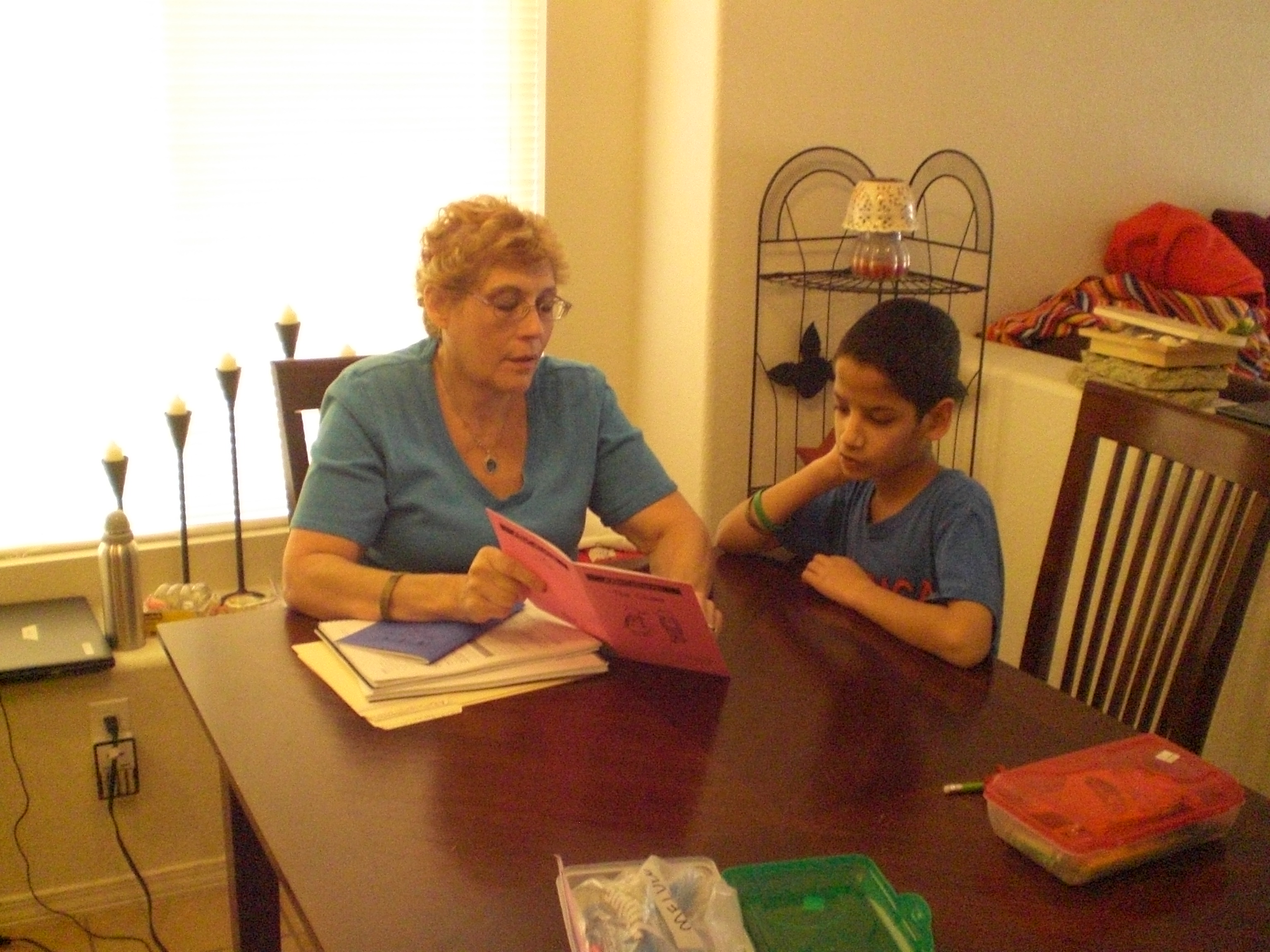
Here is “The Puzzler”, reading “The Quest” which is storybook number 10 . . .

ABeCeDarian review 003

. . . and here is “Mr. Loquacious” reading the same book.

ABeCeDarian review 004

In level B1 there are 12 units, which are completed in 24 lessons. Among the many things covered in this level are the following:

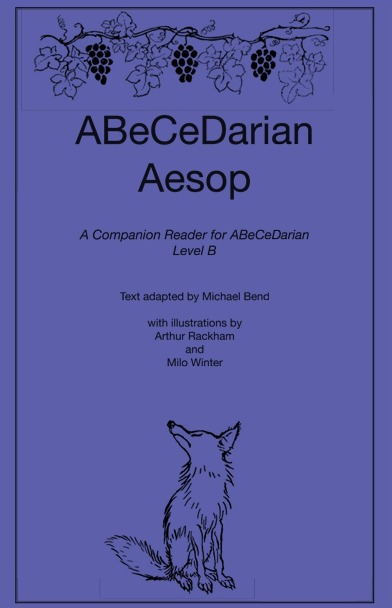
Sorting words, special instructions for recording words with o-e, breaking words apart, word reading practice, reading chains (a list of words in which one letter has been changed in each word to make it into a different word), completing sentences, completing the storybook “The Quest”, key words and letter sound practice, reading multi-syllable words, and reading all of the fables in the ABeCeDarian Aesop book.

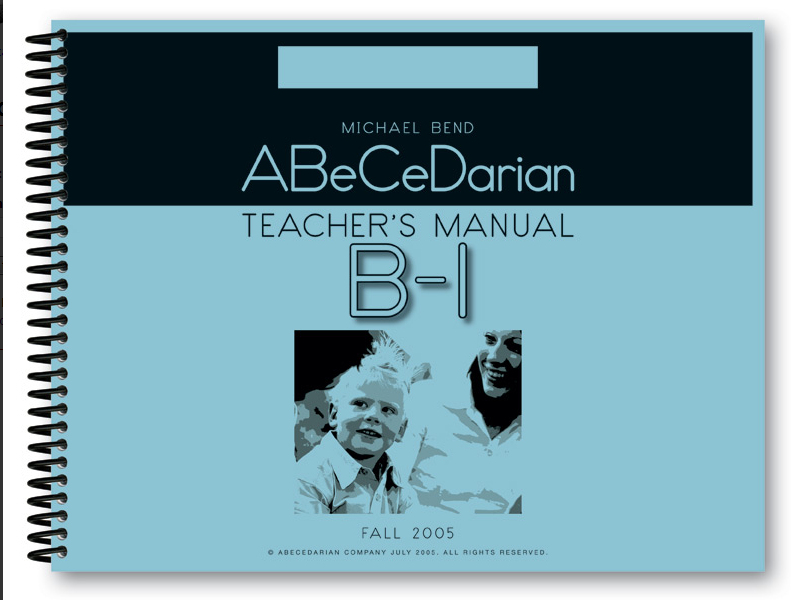
The teacher’s manual is spiral bound, so I can keep it flat. It is completely scripted, which would be very helpful for the new home-school mom, or any home-school mom who is not comfortable going “off book” and doing her own thing. The instructional material in the beginning of the teacher’s manual will teach you how to properly correct your child’s errors.

There are things that you WON’T be doing in this program, which are part of the reason it took me a little while of reading and re-reading the instructional material, given that my only experience was with a phonics based program, just as it was with my children.

There is no teaching of long and short vowels, sight words, or silent letters. It did take some time for me to get used to that, and for a while I had to constantly correct myself, as I would automatically go to those things.

Because their earlier experience with reading instruction was all strictly phonics based, the decoding process was confusing for “Mr. Loquacious” and “The Puzzler” at first. When working on the word sorting activities, “The Puzzler”, who actually reads better than his brother, had a lot of problems at first, and told me it was very confusing and hard to do. However, “Mr. Loquacious” caught on to the decoding idea right away. I think this just shows that it is true that children learn in different ways, and that perhaps “The Puzzler” simply has an easier time learning with a phonics based program. In fact, when I think back to when we were working with phonics, “The Puzzler” was “getting it”, while “Mr. Loquacious” was not.

The student workbook is very nice, there are no distracting colors or pictures, which is a big plus in our family, since our children have extremely short attention spans. The lessons are fairly short, which is also helpful with distractable children. The lines for copying words and sentences are nicely spaced, with plenty of room for them to print. The workbook is spiral bound, which I like, as it lays nice and flat. It is in landscape format, which I think is easier for my kids to write in.

We received the following items for review:

Student Workbook A1, $12.25

studentworkbookA1_zps65d68892

Teacher’s Manual A1, $28.50

teachersmanualA-1_zps89a4a53d

Student Workbook A2, $12.25

StudentworkbookA2_zps49b232e4

Teacher’s Manual A2, $28.50

teachermanualA2_zpsd2f59266

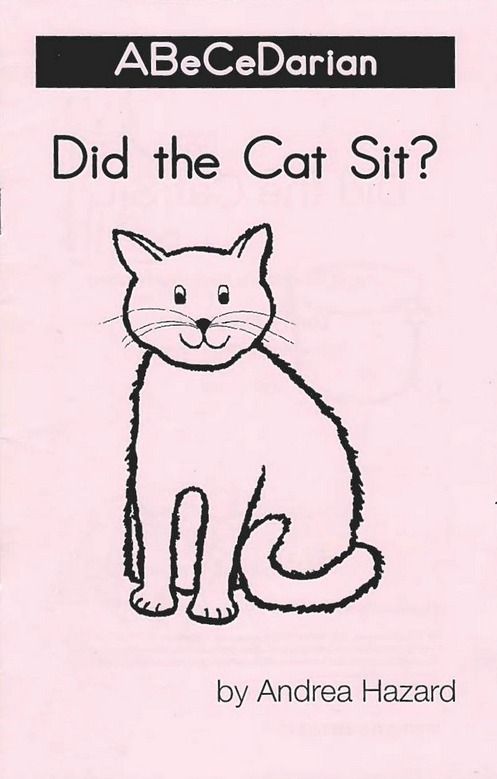
Set of 10 Storybooks, $21.50

Student Workbook B1, $10.25

workbookb1_zps7c43534e

Teacher’s Manual B1, $25.50

teachermanualb1_zpsfc7fb5ed

ABeCeDarian Aesop, $2.50

aesop_zpse1629279

I think that ABeCeDarian is turning out to be a good fit, at least for “Mr. Loquacious”. I’m not so sure it will work as well for “The Puzzler”, but we do intend to keep going and see how well they both do. I would recommend this program, especially if you have a struggling reader.

Be sure to click below and read what other crew members thought of ABeCeDarian!

Photobucket

 photo DisclaimerGraphic1_zpsf612f371.gif

1 Comment

Filed under education, home education, homeschool products, homeschooling, Schoolhouse Review Crew Post

A Journey Through Learning . . . TOS Review

Three of my boys have recently been helping me review a product from A Journey Through Learning Lapbooks. Most of our homeschooling friends know by now how much my children enjoy lapbooking, and will understand how happy we were to get the opportunity to try a lapbook study from
A Journey Through Learning Lapbooks!

journeythroughlearninglogo_zps21c38856

We were given three different lapbooks and one unit study in pdf form to choose from:

knights

letters

astronomy

earth

The one my children decided to complete was the Earth Lapbook, which is available here, in two different forms. You may purchase the printed version for $21.00, or you may get the pdf instant download version, for $13.00. The download version is my favorite, because then I can use it for multiple children (and I have four of them!), either at the same time, or as each child reaches the level of ability needed for your chosen lapbook.

The Earth lapbook comes as a 42 page download, and requires two file folders to put together. In this lapbook, your child will:

“Learn about the Earth, what the Earth is made of, the Earth’s crust, sedimentary, igneous, and metamorphic rocks, the Earth’s 4 spheres-lithosphere, hydrosphere, biosphere, and atmosphere, how the Earth moves-the days and the seasons, parts of the Earth, landforms-continents, mountains, valleys, and plains, how mountains are formed, the atmosphere, the water cycle, ocean zones- photic, abyssal, disphotic, hadal, the ocean floor- continental margin, continental shelf, abyssal plain, ocean trenches, and volcanoes.”

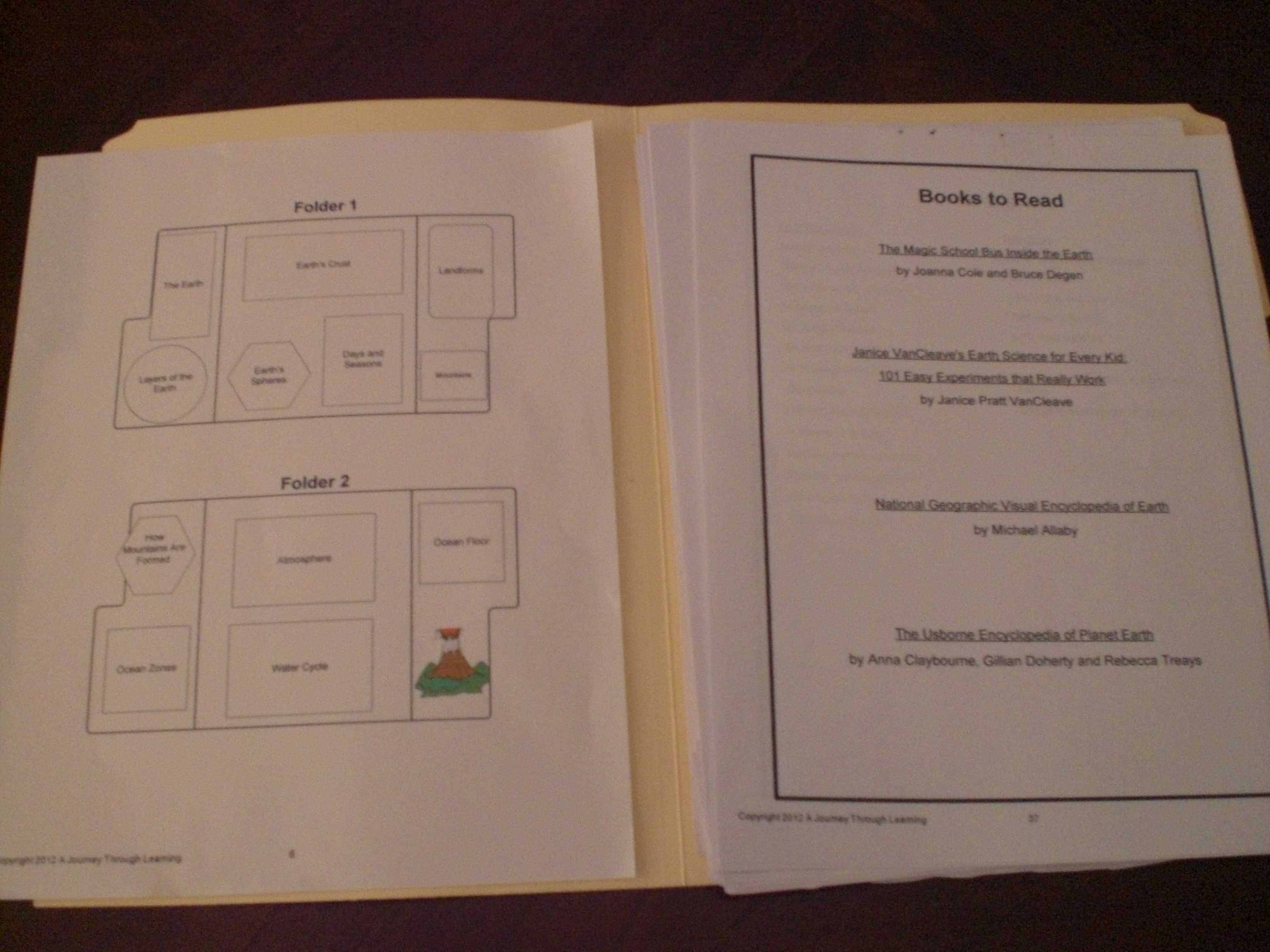
This is our very first experience with A Journey Through Learning Lapbooks, and it has been wonderful discovering just how easy the creators of this company make it for children to create a very nice, educational keepsake! When I opened my pdf file for the Earth lapbook, I found everything we needed. There were print outs of each activity, along with a page of information to go along with each one. My children chose to have me read the information to them, and do the little booklets, etc . . . as we went along. One of the nicest things was the placement guide page, which was like a map showing us where each little booklet was to go. At the bottom of each activity print out was a mini placement guide showing just that one item.

A Journey Through Learning 007

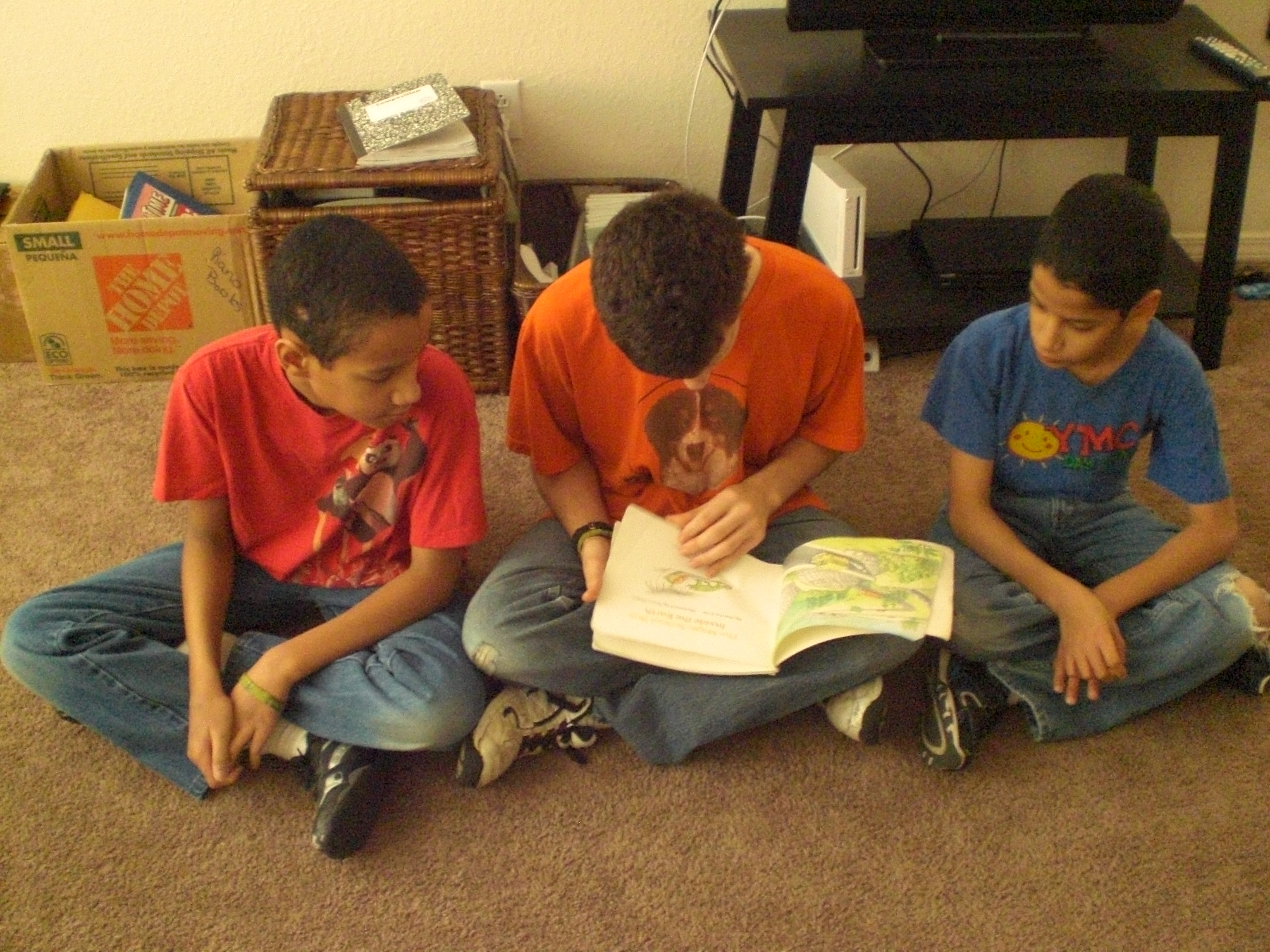
As you can see in the picture above, there is also a list of suggested books if you’d like to add one or two into your study. My children saw the list and reminded me that we own one of the books, A Magic School Bus book titled “Inside The Earth”, by Joanna Cole and illustrated by Bruce Degen. You can see “The Batman” reading it to “Mr. Loquacious” and “The Puzzler” below, as part of their study.

A Journey Through Learning 010

You really need very little in the way of supplies to create your own lapbook. You will need your pdf file of whichever lapbook you have chosen, two or three file folders, scissors, pencil to write with, crayons or color pencils (for the most part, A Journey Through Learning Lapbooks are printed in color, with some graphics in black and white which will satisfy the child who wants to color), and they recommend either zip dry glue or Elmer’s Xtreme glue. I did not find either of those glues local to me, so I chose to use strong, double-sided tape, which I purchased at my local warehouse club. I think it was a worth while investment, even though it was a bulk package, because we do a lot of lapbooks.

A Journey Through Learning 002

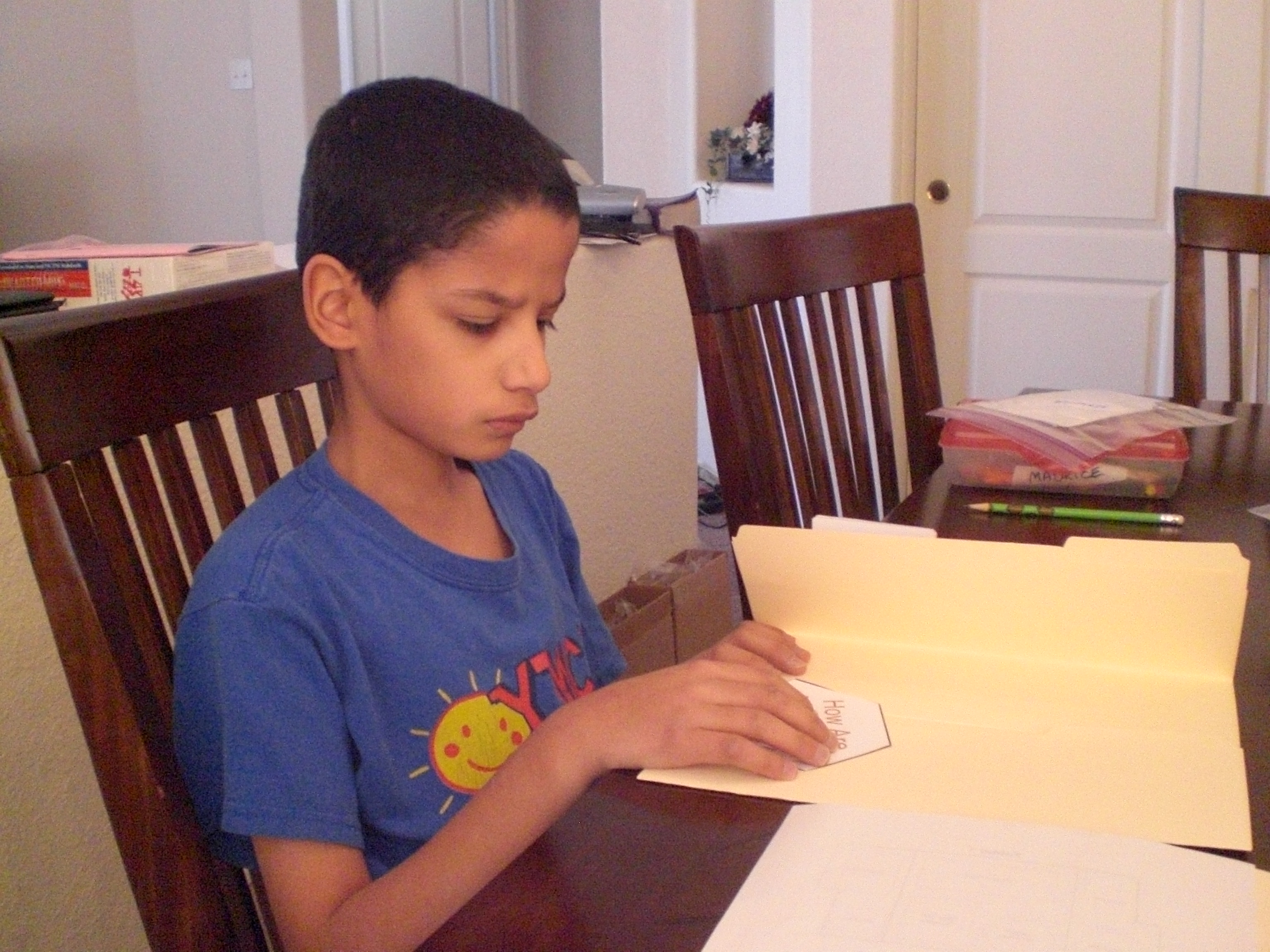
Here is “The Puzzler” working on one of his activities . . .

A Journey Through Learning 001

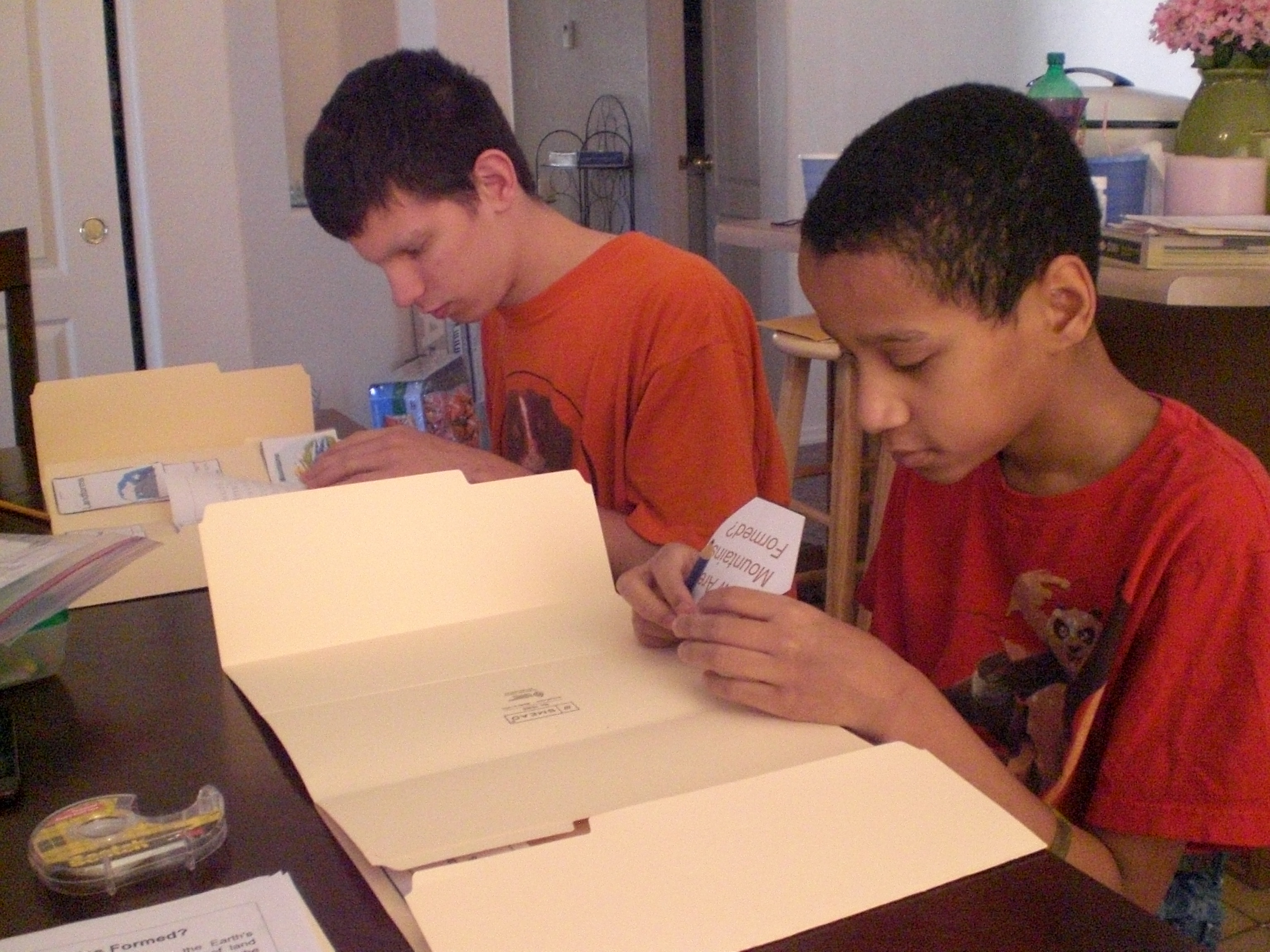
. . . and here we have “The Batman” and “Mr. Loquacious” working on theirs.

A Journey Through Learning 004

This is what my kitchen table looked like when they took a break to watch a couple of educational programs that they really enjoy. We chose to pre-cut everything, and each boy had his projects in a zip baggie with his name on it. This way, the cutting was done and out-of-the-way, and they could simply move on to learning and putting together!

A Journey Through Learning 005

The whole idea is that the children will have a keepsake that they can learn from, and that it will be portable, and easy for them to look through it as often as they wish, so it made me very happy when they were done, that they all asked if they could keep them in their own bookcases, in their own rooms. Again, as my husband likes to say, “stealth learning”!

One of the things I like best about this company is that it was created by two home-schooling moms, and best friends. I very much enjoyed reading their story of how A Journey Through Learning Lapbooks came to be.

We have done several different lapbooks over the years, and have a lot of fun with them. I think that what originally drew me to lapbooking was how similar it is to scrapbooking, and I am an avid scrapbooker. My kids enjoy everything I do in my scrapbooking time, often asking me to show them what new pages I’ve done, so I knew they would love doing something that is kind of the same thing, but with little informational booklets, etc . . . as opposed to photographs. Well, I was right, they really do enjoy making them!

A Journey Through Learning Lapbooks has so many different topics to choose from, including Veggie Tales, the Little House books by Laura Ingalls Wilder, sports lapbooks, math, Spanish, history and geography, to name just a few. In addition, there are lapbooks to go along with some of your favorite curricula, such as Apologia and Jeannie Fulbright curricula. They even have state approved or charter school lapbooks, which might be helpful if you are home-schooling in a state with strict regulations.

A Journey Through Learning Lapbooks has expanded beyond lapbooks now, and they also offer copywork, unit studies, notebooking, folders, and templates.

A Journey Through Learning Lapbooks has a wealth of free information on their website, including several “how to” videos which will teach you everything you need to know about creating your lapbook! There are also several FREE lapbooks here for you to download and create with your children.

You will find a number of Express Lapbooks here, for only $1.00 each, and they also have $5.00 lapbooks of the month, such as the current choices for April, one about horses, the other about spring.

If you join their email newsletter, A Journey Through Learning Lapbooks will send you a FREE “Overview of the 17th Century” lapbook. I signed up for it, and plan to use a lot of their other lapbooks in the future!

Schoolhouse Review Crew Members reviewed this and other lapbooks or the unit study, please go take a look and see what they all thought, too!
Photobucket

disclaimer

1 Comment

Filed under education, home education, homeschool products, homeschooling, Kids, Schoolhouse Review Crew Post

Adventus MusIQ – T.O.S. Review

We have had a lovely time over the past few weeks, learning with the MusIQ Homeschool program from Adventus!

The MusIQ Homeschool program is simply wonderful!

We were (sadly!) hindered by the massive snowstorm that hit a large part of the country during February, because we were waiting for our keyboard to arrive so that we could begin using this material. Of course, this delay was in no way the fault of Adventus, in fact, shipping was affected all over the country, from what I understand. Even though we live in the desert (New Mexico), I-40 was closed from part way into our city all the way into Texas for several days! Because we did not have a midi capable keyboard already, we needed to wait until ours arrived before we could begin our Children’s Music Journey!

As I am admittedly NOT technologically savvy, my husband’s help was needed when it came to installing the software and getting us going, however, when even HE had to call for tech support at Advantus, I didn’t feel quite as technologically dumb as I usually do! The person my husband spoke with on the phone was very patient, and took plenty of time to help him get the program up and running. We did need to attach a small external speaker to the keyboard, because for some reason the sound was not coming through at all. Fortunately, my husband had a little ipod speaker he had won during a give away at his job, because we’ve used it in this, and at least one other review, as well! 🙂

Before I get into what my boys have been doing with this program, let me tell you what you get with your subscription to Adventus MusIQ Homeschool:

◾unlimited, full-feature access to all the MusIQ HomeSchool software titles (over $450 retail value)
◾a discount on MIDI piano keyboards

This means that for the low subscription cost of $10.95 per month, you would receive access to ALL levels of the Advantus MusIQ Homeschool curricula, which is a phenomenal value, especially if you have multiple family members wanting to learn, even though they may be at different levels. This is a seven-year program, and you can have multiple student log ins, allowing for even large families to benefit from computer based piano lessons without paying separate lesson fees for each of them.

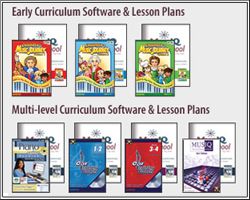
Here is an overview of the program from the subscription page of Advantus:

Early Curriculum (ages 4-10)

Children’s Music Journey Vol. 1

Year 2:
Children’s Music Journey Vol. 2

Year 3:
Children’s Music Journey Vol. 3

Multi-level Curriculum (ages 10+)
Piano Suite Premier

Year 2: term 4, 5, 6
Piano Suite Premier
Ear Training Coach 1

Year 3: term 7, 8, 9
Piano Suite Premier
Ear Training Coach 1&2
Ear Training Coach 3&4

Year 4: term 10, 11, 12
Piano Suite Premier
Ear Training Coach 1&2
Ear Training Coach 3&4
MusIQ Challenger Game

Your computer system requirements for Adventus MusIQ Homeschool are:

◾Early Curriculum: Windows 7/Vista/XP/2000 or Macintosh OSX and an internet connection.
◾Multi-level Curriculum: Windows 7/Vista/XP/2000 and an internet connection.

You will also need a MIDI Keyboard. If you do not already have one, Advantus carries a very nice one here, and your subscription includes a discount on the purchase of the keyboard.

The subscription is really budget friendly, because it is, as I said, a monthly cost of $10.95, and can be used by multiple students, at several different levels. However, there are other options for purchasing the software outright, listed on the Adventus website, including packages which would include a keyboard along with the purchase.

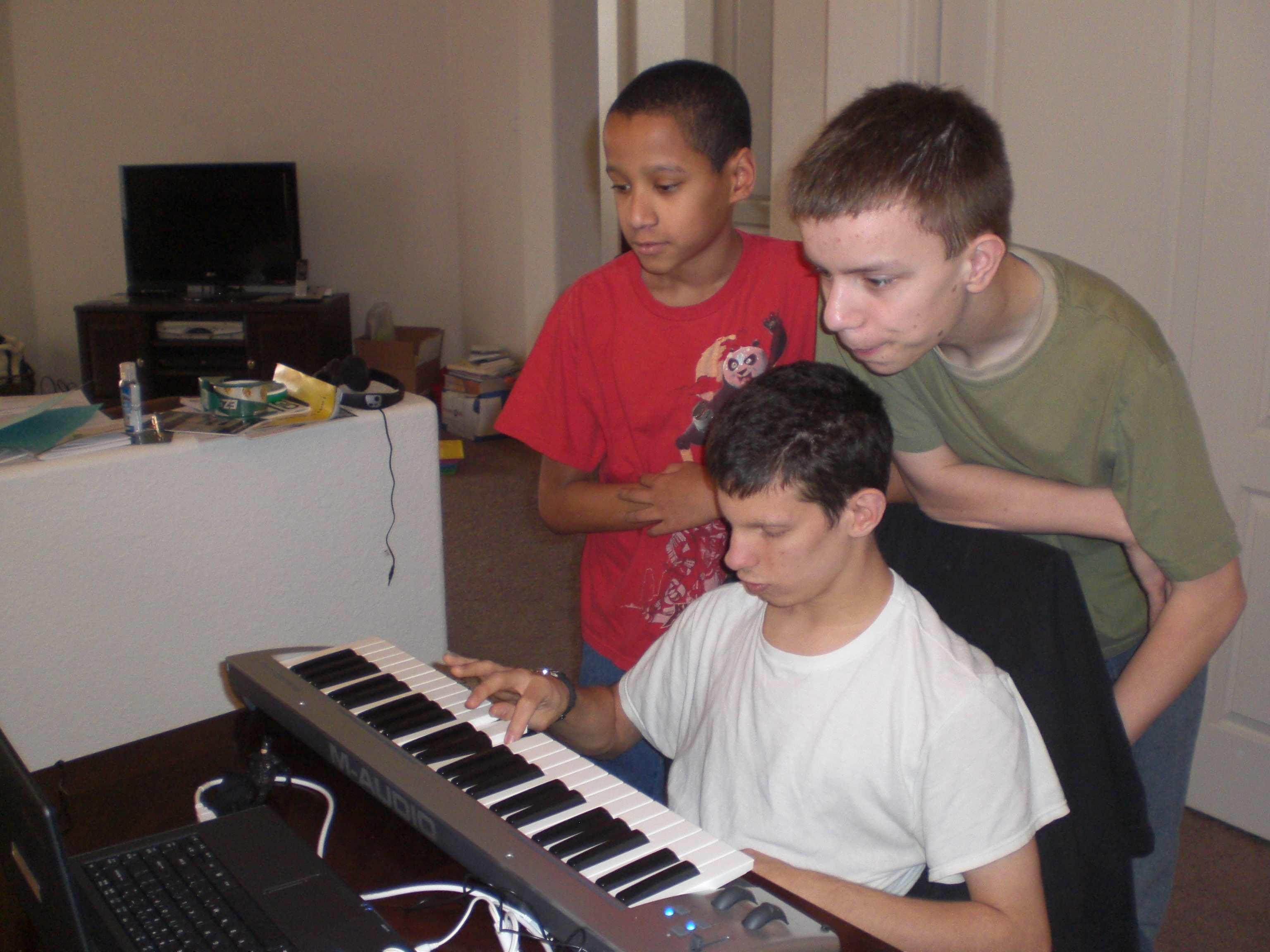
Now, to what has been going on in our house, in just the short time we have had Adventus MusIQ Homeschool! I especially wanted to focus primarily on having my twins use this program, as they have had no piano training whatsoever, and I wanted to see just how well it would really work for them. They do have some developmental disabilities, so even though they are almost 12 years old, I put them into Children’s Musical Journey 1, which is actually recommended for ages 4 – 10.

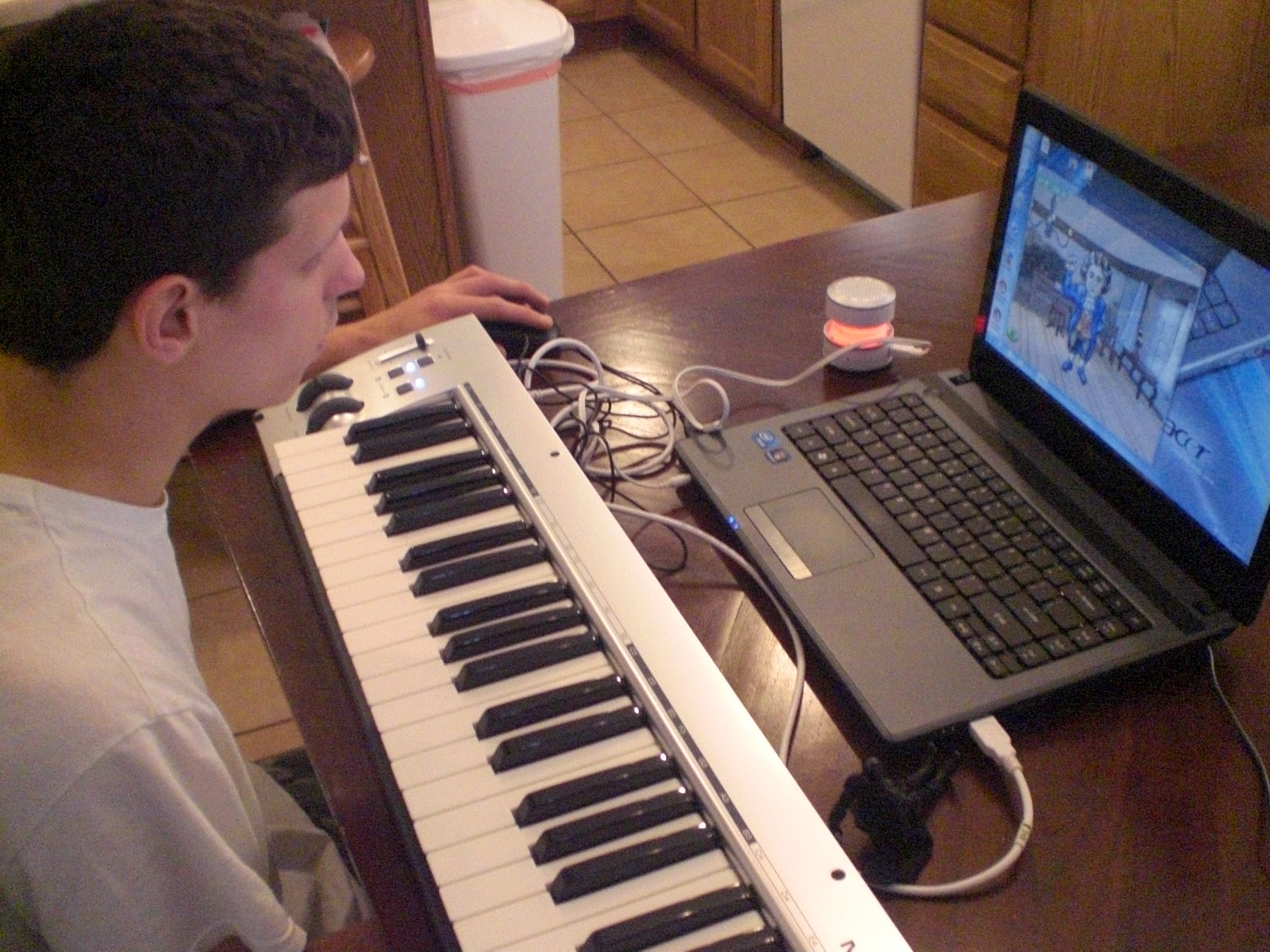
Adventus review 009

Here is “The Puzzler”, watching a lesson given by Mr. Beethoven, in animated form.

Your children will enjoy the lessons, as they are very short (which works well with my boys), and taught in an engaging way by many famous composers such as Beethoven, Bach, Joplin, Mendelssohn & Villa-Lobos. My boys finished the first five lessons, and are excited that when they go on for more today, they move on to a new teacher!

Adventus review 006

“Mr. Loquacious” is having HIS lesson

In fact, even my oldest son, “The Batman”, decided to give this a whirl . . .

Adventus review 004

As you can see, even his Batman action figure (seated in front of the keyboard) is being introduced to Mr. Beethoven! 🙂

The Children’s Music Journey is set up to be fun for the kids. After their short lesson with a famous composer, they can go into different areas, such as the practice room with “Miss Melody”.

Adventus review 003

After viewing the lesson, here is “The Puzzler” at another time, in the practice room.

They can go into the game room, where various games will be unlocked, depending upon which levels the child has completed. My children, of course, LOVE the game room!

Adventus review 008

“The Batman”, in the game room, with his own Batman action figure in his hand to help him play!

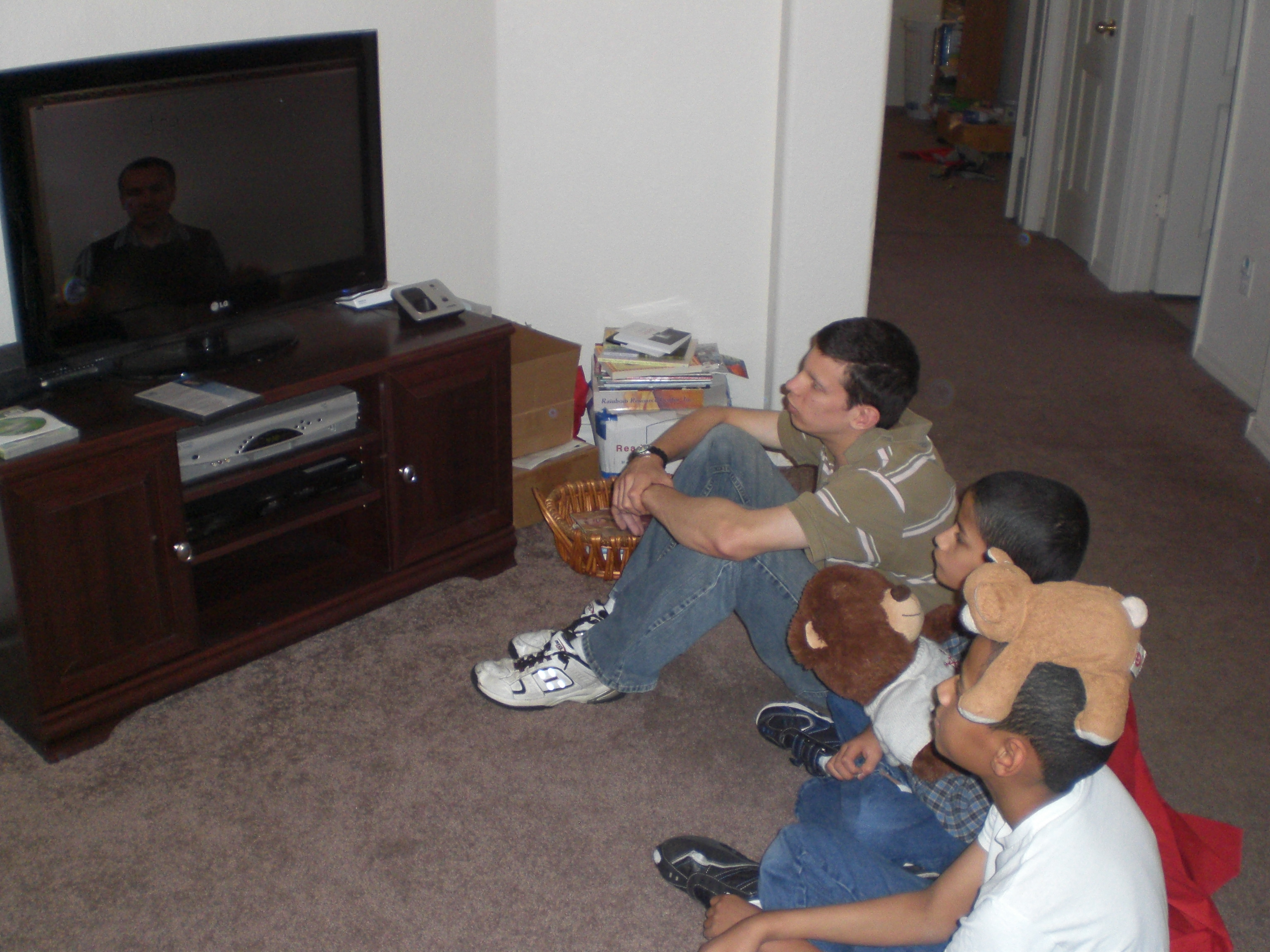
Although “The Artist” said he was not interested in participating in this particular review, as you can see here . . .

Adventus review 005

. . . even he came in to watch and see what was giving the others so much enjoyment!

Included in the downloadable lesson plans are coloring pages and worksheets, to reinforce what the children are learning during each lesson.

Adventus review 010

Here, “The Batman” and “Mr. Loquacious” are doing some of the pages.

In addition to the lesson room, the practice room, and the game room, there is also the improvisational room, where children may compose their own pieces using a variety of instruments and background music, and the library, where the student may review previous lessons, listen to music composed by the teacher they have already been working with, listen to music they themselves recorded in the improvisation room, or learn more about musical history.

In the edition of Children’s Music Journey 1 that we have, they have apparently changed Miss Melody’s appearance, because she looks more old-fashioned, with different hair and a long dress, which we like, it seems to fit better with the era of the composer we are currently on. Of course, I don’t know, her appearance may be different in different levels, depending upon what time period the composer/teacher is. I guess we’ll have to wait to find out! 🙂

Adventus has also provided additional materials for parents and teachers in the MusIQ Library, which include the following:

How to Insert Links Into Blogs: Have your students download their homework! How to insert links into your class blog

Certificates: Instructions for printing and distributing Certificates (all levels)

Blank Keyboards & Staffs: A collection of blank staffs and keyboard templates of various

GAME: Grand Staff Ladder: Fun for students of many ages and abilities!

MY children are really enjoying this program, especially my twins, “Mr. Loquacious” and “The Puzzler”. As I sit here writing this review, “The Puzzler has been in here no less than five times asking if I will go set the keyboard and laptop, up so he can do his next lesson “NOW, please?”, LOL! Now, THAT’S the sort of response I love to get when it comes to educational products, because it means they are learning with fun, not with drudgery. As my husband likes to call it, it’s “stealth” education!

We are enjoying Adventus MusIQ Homeschool, and I think you will, too!

To read what other crew members think of Children’s Musical Journey level 1 and other levels of MusIQ Homeschool, please click on the banner below:

Photobucket

2 Comments

Filed under family, home education, homeschool products, homeschooling, Kids, Schoolhouse Review Crew Post, Uncategorized

Essentials In Writing . . . Where Students Learn to Write T.O.S. Review

Recently, I had the chance to use and review a writing curriculum called Essentials in Writing with my younger children, who are chronologically almost 12 years old, but who, for varying reasons, have had some significant delays.

EssentialsinWritinglogo_zps7affe1cf

Essentials In Writing was founded by Matthew Stephens. He was a middle school English teacher in the public school before he created the Essentials in Writing curriculum, and has taught at nearly every grade level.

Since my twins “Mr. Loquacious” and “The Puzzler” are just at the beginning stages of being able to focus on any formal academics, I chose the grade 1 curriculum, which is intended for aged 6 – 7.

gr1logo

The grade 1 curriculum is $40.00, and includes the DVD lessons and a PDF file with all of the worksheets and answer keys, should you need them. There is an option to purchase a pre-printed workbook offered during the checkout process for $20.00. I chose to print the worksheets a few days at a time, rather than printing them all out at once.

From the website page about the grade one curriculum:

“In First Grade, your child will learn: how to use words to make complete sentences, basic grammar, capitalization and punctuation of sentences, compose a friendly letter and a paragraph, and other topics.”

The grade 1 curriculum covers the following basics of written communication:

•Review Letter Formation and Sounds
•Introduction to Complete Sentences
•Capitalization Rules: Beginning of sentences, names

•Punctuation Rules: period, question mark, & exclamation point

•Basic Grammar: Subject/Predicate, Nouns, Action Verbs

•Parts of a Personal Letter
•Writing a Personal Letter
•Parts of a Paragraph
•Writing a Paragraph
•Other Forms of Written Communication: Lists
•Introduction to Narrative and Descriptive Paragraphs

•Text Features of Poetry

You may view a sample lesson here by scrolling down to the bottom of the page.

“Mr. Loquacious” and “The Puzzler” were not very enthusiastic about trying this curriculum at all when we began. They said “Mr. Stephens talks to us like we’re little kids!”. The plain fact, though, is that they were learning things while watching the lessons that they had not learned when they WERE age 6 – 7! They did not come into our family until they were age 8, and were not yet at that time reading, let alone writing in sentences.

This curriculum is SUPER easy to use, especially for the home schooling mom who finds herself either too busy for, or not comfortable with planning out lessons. The student watches each lesson on the DVD, and then does the assignments related to that lesson (which you, the parent, have either printed from your PDF file, or purchased in the pre-printed workbook). Some of the lessons have just one assigned worksheet, while others have two or three, labeled by letter (lesson 8A, 8B, 8C, for example). So, depending on the particular lesson and the child/children involved, one lesson can take anywhere from one – three days. So far, the most assignments my children have had from one DVD lesson has been three. I generally let them watch the lesson and then do one worksheet on the same day, with the remaining pages done one per day until completed. Because of their developmental delays, it is definitely taking longer to do each lesson than it may take your child.

022

“Mr. Loquacious”, “The Puzzler” & “The Batman, watching Mr. Stephens teach lesson number 10.

023

. . . and now they are doing worksheet number 10 A.

“The Puzzler”, my perfectionist, gets exasperated whenever Mr. Stephens goes even slightly outside of the lines on the board when he is teaching the lessons, and even more so whenever he himself makes a mistake in spacing, or capitalization, etc . . . but he is getting more practice at doing these things than he was before we began using this curriculum.

“Mr. Loquacious” is my speed demon . . . he wants to skip ahead of the instructions and do things his own way. He is discovering, though, that when he slows down and listens, he remembers better how to form his written sentences. He also sees how much neater his printing is by slowing down and paying attention to the task at hand.

“The Batman” didn’t really need the beginning lessons, but I brought him in with the others once we got past beginning letter formation and into proper capitalization, spacing of words, and punctuation. All three boys (and I’m considering having their brother “The Artist” join us too) will benefit from everything we are getting to at this point, and continuing on with, especially when we get to the sections on writing letters and different types of paragraphs. We have good friends in Michigan where we used to live, as well as family members there and in other states. All of my boys would very much like to be able to write proper letters. Or, maybe it’s me who would like them to be able to do so, LOL!

What I really like about Essentials in Writing is how simple it is for us to use. All I have to do is print out the worksheets, put the DVD in, and we are good to go! Really, it could not be any easier. I also do think that Mr. Stephens is a good teacher, and he is good at giving the lessons in a basic, easy to understand manner. One of my boys, “The Puzzler”, functions much younger than his twin, and he is having no problem understanding the lessons while watching Mr. Stephens teach. As I said before, though, he doesn’t like it when Mr. Stephens’ writing is not perfectly lined up. 🙂 I like that the lessons are very short, and that the written work is broken up so that it can be spread over a few days before moving on to the next lesson. The lessons are apparently filmed within a classroom setting, because when Mr. Stephens asks questions, there is often a child’s voice giving an answer. My kids noticed that before I did.

I do feel the production values of the DVD lessons could be better. The video recording did not seem to have been professionally done in either my husband’s opinion, or my own. It sort of looks like it was done by a person holding a video camera, as opposed to even having the steadiness of a tripod. There is visible shakiness in spots, and we can at times see what looks like the shadow of the camera person reflected on the white board that Mr. Stephens is using as he teaches the lessons.

Over all, I can say that Essentials in Writing Grade 1 IS giving my children the basics of written grammar and communication, and we will continue to use it, at least through the end of this level, although I would like to see the company revisit the quality of the filming in future editions.

disclaimer

Crew members reviewed this and other grade levels of Essentials in Writing . . . click below to find out what they thought!

Photobucket

1 Comment

Filed under education, home education, homeschool products, homeschooling, Kids, Schoolhouse Review Crew Post

TouchMath . . . T.O.S. Review

touchlogo_zps5760f524

For a little over a month now, I have been working with a new (to us) math curriculum with three of our kids. It’s called
TouchMath, and after looking over what would be covered, we chose to review the first grade curriculum.

touchmath 1st<

This is a downloadable curriculum, and as we received the full first grade, it took some time to download it all, but it was quite worth the time! There are four units, and each one includes the following:

Implementation Guide
6 Module Guides with Instructional Strategies
90 Student Activity Sheets
6 Assessments (one per module)
Real World Connections
Answer Keys
Progress Monitoring
Vocabulary

This curriculum can be purchased by the unit, at the cost of $59.95, or you can get the full year at once for $199.95, a savings of $39.85.

In addition to receiving the download of the full first grade curriculum, the company shipped us a very big box that contained a number of manipulatives. In our box were the following:

TouchNumerals with Base 10, which are available for $99.00
Flip Cards, available for $19.00 per set
TouchMath Tutor First Grade Software, available for $99.00
Student Number Cards, available for $24.00

The Student Number Cards come in a pack of ten sets, and it is suggested that they be laminated and then cut apart. I chose to take a set for each of my children (including my step-son, “The Artist”, who is currently working at a different grade level in math) to an office supply store and get them laminated. The person who did the work at the store suggested that in order to keep the laminate from separating, we break the cards apart at the perforations and THEN laminate them, cutting them apart after that. I am happy with the results of that choice, and it cost exactly the same as if we’d done it the other way. Now they each have a set, and they will be nice and sturdy, and last for a long time. When and if they DO wear out, or are lost (again, these are boys, who often-times do not take really good care to be very organised with their belongings), there are six remaining sets in the package, and if it becomes necessary, I can take them to the office supply store and do the same thing again, although I AM hoping for a laminator of my own soon, along with a binding machine, since a good deal of curriculum we are finding ourselves using these days is downloadable and printable . . . (big hint here, to my husband, LOL!)

The following free resources are available here:

Sample Pages
Pre-K
Kindergarten
First Grade
Second Grade
Upper Grades
Money Educator Materials
Instructional Guides
Scope & Sequence
Correlations
Pre-Post Tests
Fun and Games
Software Demo
TouchCubes
Calendars and Fun Sheets

The scope and sequence of TouchMath is here, and you may view the
detailed standards and correlations here.

My twins (“Mr. Loquacious” and “The Puzzler”) are actually age 11, but when we adopted them a few years ago at age 8, they could not read, even a little, and over the first few years they have been with us, we really had to prioritize working on behavioral issues before they could manage to focus on academics at all, so even though I could tell that the very beginning of the first grade curriculum would be mostly review for them, we are fairly quickly getting into things they do not have a good handle on yet.

My oldest child, “The Batman” has always had problems with math as a result of his fetal alcohol syndrome, so once the twins were past the very beginning portion of the first unit, I added him in with us.

TouchMath was an entirely new and different concept for us, but makes a lot of sense when working with special needs children, as I do in our home school and our life. My children are extremely hands on, and visual, so it seems to be working for them.

Some examples from the “About TouchMath” section of the website:

number_squares_three

“Using pictorial objects and our trademarked TouchPoints, we teach young children to associate numerals with real values (number quantities).
The three is touched at the beginning, middle and end of the numeral while counting: “One, two, three.”

6-T-C-P_numbers

“The six begins the use of double TouchPoints (dots with circles). These double TouchPoints should be touched and counted twice whenever they appear. Six is touched and counted from top to bottom: “One-two, three-four, five-six.”

We are just finishing up with Unit A, module 2, a lot of which was review for my boys, but since, as I said previously, we are brand new to the TouchMath system, I really wanted to get them grounded with it before moving on.

The worksheets (15 per module, plus a post test worksheet) are fun for them, and they enjoyed coloring the pictures on each of them after finishing with the instructed work. They ended up wanting to also color in the double touch point circles as well, once we reached the numbers that had them.

With some of the worksheets, there was a suggestion at the end to have the child turn the page over and draw a picture having to do with the number they had worked with on that sheet, and tell me about it. My boys enjoyed doing that, each one either drawing and telling about (for example) their three favorite toy cars, sports cards, or games, or making up a little story about seeing five of something while out and about.

The manipulatives, while not necessary to use this curriculum, are a very nice add-on, especially when one has special needs children to work with. I’ve already told you about the Student Number Cards, and now I’m going to talk about the TouchNumerals with Base 10. From the website:

“This set contains brightly-colored 6” foam numerals, operation symbols, TouchPoints and Base 10 trays. Students place the TouchPoints on the numerals in the correct Touching/Counting Patterns, remove them and practice on the other numerals. As students explore basic computation with the numerals 1–9 and higher using the Base 10 trays and TouchPoints, they begin to make the connection between concrete objects and numerical values. A complete teacher’s manual is included.”

What was included in our set:

Three sets of numerals 0–9
205 TouchPoints
Operation signs
Ten Base-10 trays

There are sample views of things you can do with this set here.

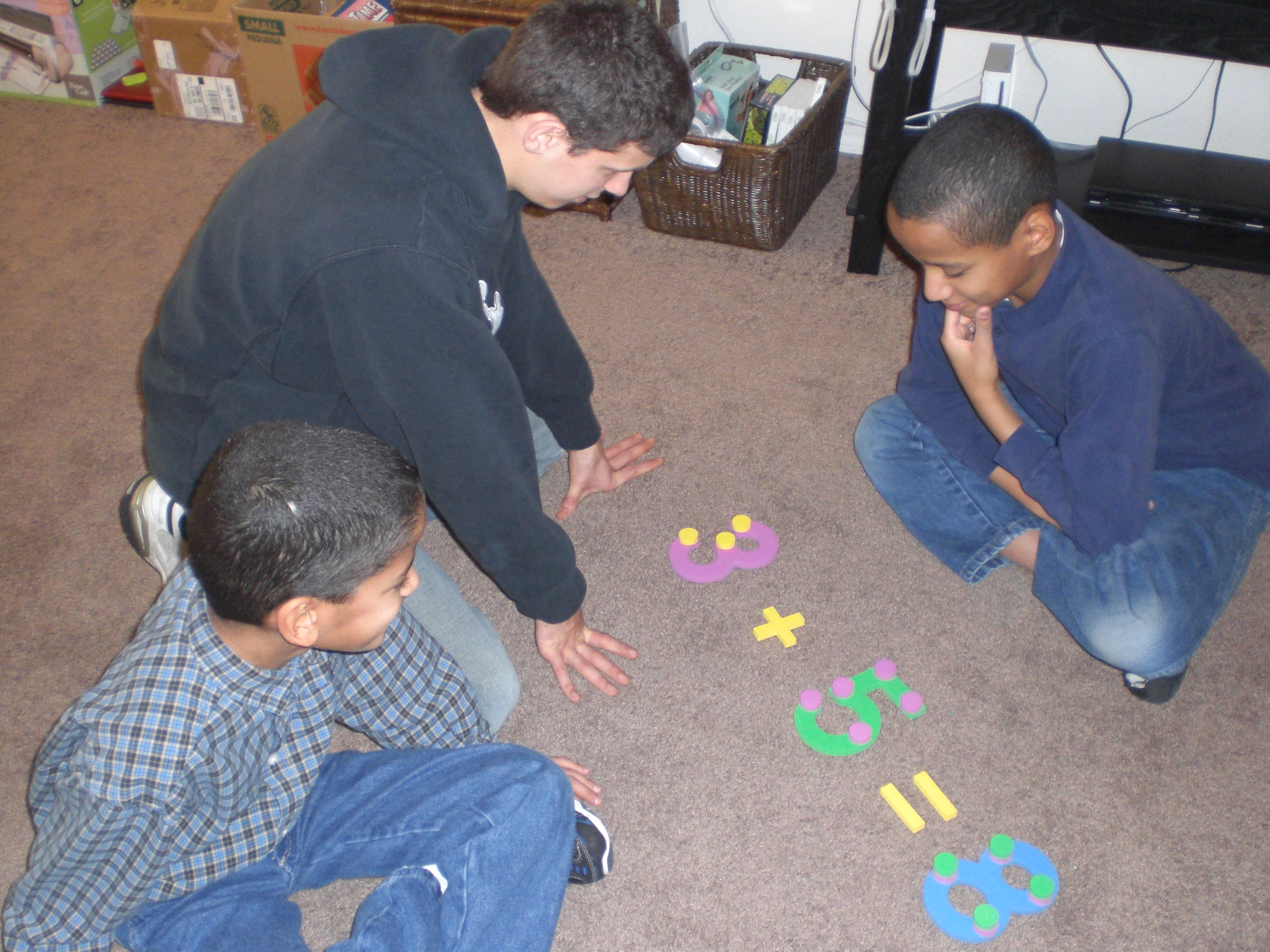
018

Here are my boys putting together an addition problem with the Touch Numerals and the Touch Points . . .

These hands on manipulatives are wonderful, although I personally wish they were constructed of something much sturdier than foam, if only so that they would last a lot longer when one has four rough and tumble boys, like I have! 🙂 They are quite nice, though, and good size, at six inches. They make it very easy and fun to spread out and use the floor for learning. We can set out the numerals and put the touch point circles on them to practice touch point counting, we can add the operation signs to practice addition, subtraction, multiplication and division. The base ten trays are nice for holding the touch point circles, as well as using them as a hands on visual of grouping in tens.

The Flip Cards are pretty impressive. There are twelve different sets for the full curriculum. They are, as I said above, $19.00 per set, but I find them to be worth it, if you have children who like a hands on approach to learning and they can be fit into your budget. When you get all of the sets, they will cover the following:

Counting Cards 1–120, Addition and Subtraction 0–9 with TouchPoints, Comparing Numbers with Multiple Representations, Addition Fact Families 10–18, Subtraction Fact Families 10–18, Place Value Cards 10–20, Adding and Subtracting 10, Adding and Subtracting 2-Digit Numbers No Regrouping, Place Value Cards 10–60, Measuring Objects Using Objects, Defining Geometric Shapes 2-D and 3-D, & Fractions in Geometric Shapes Halves through Sixths.

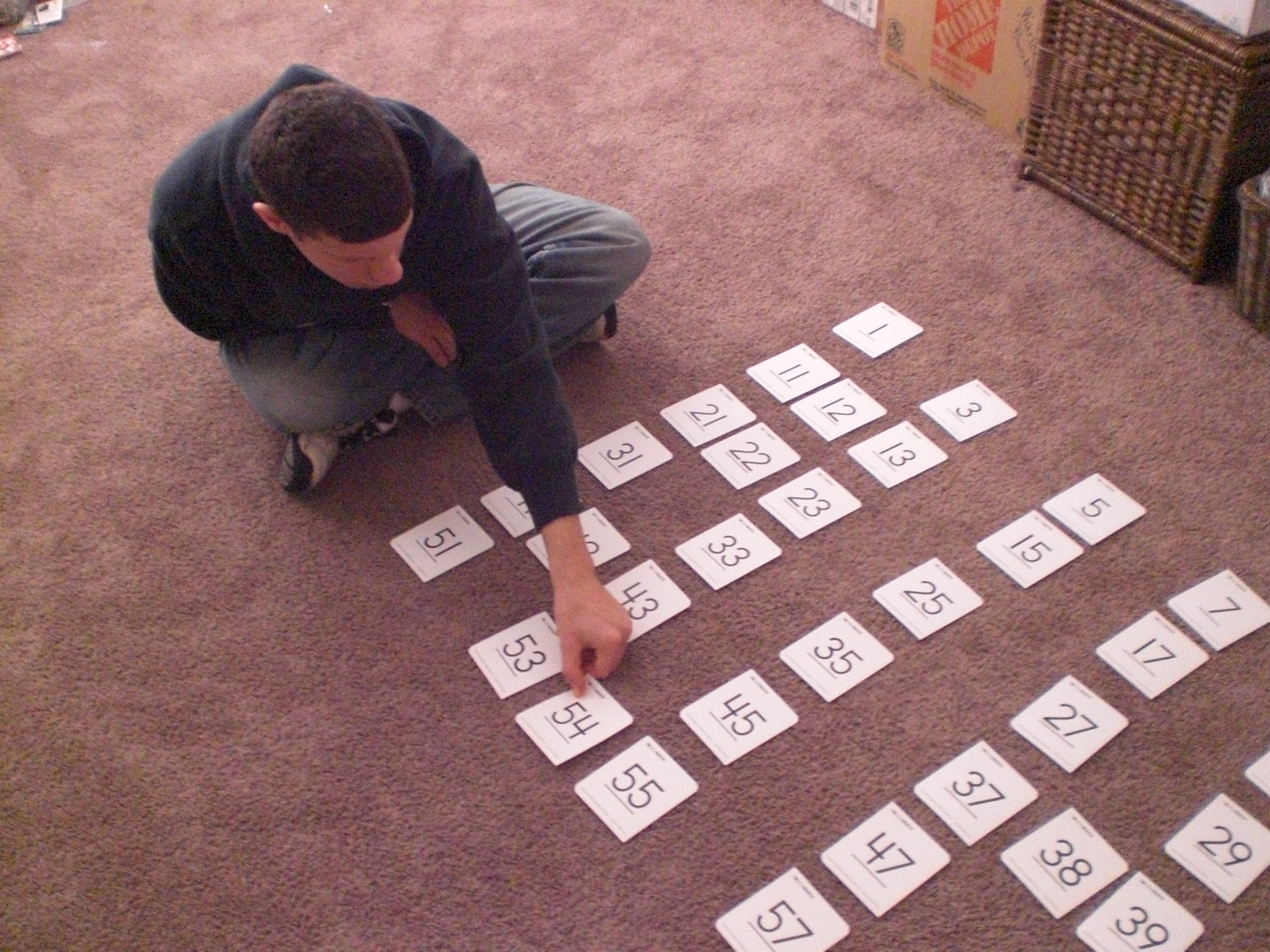
At $19.00 per set, they may seem pricey, but they are extremely sturdy, they are large, two-sided cards, and the number of cards varies in each set, ranging from 50 – 100 cards. So far, we’ve gotten into just the first set, which can be used in a variety of ways, such as making a memory game on the floor by laying them all out, or even choosing a set number to lay out, removing some and having the children figure out which number must go either before or after the number showing.

017

“The Batman” replacing one of the missing cards after drawing from the deck . . .

015

“Mr. Loquacious” putting his card into place . . .

013

. . . and finally, “The Puzzler”, taking his turn!

Because of the benefit the flip cards, the Touch Numerals and the Student Number Cards are to my special needs children, I can honestly say that if I had not received them to review, and would be able to fit them into my educational budget, I would purchase them.

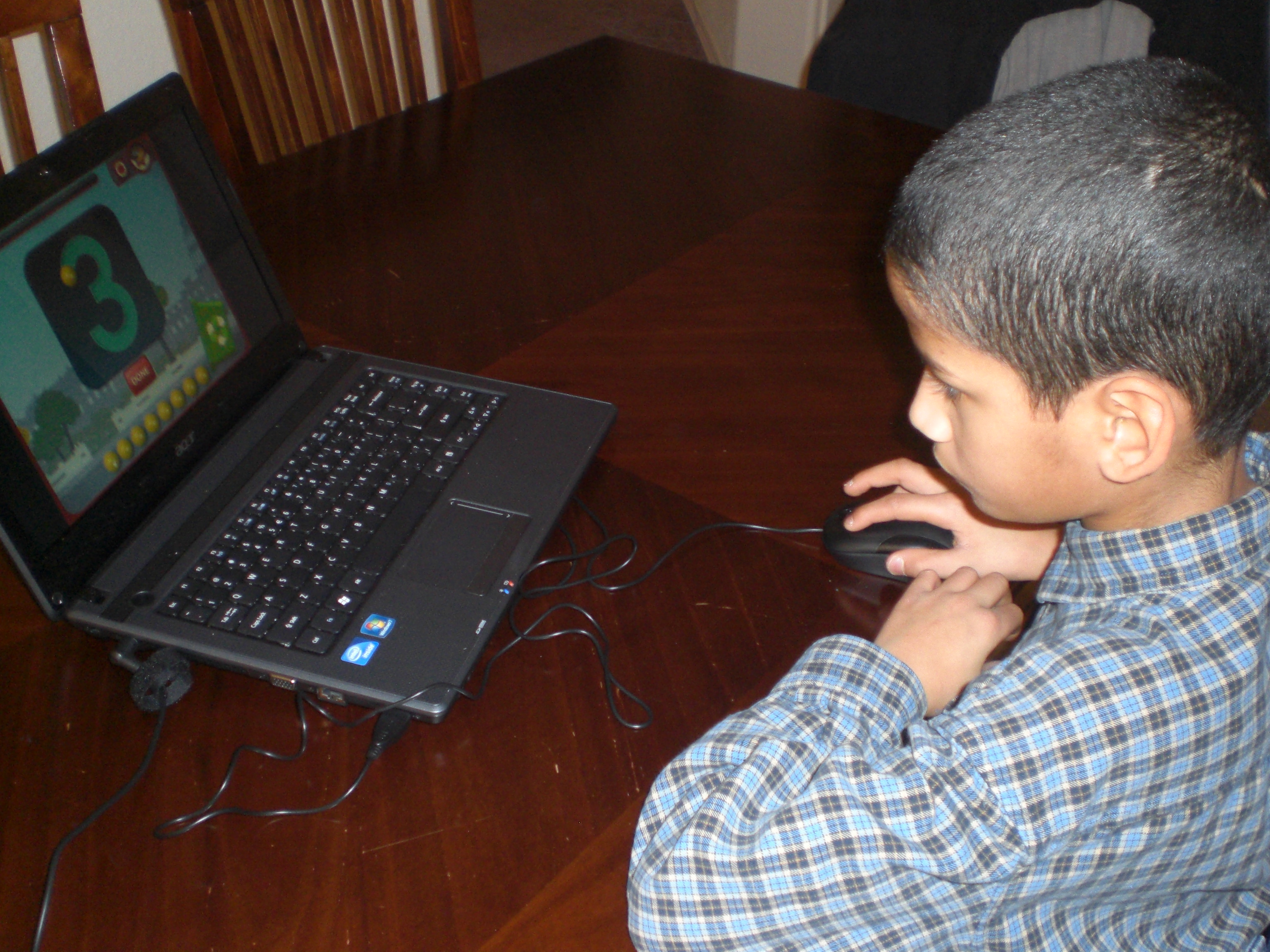
The TouchMath Tutor Software is not a NECESSITY, but it is a fun reinforcement game for the kids, which also incorporates some geography. If it fit into my budget, and had not been generously given to me by the company, I would probably purchase it. My children love computer games, and my personal preference when it comes to the purchase of them is to try to get educational games as much as possible.

019

Here are all three of the boys learning how the game works while “Mr. Loquacious” is playing . . .

020

“The Puzzler” is giving it a try . . .

021

. . . and now, “The Batman” gets a turn, too!

I really like this curriculum, and my children seem to be enjoying it a great deal.

disclaimer

Other crew members reviewed this and other grade levels of TouchMath. To read their opinions, please click on the graphic below.

Photobucket

2 Comments

Filed under Uncategorized

Lone Star Learning . . . My Review of Their Target Vocabulary Pictures

logo lonestar

My children and I have recently had the opportunity to play and learn with a product from Lone Star Learning. We actually are reviewing TWO of their products, because there was a little mix up in shipping, and the company allowed us to keep the set they originally shipped to us, AND the correct set, which they shipped out as soon as they realized the problem. 🙂

Target-Vocabulary-Pictures

The set I was assigned to review was Target Vocabulary Pictures, MATH Set 1. I received the small cards, which measure 5.5″ x 4.25″, and cost $29.99. They also come in a larger size, which I think would be great in a classroom setting, measuring 11″ x 8.5″, and are available for $34.99. There are 50 – 56 cards in each set of Target Vocabulary Pictures, and they are intended for grades 3 – 8. Set 1, which is what I received, contains the following word list:

acute angle
area
circumference
complementary angles
cone
congruent
cube
cylinder
decimal
decreasing
diagonal
diameter
dividend
divisor
edge
equilateral triangle
even
exponent
exterior
face
greater than
hexagon
horizontal
increasing
interior
intersecting lines
isosceles triangle
less than
line segment
mean
median
mode
numerator/denominator
obtuse angle
octagon
odd
ordered pair
parallel
pattern
pentagon
perimeter
perpendicular
polygon
radius
range
ray
reflection
right angle
rotation
similar
sphere
supplementary angles
symmetry
translation
vertical
X axis
Y axis

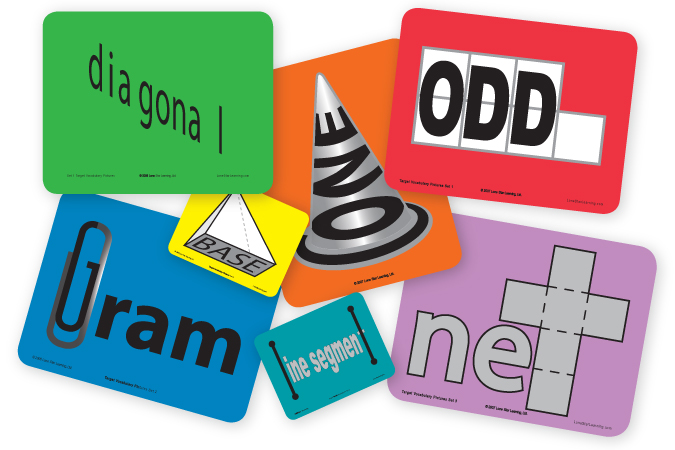
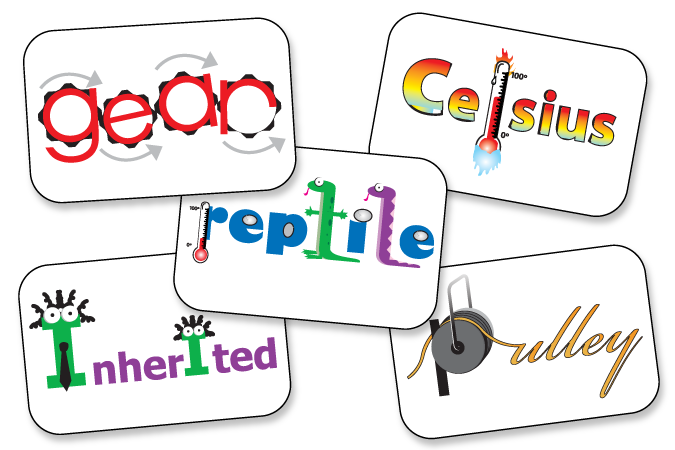
These cards are very colorful! each one has the vocabulary word incorporated into a clever picture, designed to help the student remember the meaning of the word.

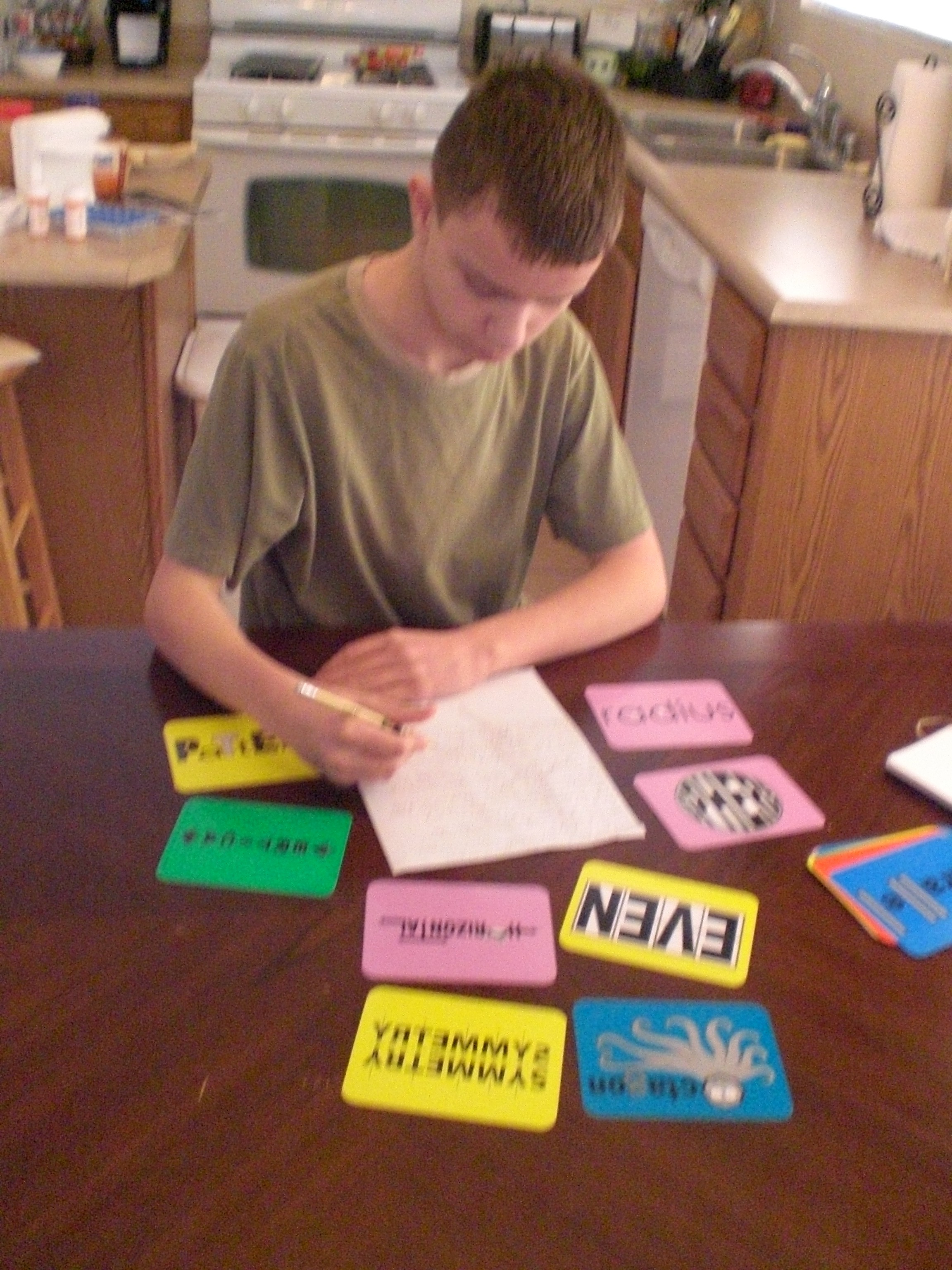
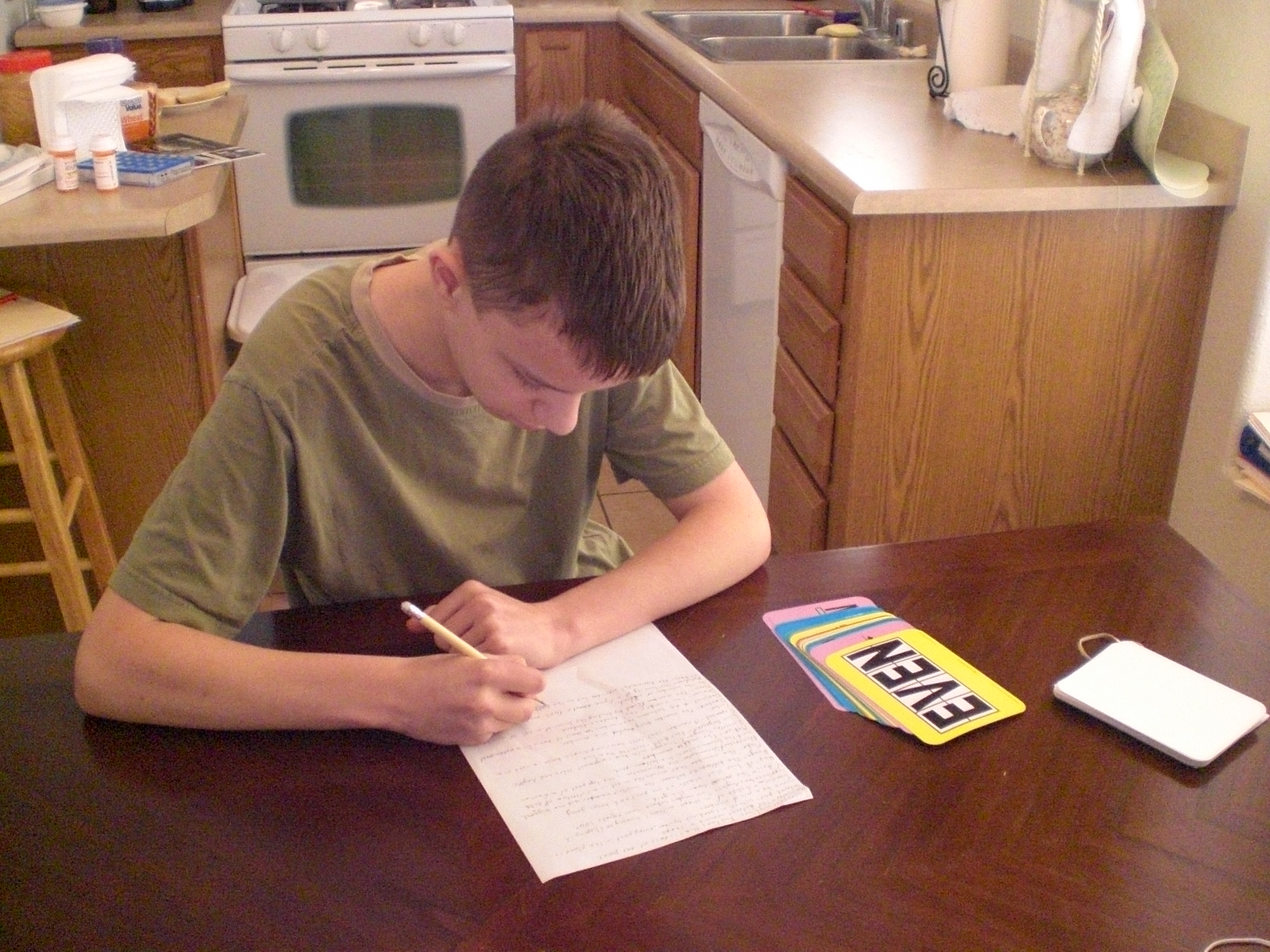
At first, I wasn’t sure how, exactly, we would best make use of these cards, but I realized pretty quickly that they work for several grade levels or age/ability ranges at the same time. The first thing I did with them was give them to “The Artist” . . .

028

027

. . . who spent part of each day looking at them and copying down the definitions to keep in a notebook.

To be honest, the first time I really looked at the cards, I thought they might be too advanced for my children, but “The Artist” already knew several of them, and was able to memorize many of the ones he had not yet learned. He is still working on about half of them, but that’s OK, as I pointed out before, these really do work for multiple ages.

The set I was originally sent by mistake is the Target Vocabulary Pictures, SCIENCE Set 1, which has 40 cards and measure 5.5″ x 8.5″. They are available for $29.99 as well, and contain the following word/pictures:

blizzard
carnivore
Celsius
condensation
conductor
conglomerate
conifer
deciduous
evaporation
fall
fern
fibrous root
flood
friction
load – fulcrum
gear
gravity
herbivore
igneous
inclined plane
inherited
lever
magnetic
mammal
metamorphic
moss
permeable
precipitation
pulley
reptile
sedimentary
spring
stretch
summer
symmetry
taproot
turn
wedge
wheel
winter

Science-Vocabulary-Pictures

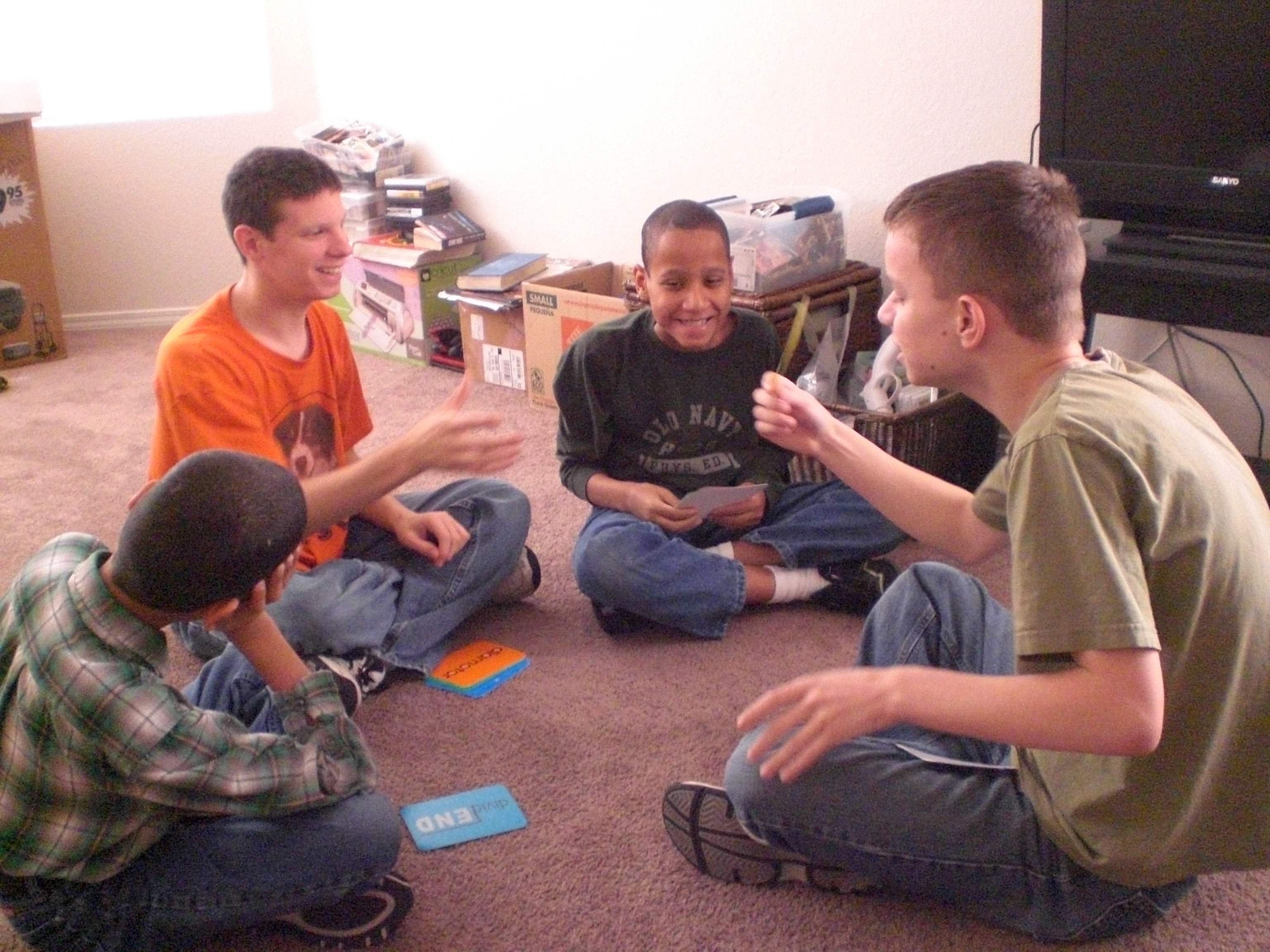
In addition to having “The Artist” write out the definitions of the Target Vocabulary Pictures, MATH set 1, I wanted to include my other three children in using them, so we made up a game. After gathering all the boys together in one room, I had “The Artist” show and read each card, one at a time, to “The Batman”, “Mr. Loquacious”, and “The Puzzler”. THIS was when they began really having a good time!

020

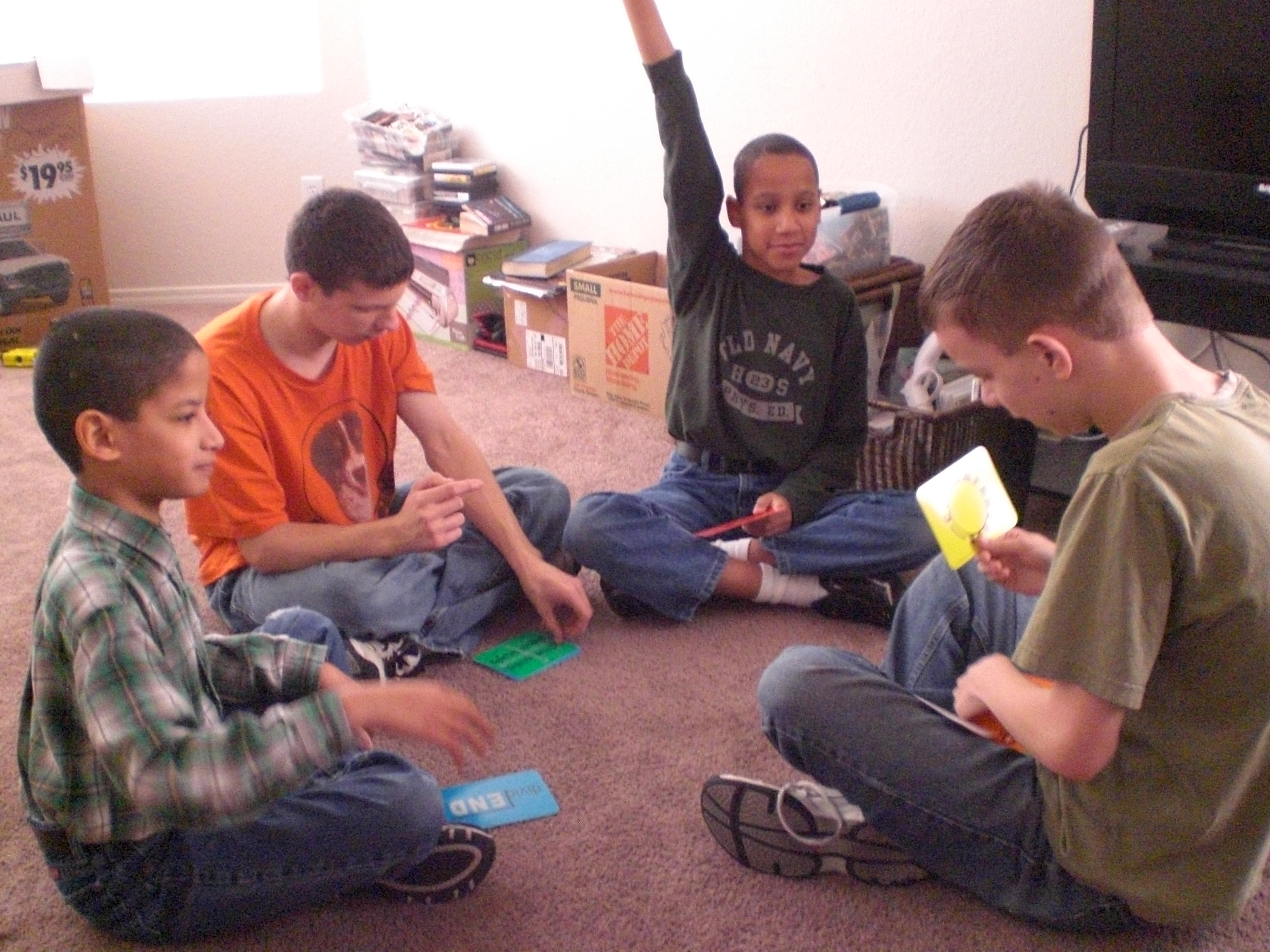
Whenever one of the other boys could give a reasonably accurate definition of the card, he got the card to put in his pile. If nobody could get it, then “The Artist” kept it in HIS pile.

016

All four of the boys ended up having a really great time (as you can see in the picture below), and discovered that one, they already knew a lot more than they had realized, and two, that they were learning even more, just by playing a little game with the card sets.

025

What I like: The cards I received are the perfect size for a home school setting. They are very bright and colorful, which my children liked as well. The words are incorporated into very clever pictures, making it easier for the children to often figure out the meaning, even if they don’t already know it. The cards are sturdy, and I think they will last a long time.

What I wish was different about them: I wish they came in a case for storage. We have ours on the bookshelf, each set has a rubber band around it. I also wish that the paper with all of the definitions on it was made like the cards, instead of being just a piece of paper. I plan to take both definition sheets to an office supply store and get them laminated so that they will last as long as the picture cards.

Bottom line? At first I thought these cards were too pricey, but now, realizing that they can be used with multiple ages, grades and ability levels, I think they are at a good price. I was able to use them with all four of my children, who range from age 11 – 20, and have various special needs which include developmental delays, among other things. Because this product is a supplement, as opposed to a curriculum, there are so very many ways that one could come up with to use them in a child’s education. You could make up games with them, as I did, or have a child write the definitions into a notebook. You could hang them on a wall, you could choose out the specific cards that go with whatever topic the child is currently studying, and add them as reinforcement. I think that if you are able to fit them into your educational budget, they are worth the cost.

Lone Star Learning has the math vocabulary picture cards available in primary, set 1, set 2 & set 3, and the science vocabulary word picture cards available in early grades, K – 2, along with sets 1 – 4.

Crew members reviewed these and other products from Lone Star Learning . . . please go and check out what they had to say!

Photobucket

disclaimer

Leave a comment

Filed under Uncategorized

My Review of A+Tutorsoft Interactive MATH

We recently had the opportunity to test drive the A+ Interactive MATH from A+ Tutorsoft.

tutorsoft banner

We decided to use our son “The Artist” as our Guinea Pig test subject. In addition to being the highest functioning of our 4 special needs kids, he was recently assessed and found to be lacking in math skills. We wanted to see if we could help him catch up, so we chose to review grade 3. Given the options of a CD or online curriculum, we decided on the CD due to various internet challenges we’ve had recently. The Premium Edition that we are using is available at A+ Interactive MATH, and the price is $124.99.

Photobucket

The CD was easy to install and setup in Windows. The CD is not Mac-compatible, but the company reports good results using Parallels to let your Mac run in a Windows environment. The company’s FAQ’s does mention this use is not supported. You do need an internet connection to activate the software, and we recommend you set up a Parent Profile . . . while you can use the program without this profile, you’ll lose some neat security and student tracking features we’ll go over later.

The program comes with a recommended lesson plan, which you can fill in on the computer and print a copy. I found it easier for me to do both . . . use a blank copy of the lesson plan for the day to day, then enter it into the computer later.

The Lesson Plan recommends taking 2 weeks to go through most chapters. We started out at the recommended pace, but our son wasn’t really being challenged at this point. We decided to step up the pace a little. Starting with Chapter 2, we upped the pace to one chapter per week. We just started Chapter 4 (Multiplication) this week, and he seems to be showing signs of reaching his level . . . we’ll be slowing things down to the recommended two-weeks-per-chapter pace fairly soon.

Please be assured, you do not have to do this fine tuning for your child/children. There is a free placement test available at the web site, so you can evaluate your kids and determine where to start. A+ Interactive MATH is available in Grades 1-6, Pre-Algebra and Algebra.

Each Chapter is separated into sub units. Each sub unit has a Curriculum, an Interactive Lesson and Q&A (which lets you print a Certificate of Achievement) and a Worksheet, and there is a Chapter Exam once your student completes each Chapter. Coming soon in the 3rd and 4th Grade curriculum (and already available in the 1st and 2nd Grade CD’s) are Cumulative Reviews which not only include the most recently worked chapter, but one or two of the previous chapters.

The process we’ve worked out is starting the day with a quick review of the Curriculum. Depending on your child, you may just let them read it on-screen and see if they have any questions before starting on the Q&A. Once he’s printed the Q&A Certificate, he starts the Worksheet, a 10-question reinforcement of the lesson. We then grade the Worksheet before moving to the next sub unit.

A+ pic

The Premium Version we’re using also allows you to track these results by entering the Q&A, Worksheet and Exam results in a Student Tracking area (if you’ve set up a Parent Profile). This not only helps you determine what your child needs, but I imagine would be incredibly useful if you home school in a state that has mandatory reporting.

For this type of math, and taking into account the student involved, we set a pass/fail level of 80%. On the one Worksheet he scored 60%, we pumped the brakes to see what happened. We reviewed the worksheet with “The Artist”, and determined the problem was not the lack of understanding of the subject matter. It was back in Chapter 1, and he was basically blowing through the problems and not checking his work because he wasn’t feeling challenged.

We did allow him to re-do the worksheet, just to make sure he understood the subject matter (he got 100% on the 2nd try). But, in order to help him in his future focus challenges, he was told the original 60% is what was entered into the Student Tracking. This might seem harsh to some, but he hasn’t failed a single Worksheet since we instituted this policy! This is also what made us decide to quicken the pace of the Lesson Plan.

More on the Parent Profile . . . when you’re signed in as the parent, you have access to the Solutions Guides for the Worksheets and Chapter Exams. Plus, you have the option of setting up some security so the student does not have access to these Solution Guides and Tracking. We do not allow our son access to the Solutions Guides or Tracking. However, if your child works better with minimal assistance and can be trusted not to peek, you do have the option to give them access so they can self-manage their progress.

A+ TutorSoft Interactive MATH is available in either CD or online curriculum. While A+ TutorSoft does provide ability for parents to very easily check and track student work, the CD version does not automatically track the student assignment grades. However, the online edition DOES track all assignments completed online in addition to providing option for the parents to print the assignments and have them grade/track using the tools we provide.

The CD version is designed that way so that parents can be more involved in their student’s homeschool MATH journey and can check/track their work using the tools, which include the parent’s solutions manuals and electronic grade book among others. Parents are NOT expected to have the mastery of MATH in order to grade student’s work. A+ TutorSoft provides all of the tools that make it really easy for any parent to check the student’s work and enter them into our program to track and view various reports.

Overall, this program gives “The Artist” the structure he needs for learning math, and allows the Parent/Teacher to set the pace of the course. We intend to continue on with A+ Interactive MATH in the future.

A+ Tutorsoft is currently offering an AWESOME special promotion to you, my wonderful readers . . . through the end of March, you will receive 50% off your order with the coupon code SPOFFER50!

disclaimer

Sail on over and read what other crew members thought of this and other grades, as well as the online version of the curriculum!

Photobucket

3 Comments

Filed under Uncategorized

Handwriting Without Tears!

HWT

Many, many years ago, we tried using the curriculum Handwriting Without Tears with our oldest son (The Batman!). Can I just say that it was an absolute disaster at that time? In fact, we had Handwriting with FLOODS of tears, from both our son and myself, lol! This was NOT in any way a problem with the curriculum, in my opinion. He was simply not ready yet, he didn’t (and still does not) have the fine motor control needed for printing, plus, one of the problems he has as a result of his special needs is very bad shakiness in his hands when attempting to print.

When given the opportunity to review both the 3rd grade student workbook

HWT student

And the 3rd grade Teacher’s Guide,
hwt teacher

I jumped all over it!

The Handwriting Without Tears 3rd Grade Teacher’s Guide can be purchased for $9.25, and the Handwriting Without Tears 3rd Grade Workbook can be purchased for $8.25, and I believe these are very fair prices for what you are getting.

004
Let me say right here that it is working so much better for him now. As you can see in the picture above, his printing is still (and very likely always will be) just terrible. “The Batman” loves to write notes and stories based on books he’s reading, or about his Nintendo DS games, and you can see what they look like in the picture above . . .

005

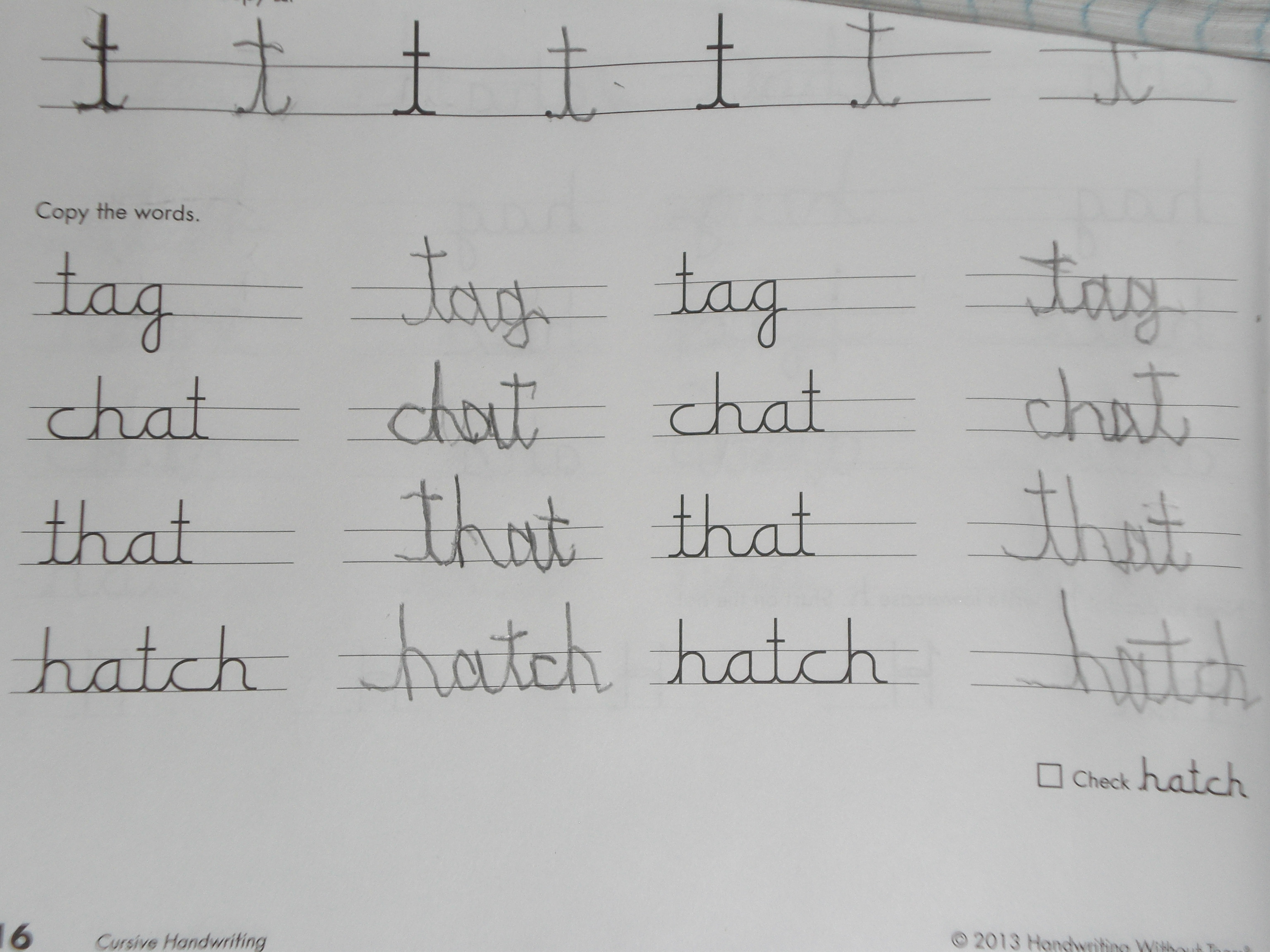
However, THIS is what he is doing in the workbook! This is page 16. We are going quite slowly through the curriculum, because he does need to go at a slow pace.

While the student workbook is not overwhelming at all (maybe 15 or 20 minutes per day), I did find the Teacher’s Guide to be a little bit overwhelming at first, until I realized that a lot of it really is geared to a much younger child, and was not necessary for “The Batman”

There are a good 45 pages of material for the teacher to read before you even get to the actual lesson plans for the student workbook, most of which will be very helpful to the parent of a young child, but were upsetting to my 20 year old developmentally delayed child.

For example, there are activities like the one on page 29, “Stomp Your Feet”, in which you show the child how to stomp his/her feet and wave his/her arms, shout “Na, na, naaaah, na, na, naaah” with you while waving and stomping. You would then have them push and pull their hands, and hug themselves. At the end of the exercise, the child raises the shoulders up, pulls the shoulders back, and lets them down. At this point, the child should be sitting in a more upright position, ready to write.

Throughout the Teacher’s Guide, you’ll find a smiley face icon to visit “A Click Away”, which is a password protected site that is a wonderful resource exclusively for teacher’s guide users. On this site, you’ll see plenty of downloads which are great supplements to handwriting instruction and practice.

On page 23 of the teacher’s guide is a chart giving the scope and sequence of cursive which covers 2nd grade through 5th grade. There are a number of pages giving information from Pre-Instuctional Stages to Instructional Stages, to Posture, Paper & Pencil Grip, the afore-mentioned Stomp Your Feet, to my favorite, The importance of Cursive, which talks about why we should teach cursive in the age of technology.

My son is a lefty, which has always been an issue in writing for him. From page 7 of the Teacher’s Guide, “Our workbooks are lefty friendly. Teaching pages provide models on the left and right so that left-handed children can easily see the model they are copying. Lefties never have to lift their hands or place them in an awkward position to see a model. Children always make their best letter directly beside a model. This design encourages excellent letter practice for both left- and right-handed children.”

My son did, however, copy the models on both provided lines, out of habit, and I can see that his copy on the left is usually better because he can see the example given, whereas when he copies it on the blanks at the far right, he cannot see the model.

I do like the way the curriculum builds in letter groups, giving cursive warm ups for each different concept, such as under and over, up and straight down, up and loop down, and descending loop. These are all movements needed for specific letter groups. The workbook pages goes in the following lower case teaching order:
c, a, d, g
h, t, p
e, l, f,
u, y, i, j
k, r, s
o, w, b, v
m, n
x, z, q

Within each of these groups the letters phase easily from one to the next, allowing the child to see how easily they can form each letter by beginning with the previous one. There are little phrases to help them remember the formation of each letter and/or connection, such as “zip the tent” to remember the bottom of the lower case t should be closed, not spread apart. These things are really helpful to my son.

I especially like that the letters are all very similar to printed letters, but adjusted to cursive.

The student workbook is simple, black and white, and uncluttered, another helpful thing when you have (as I do) a highly distractable child. The lessons are fairly short, meaning “The Batman” is willing to do them, and he can see immediately the difference in how his writing can look.

My son and I really like this curriculum, because it is finally something that he can work within. We will continue to go through the 3rd grade book, and he has expressed a willingness to continue on through the subsequent grades as well, which we believe will help him make a major improvement in his handwriting, and if he can remember to go SLOWLY whenever he is writing something, will help him to have legible writing. He is looking forward to writing letters to close friends we haven’t seen since moving here to New Mexico from Michigan this past summer.

I recommend this curriculum for anyone with a child who needs an easier way to learn cursive, whether they be the normal 3rd grade age, or an adult developmentally delayed child like mine.

disclaimer

I reviewed the third grade Teacher’s Guide and the third grade workbook. Check out other crew reviews on K – 3 teacher’s guides and workbooks, along with both Apple apps and Android apps.

Photobucket

3 Comments

Filed under Uncategorized

Let’s Learn Some Spanish!

logo_CAP

My boys and I are learning some basic Spanish with a nice little curriculum from Classical Academic Press.

This curriculum is called Song School Spanish, and teaches through the use of (you guessed it!) lots of cute songs and chants, which are included on a CD that is bound into the student book.

Photobucket

The student book can be purchased at the cost of $24.95.

Photobucket

The Teacher’s Edition has the complete student workbook with the answers, along with forty pages of extra activities, keyed to each chapter, and can be purchased for $24.95.

Also available is a very nice set of cards called Spanish Amigo Match available for $26.95

All three products can also be purchased in one bundle for $66.95, which I think is a pretty good deal!

This curriculum is written for the kindergarten through third grade level, making it perfect for us, as we are getting our first real exposure to hearing people speak Spanish on a regular basis. Having only this past summer moved across the country to New Mexico, we are now hearing Spanish just about everywhere we go, and had really wanted to incorporate it into out homeschooling, so it was definitely a blessing to receive this opportunity from the Schoolhouse Review Crew!

While this is a very basic introduction to Spanish, I am getting plenty from it as an adult, and I can see my children enjoying the songs, and learning the new words and phrases.

The various chapters are themed, some examples being Greeting Words, Making Friends, Family, Manners, Animals, Numbers, Food, and so on. I like the use of themes tying the words together in each individual chapter.

With four special needs children, I often need to find creative ways to help them learn. This curriculum easily lends itself to doing a lot of the lessons orally, and then helping where needed during the worksheet portions. Another plus when I have highly distractable children, is that the student pages are all printed in black and white. I like that they are not cluttered with a lot of colorful images, making it a bit easier for my boys to focus on what they are actually supposed to be reading. The pictures can be colored by the child at the end of a lesson, if they like. So far, mine have not asked to color, but they are coloring the free Song School Spanish coloring pages that are available in the free Resources section of the Classical Academic Press website. There are coloring pages to go with the many vocabulary words and phrases learned in Song School Spanish, 127 pages worth! There is also a game for practice called Headventureland available on the website.

We very much enjoy the songs, and I have had fun making my children laugh by pretending to “chair dance” to the music. I’m finding that it is absolutely true that music and repetition aids in memorizing new things. When we sing the songs that go along with each different vocabulary word or phrase, we are definitely remembering them. When we go back a few days later and review, we all have an easier time remembering what we’ve learned than if we had just read it on the page. This curriculum gives us multiple opportunities for cementing the new words and phrases into our memories . . .listening to the songs, singing the songs, writing the words, and coloring the free pages from http:www.ClassicalAcademicPress.com.

I have been thinking about adding the CD from the student book to our rotation in the minivan. I think it will help us to memorize the songs even better, hearing them that way, without having the book in front of us to refer too.

All in all, my boys and I have found this to be a fun addition to our education, and I would recommend it to anyone with young children, developmentally delayed older children, or even adults who need to begin at the very beginning . . .like ME!

Disclaimer

Photobucket

3 Comments

Filed under Uncategorized