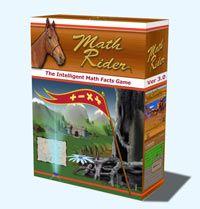
Oh, my twins, “Mr. Loquacious” and “The Puzzler” have REALLY been enjoying “doing math” for the past few weeks! They have been playing a very cool computer game called Math Rider, which we have been reviewing for the Schoolhouse Review Crew.
Math Rider is a computer game which drills all four basic operations (addition, subtraction, multiplication and division) while the player goes on various quests, with his or her trusty horse, Shadow.
Because it drills the four basic operations, and because it can be set so that the child must begin at the beginning and move on upon mastery, I feel this game would be good for even grade K and up, although the Math Rider FAQ says it’s designed for grade 2 through grade 6.
Math Rider can be played on either Windows or MAC . . . complete system requirements are listed here.
Math Rider allows up to eight players, each with their own log in, per license.
The game is personalized, in that it adjusts for each player, recognizing where the student is having trouble, and working those problems back into play until they are mastered. It “learns” what the rider knows, as well as what he or she still needs work on, so that it then asks the right question for that particular rider. It is not just a random facts generator. Each separate player has his or her every answer stored and analyzed by the software, so each rider’s experience with Math Rider will be his or her own.
A lot of computer games, even educational games, are (in my opinion) ruined for the child by the difficult controls. You miss aim something, it doesn’t matter if you knew the answer, you don’t get the point or the credit toward a win. In Math Rider, this is not the case. If you can type in the correct number, you win. The creators of this game felt no need to incorporate hand eye coordination as a necessary component into a math game.
If the student needs help with a question, he or she can click on it, which will bring up more information, including a visual representation of that question. I do like that.
Here is a quote from the creator of the game:
“An Intelligent Math Facts Game Created from Personal Need
I originally created MathRider out of personal need, because my kids were failing math badly at school, and I was desperately trying to help them.
I was unable to find good math games that really worked for my kids. So I eventually took matters into my own hands and created my own math training game.
After a while, teachers, friends and neighbours started noticing the improvement in my children. I engaged a team of experts, including teachers, psychologists and school principals, and now, about two years and many improvements later, we have MathRider in its current version: 3.10.”
I don’t care for the magical aspects of the game. It does involve a lot of searching for magical flowers, elves, sorcerers and the like. If this is an issue for you, or your children are too young to have any Biblical discernment regarding these things, you may not care for it, but I felt the benefits of the drill in Math Rider gives us an incentive to discuss with our kids why we don’t believe in these things.
You can purchase Math Rider for only $47.00, which will give you a 30 day risk free guarantee, plus free updates for life.
Here is a video from the Math Rider Website, to show you a little bit about this game in action . . .
My twins, especially “The Puzzler”, ask every single day, sometimes several times, to have the laptop started up so that they can “do Math Rider“. I mean, really, how often do your kids ASK to do something math related? I certainly never did! 🙂
Overall, I do think this is an excellent game for learning the four basic operations, but I also wish there would be a version without all of the magic elements. I know that is not a popular view these days, but it is mine. I will let “Mr. Loquacious” and “The Puzzler” continue with it while we have it, because they ARE learning, but we will continue to discuss the magical elements, and our reasons for not believing in them.
To see what other Schoolhouse Review Crew Members thought of Math Rider, please click the graphic below!
People! Lots and lots of people, all over the place today, at the C. A. P. E. – NM convention. C. A. P. E. stands for Christian Association of Parent Educators. I had a wonderful time today. I registered around 1:30, then started browsing the vendor exhibits, until time for the first presentation, which was Todd Wilson, on “Lies Home schoolers Believe”. After that, there was a wonderful showcase of performances by NM home schoolers, one of which was a choir that has been given the opportunity to sing at Carnegie Hall later this year. They were awesome! I saw the most PEOPLE in the 75 minute used book sale room. Crowds and crowds of PEOPLE! I’m going again, both tomorrow and Saturday. I’ve finished my vendor shopping, so now will be concentrating on workshops. Where I will see even MORE people! 🙂
This is our first experience with this company, but I doubt it will be our last! Knowledge Quest is well-known for a wealth of geography and history materials, but I didn’t know they also had published e-books such as the one my children have just completed.
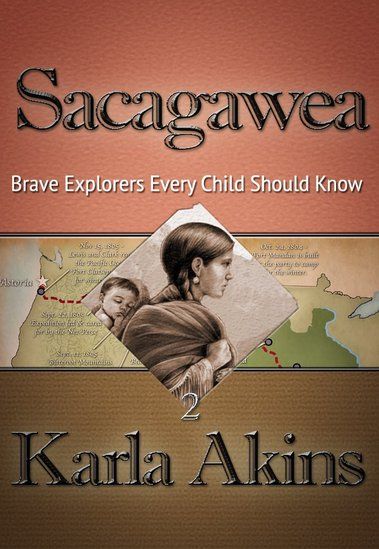
Sacagawea (Brave Explorers Every Child Should Know) would be an excellent book in and of itself, but the way Knowledge Quest has published it goes beyond just giving us a book. This is an interactive book, so it has links all through the story. It is available from Amazon.com for $4.97.
Sacagawea (Brave Explorers Every Child Should Know) is a very well written book, in which we learned a lot more than we ever knew about Sacagawea. We also gained more information about the Lewis and Clark Expedition as a result of reading this book, and plan to go back and add in a free CD unit study about that expedition which I have had for a few years, and simply had not yet gotten around to using.
This book is written for children age 10 and above. My kids are above age 10, but they (most of them, anyway) really liked it. In the case of “The Batman”, he was frequently wanting to be done with it for the day so he could go back to something that interested him more, but he’s all about his sports cards, Nintendo 3DS, and the Hardy Boys series right now . . . )
In the book, Sacagawea is telling the story to her son, Pompey, although at times, it seems as though it switches to a different perspective. For example, sometimes, instead of speaking TO her son, it’s as if she is telling the story about Pompey to someone else.
Most people likely know the basics of Sacagawea’s story, she was stolen away from her Shoshone tribe, and taken to be with the Mandan Tribe. She was given to a trader as his wife, and eventually went as a translator and guide on the Lewis and Clark Expedition. We found out a lot in the story about her relationship with her son, and her relationship with her husband, as he treated her like one of his belongings. I believe, through hearing my kids reading this book, that Sacagawea got to learn what it was like to be treated with respect when she went on the expedition with Lewis and Clark. It was amazing though, how much more detail we were able to get from this e-book, and the interactive links! Although the author did have to take literary license in order to create dialog, it is still a very educational read. It is what many who teach with the Charlotte Mason method would call a “living book”.
I asked “The Artist” to read this book out loud to the other three boys, which at first, although “Mr. Loquacious” and “The Puzzler” were into it, “The Batman” was definitely NOT. Until, that is, they started seeing the links in the story. When there was a link, “The Artist” would click on it, taking them out of the e-book to see a picture, or a description of what was being talked about in the story, or sometimes, it would simply be more information about the person being referred to in that part of the story. THAT perked up “The Batman’s” interest, he seemed to enjoy it when they got “more to the story” that way.
My kids thought the description in chapter 15, where the men were jumping from the cold river to the hot springs, and back again over and over, was really funny, and went to look at the link. Another one that they were really excited about was when “Man With Red Hair” (Clark) did the following: “On the side of the rock he wrote his name beside other pictures drawn by the ancient ones“. They were so excited, they called me to the table to see, because we have been to the National Petroglyph Monument Park, here in New Mexico.
I myself found the following note by the author, at the end of the book, to be of great interest, as I did wonder about the different spelling of Sacagawea’s name, different from the one I grew up seeing:
“Some may wonder why I have chosen to spell her name with a “g” instead of a “j.” One reason is because that is the way it was spelled in the Corps’ journals. Another reason is because that is how it was pronounced when Captains Lewis and Clark met her. Her name in Hidatsa language means “bird woman.”
The “j” spelling occurred after the editor of the 1814 narrative of the journals, Nicholas Biddle, transcribed it as a “j” instead of a “g.” No one knows why. He had never met Sacagawea and therefore did not know that she herself pronounced her name with the hard “g” sound in the middle.
While some historians have tried to prove that the “j” in the name is a Shoshone word meaning “boat pusher,” Dr. Sven Liljeblad, professor of linguistics, emeritus, at Idaho State University in Pocatello, analyzed the word “Sacajawea” and concluded that “it is unlikely that Sacajawea is a Shoshoni word….The term for ‘boat’ in Shoshoni is saiki, but the rest of the alleged compound would be incomprehensible to a native speaker of Shoshoni.”
Overall, we really liked the interactive e-book Sacagawea (Brave Explorers Every Child Should Know), finding it to be a fun way of being educated further about Sacagawea, Lewis and Clark, and the time in which they lived. We think that Knowledge Quest is a company that is well worth exploring for our future home-school endeavors!
Many of the crew members reviewed this e-book, while others reviewed the Timeline Builder App, also from Knowledge Quest. Please, click below to find out what they all thought, too!
Number! As in the huge number of things going on around here this week! First, we have the Biblical Music Conference at our church, which began this past Sunday morning, and concludes tomorrow evening. It has been FANTASTIC so far . . . please, go here to listen to what we’ve been learning about!
Tonight, I am singing the special before the message, so I will not be eating the meal beforehand, as the menu tonight is green chili cheese burgers and hot dogs. I’m far enough out from my gastric bypass that I can handle a cheeseburger most of the time, but I just know that if I try it on a night I have to sing, I WILL get sick, so I’m just not taking the chance.
For the meals being served before the evening sessions, I’ve been making desserts. Last night I made cherry/chocolate cake, and today I made my “Totally Bad For You” (aka chocolate/peanut butter) cake. Tomorrow I’m making pineapple upside down cake, plus a casserole for the potluck.
Then Thursday is the beginning of our state homeschooling convention, and I will be attending that Thursday afternoon, all day Friday, and then Saturday morning.
Thursday morning, before going to convention, I need to go to Maurice’s in the mall to return a dress that my husband didn’t approve of, stop at Barnes and Noble to pick up a book for “The Batman”, along with finding birthday gifts for “Mr. Loquacious” and “The Puzzler”, and get to the convention. And get lunch in there somewhere.
I need to finish writing a review of an e-book my kids just finished as a read aloud, and get that posted.
And then, there is the never-ending Mount Wash-more . . .
My family was recently given the opportunity to review Exact Change, a card game that
uses cards of various colors and values to teach your kids how to count money. The
cards come in four colors and all the basic denominations up to one dollar. In addition,
there are “Loose Change” cards, Wild cards and others I’ll detail a little later in this
article.
Game play is fairly simple. Each player gets seven cards, with the remaining cards
placed face down in a draw pile and one card placed next to it face up to start the discard pile. The player then draws a card and has several possible options. They can: 1) discard a card of the same value
2) discard a card of the same color
3) discard multiple cards that add up to the value of the card played
If the player has nothing they can play on the top card in the Discard pile, they must continue to draw cards until they get a play. The first player who gets rid of all the cards in their hand wins that round.
For example, my son discards a blue $1.00 card. I look in my hand and see a blue card and a yellow $1.00 card. But I also see 3 quarters, 2 dimes and a nickel. Guess who just got rid of six cards on one play!
That quickly taught the kids a basic strategy of the game, which is to discard your lowest-value card for the next player to deal with. This discovery, coupled with the fact that three of our 4 boys were beginners to the concept of counting change, made the first round a little long . . . be prepared for this.
The instructions also recommend starting with the basic denominations before adding the extra cards. These include:
• Wild Card: can be used for any color or value, but the player must state the color and value they are claiming for it
• Loose Change: these are cards of various amounts which require the player to add up multiple cards to play ($1.06, for example)
• Bank Withdrawal: you can choose another player to randomly draw a card from your hand and add it to theirs
• Collect Tax: everyone EXCEPT the player who play this card must draw a card from the draw pile and add it to their hand
Scoring is somewhat random. The player who has discarded all of their cards gets to choose one other player who still has cards and add up all the currency value of their hand. This is the amount they get to add to their total. The first player to get to $2.00 wins!
As mentioned earlier, play can take a while if you’re working with beginners. On the plus side, our boys caught on quickly, and we were able to start incorporating the other cards. We started with the Wild cards, then the Loose Change cards. Then, finally, we added the Bank Withdrawal and Collect Tax cards. We found this was the best process for introducing this game to our kids.
We found that once we mastered the learning curve in Exact Change, our boys couldn’t get enough of it! My husband calls it a “stealth” game, where they’re having fun while learning something under the radar. Exact Change has become a welcome addition to our game night rotation, and in my opinion, is a bargain, retailing on http://www.continuumgames.com for only $9.99. Further, I discovered a number of other games on the website that interest me for our family, along with finding a store locator which showed me three different stores in my city that carry games from this company. Since I am trying to focus more on educational play for my family, this company was definitely a good find for me!
When I was given the opportunity to review the e-science program from Supercharged Science, I was both excited, and nervous. I have NEVER really been much of a “science geek”, and so I’ve always wondered if I was short-changing my kids in some way, or even creating a science phobia in them.
With e science, Aurora Lipper has created a fun, exciting way to get kids (and their science phobic moms!) right in there actually DOING science! 🙂 When I told my kids about Aurora, especially when I told them she was a “real” rocket scientist, they all exclaimed “Just like Mrs. J.”! (Mrs. J. just so happens to be my very best friend, and did, in fact, work as a rocket scientist. :-)) But, I digress . . .
Back to Aurora, who has worked at NASA, taught mechanical engineering at Cal Poly, flew airplanes, launched rockets, and help design engines for a very special F-15.
While teaching at the university, Aurora came to realize how bored the students appeared to be, and decided to look at how science was being taught to kids. At that point, she thought that if she were being taught that way, she would be bored, too, and eventually, Supercharged Science was the company she created, in order to get e-science out there and make science FUN!
The first thing I did, when I received my log in information, was to go on the site and just start exploring. This would be when I REALLY began to get nervous! There is SO much content, it was really hard to decide where to begin. Of course, I wanted to begin with something basic, so since my kids and I have never really done much formal science, we began with learning the scientific method.
First, we watched the video in which Aurora walked us through all the steps of the scientific method by just doing it so we could really see it in action.
After that, my kids really, really wanted to do an experiment, so we decided we were now confident enough to move on to the “scientific method experiment” section of the web site. Here, we found a very cool experiment called “Underwater Presidents“. The idea is to use the scientific method in this (and every experiment), to do the following:
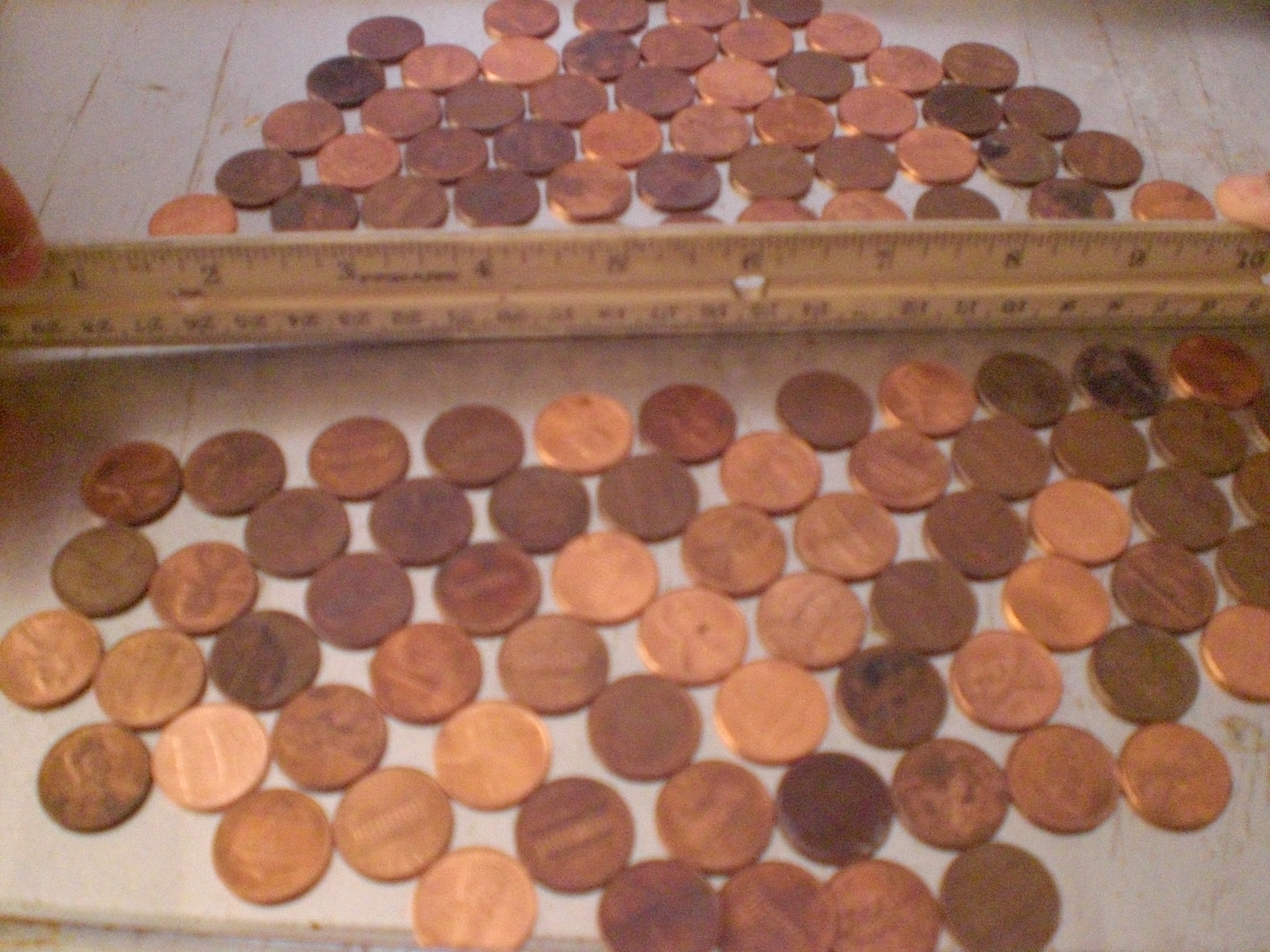
1. Observe: look at the penny. How big is it? is it clean, dirty, in between? is it heads or tails? Basically, we wrote down in our notebook the size of the penny (yes, we actually measured the diameter, LOL), we wrote that it was relatively clean, and that we were using it heads up.
2. Make our hypothesis: here, we each made a guess as to how many drops of water we could put on the penny, before it would overflow. Our guesses were, “The Batman” – 20, “The Artist” – 35, “Mr. Loquacious” – 24, “The Puzzler” – 15, and Mom – 10.
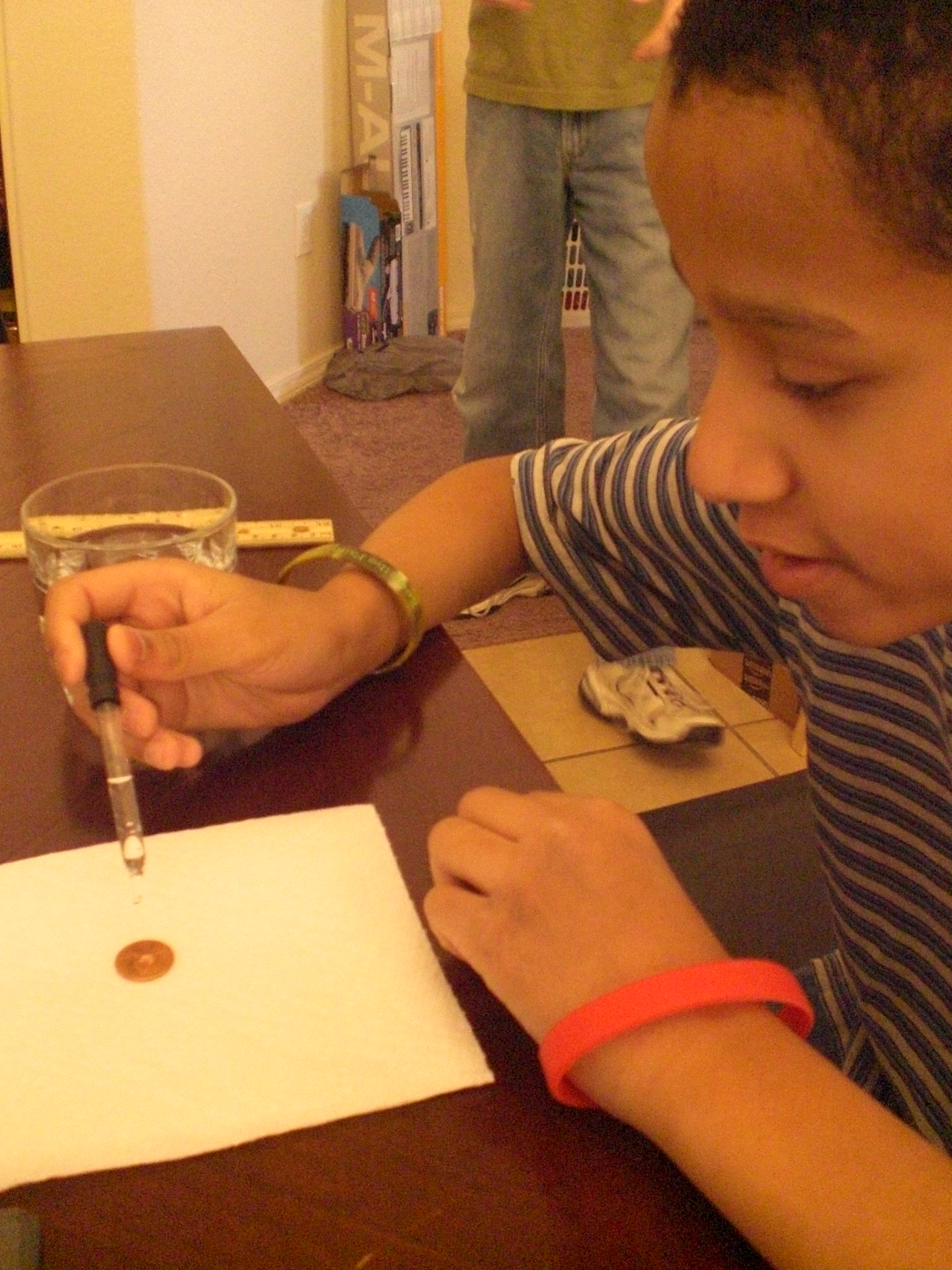
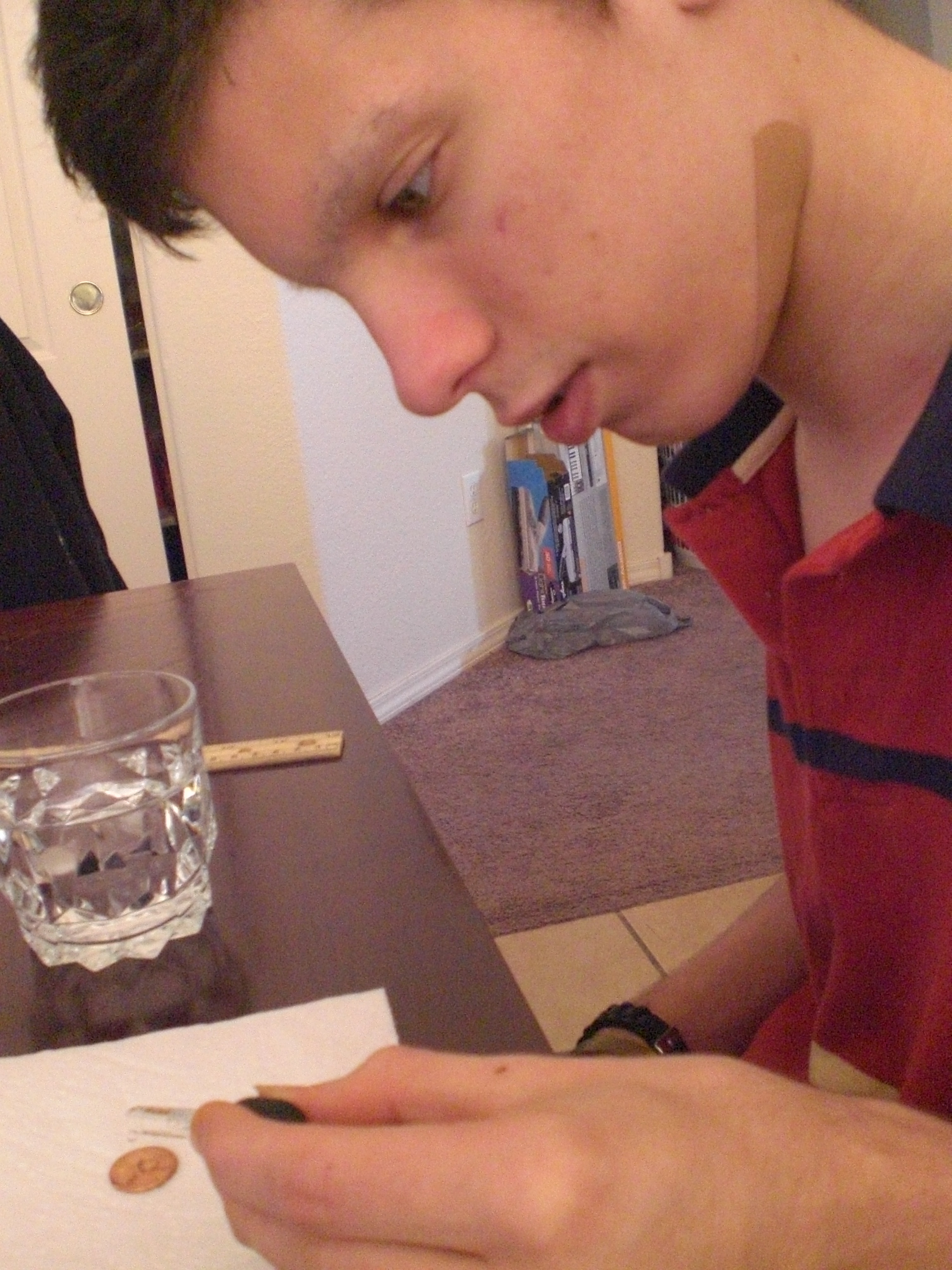
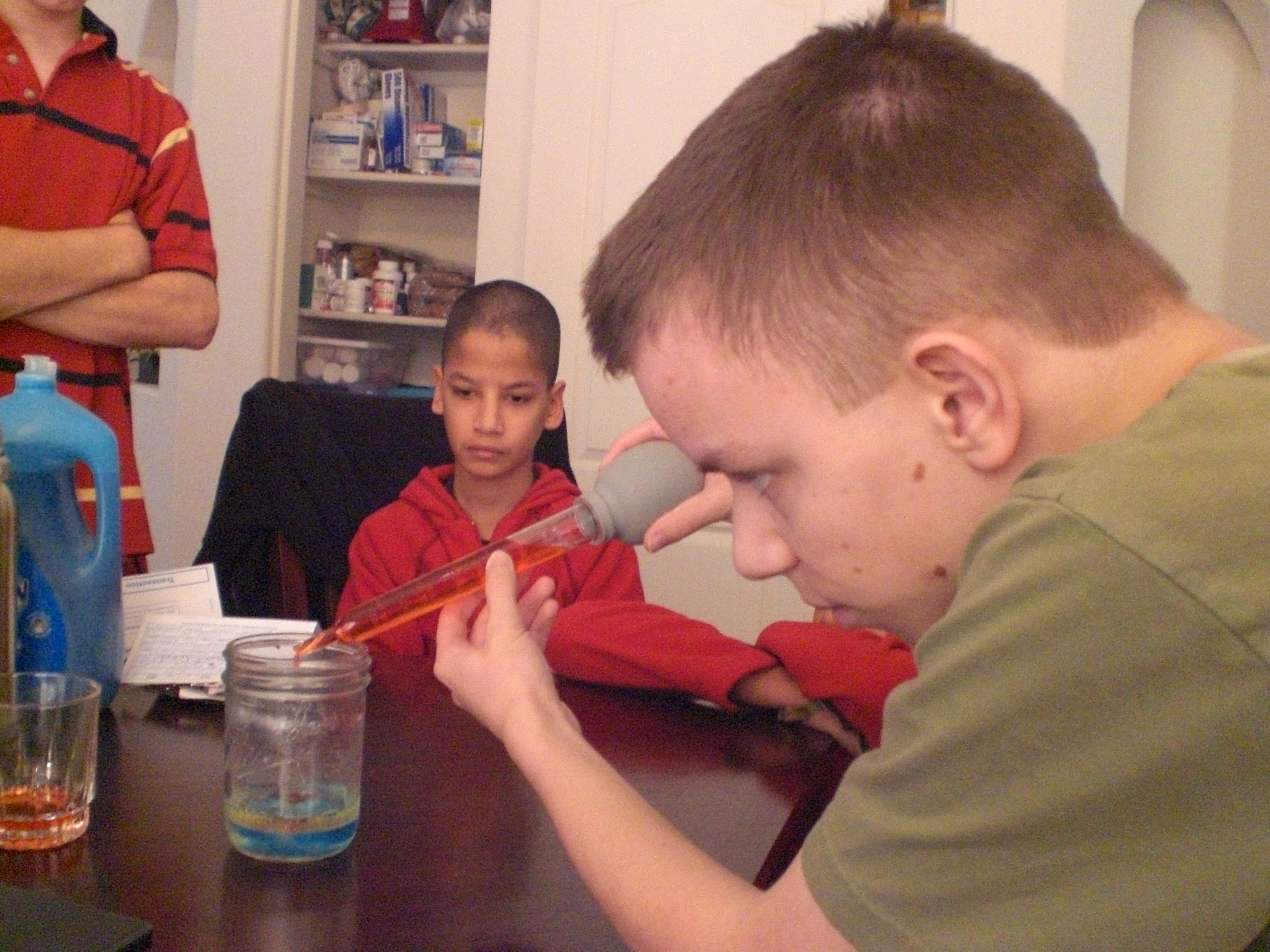
3. Conduct our test (experiment): we each had a turn with the medicine dropper, to see how many drops we could put on the penny before it would overflow.
4. Collect our data: we kept careful count, drop by drop, on each person’s turn, writing them down beside each person’s name. Then, we added all the totals together, and divided that number by five (because that’s how many tests we did) to arrive at our average amount of drops on the penny before it overflowed.
5. Report the results: Here is where we wrote in our notebook what happened. In test 1, I had my turn, and got 18 drops on the penny before it overflowed. In test 2, “The Artist” beat me out by getting 33 drops to stay on the penny. “The Batman” did test 3, and he managed to get 29 drops to stay put. “Mr. Loquacious” got 18 drops in test 4, and “The Puzzler” got 25 drops in test 5. We added them together, for a total of 123 drops, and then divided that by five, the number of tests we conducted. Our average came out to 24.6 drops which stayed on the penny before the next drop would overflow.
“The Batman” is putting drops of water onto his penny . . .
And finally, “The Artist” is seeing how many HE can get on there!
OK, so now, we were getting a little more confident, and my kids were wanting to get moving on to “more real experiments, Mom”! So, it was time to decide what unit we were going to work in.
After looking over the abundance of topics provided, we chose to go with Unit 3, which is “Matter”. I’m going to be quite honest here, and admit to you that the primary reason I chose this unit for us to begin with is that we already had about half of the required materials in our house, and the remaining supplies were extremely easy to find with one quick stop at Wal-Mart. In fact, if I had more time the day I went out, I probably could have gotten many of the supplies at the dollar store. The other reason for my choice was simply this, it all looked so interesting, and when I was reading to them what kinds of things we would be doing, my kids thought it was a cool unit to go with, as well.
In unit 3, “Matter“, we first watched a seven and a half-minute long video in which Aurora gave us information about the different forms of matter. After that, we were ready to jump in and DO STUFF!
Here are just SOME of the cool experiments that we did in this unit (we will be completing as many of the remainder as we can get the supplies for, as we find time to fit them in around other studies):
We also made plasma gas. I was not able to get a good video of OUR experiment, so here is one of Aurora doing it . . .
As you can see, we found so much to keep us interested in science! We will continue using e-science on the Supercharged Science web site for the next year, and I can see already that just doing this we will learn so much!
As a reviewer, I was given access to everything all at once, specifically so that we could choose which portion we would use during the review period. When you subscribe to e science, you will receive immediate access to the first seven units, along with units such as “The Scientific Method“. Each month after that, you’ll get one or two more units, but if there is a unit you want that hasn’t yet been opened to you, all you need to do is send an email requesting it, because Aurora wants you to be able to follow your interests, or to be able to use a unit which goes along with what you are currently studying.
This program is great for homeschooling families, particularly if you have multiple children.
If you want to use e-science along side another home school curriculum, there is a conversion chart on the website to show you what to use, when.
If you go here, and scroll down, you will see another chart giving you a comparison of e-science to 13 home school curriculum providers that charge more, and still don’t include everything the e-science program gives you.
One thing that is important to me is whether or not a science curriculum covers evolution. As a Christian, I prefer that it not. From the website . . .
“The e-science program does not cover creation or evolution so all families may participate with our program. We focus on how to build the robot, take data and measurements, work a microscope, launch the rocket, why a laser works…basically sticking to the physics of what’s going on and how to build the projects. Of course, you can always add to it in any way you see fit. Our curriculum is fully compatible with any religious perspective and has been used by thousands of Christian, secular, and others”.
The only down-side I can see is the price. I think it’s a wonderful program, and I hope my family can continue to use it after our review membership is over, but I think many homeschooling families will be priced out of using e-science. Most homeschooling families are one income families, and on pretty tight budgets. It would be nice if a substantial discount were offered for paying a whole year at once.
We reviewed the K – 8 section of e-science. The e-Science K-8 Membership (Standard) is available for $37.00 per month. If you would prefer to go with the e-Science 9-12 & Advanced 5-8 grade plus K-8 Membership (Premium), you can get that for $57.00 per month. You can try it for one month, with a full money-back guarantee.
There is a free sample offered for you on the Supercharged Science website.
Overall, I think this is an awesome program, and Aurora Lipper does a fantastic job of getting kids AND parents involved and excited about what they are doing.
Some crew members reviewed grades K – 8 of Supercharged Science, while others reviewed grades 9 – 12. Sail on over to see what they all thought of his program!
Jumping up and down in excitement, which my kids were doing today, first, this morning, when we did another fun experiment for the “Matter” unit in the online science program we have been reviewing (post on that program coming within the next couple of days, people!), and second, because we went to our first home-school park day In I’m not even sure how many weeks! Between my husband’s TWO back surgeries within FIVE weeks, coupled with some sort of plague stomach virus that has been going through our family, and our church . . . add all that to the fact that I hurt my own back a couple of weeks ago, and was hobbling about on a cane until last night . . . well, we’ve not made it to park day in quite a while. So today, my kids were just about JUMPING for JOY, because we did go, finally, to park day, and if I could have, I would have been JUMPING for JOY myself, because I got to spend time with the other homeschool parents who come to park day. YAY! 🙂
So today, the kids and I watched some science how-to videos for a curriculum we are evaluating. One of them told us how to do the Plasma GRAPE experiment, which was so cool, we decided to wait and actually do it this evening when their dad would be home to see it. Also, we needed it to be darker than it is during the day, even with all the lights off and the blinds closed, LOL! So, we just did it, it was, in fact, really neat, although my camera doesn’t seem to be quite good enough to get a clear video of it. But, we did it, we used a grape, a knife, and the microwave to make plasma GAS. So, there are two things for “G”, the GRAPE, and the plasma GAS. And, you’ll hear much more about this, and other science things, when I post my review of Supercharged Science in a couple of weeks! 🙂
We’ve grudgingly admitted recently that, as part of their continuing education in today’s electronic world, we’re going to have to teach our kids how to do more with a computer than just hit the power button and push the mouse around. My husband is the techie of the family, but his last computer programming class was 25 years ago. While we were considering what route to take to show our kids just how those games they play are actually made, we received the opportunity to review Computer Bible Games for Microsoft Small Basic from Computer Science For Kids.
Note: For those who are interested, there is a secular version of this program as well.
The Christian version of this course, which is the one we reviewed, is currently available and priced as follows:
Option #2
Single User License
Digital E-Book Download Only
Item #104-DL $59.95
$34.95 – SALE PRICE!
“Computer Bible Games for Microsoft Small Basic is designed to help beginner Christian middle-school students understand Small Basic programming concepts while developing “fun and simple” learning games and Computer Bible Games. Microsoft Small BASIC is a simple BASIC programming environment designed specifically for kids to help prepare them for more complex programming languages like Visual Basic, Visual C# and Java. Small Basic also includes a “graduate code” button which automatically converts the student’s source code into Microsoft Visual Basic”.
While you don’t need to be a computer programmer to take or teach this course, it is recommended you have some familiarity with navigating the Windows environment. You don’t have to know how to write a program, but you do need to know how to find them in your computer! Knowing how to move and re-size windows is a plus. You’ll also want to be able to print Microsoft Word files and download Microsoft Small Basic. There’s a “Start Here” file included that outlines all this and tells you where you can find Small Basic.
Once you’ve installed Small Basic and Computer Bible Games, you’ll find yourself looking at a step-by-step guide to learning Small Basic. There are over 400 pages of documentation included with this course, so I asked my husband to help me get everything printed out, collated and 3-hole-punched into a large binder (it was at this point that I gave in to temptation and purchased a heavy-duty hole puncher from our local warehouse club, along with a couple of bulk packages of three-ring binders in different sizes!). He opted to print it out a class at a time for me, as he is stingy about ink and was running low.
Here’s a quick look at the Table of Contents:
• Class 1: Introducing Small Basic – gives you a brief history of the BASIC programming language, plus download and installation instructions for the Microsoft Small Basic Program
• Class 2: Small Basic Program Basics
• Class 3: Your First Small Basic Program
• Class 4: Small Basic Program Design, Input Methods
• Class 5: Debugging, Decisions, Random Numbers
• Class 6: Small Basic Looping, Subroutines
• Class 7: More Small Basic Looping, Arrays
• Class 8: Small Basic Graphics, Mouse Methods
• Class 9: Timers, Animation, Keyboard Methods
• Class 10: Noah’s Ark Project
• Class 11: Daniel and the Lions Project
• Class 12: Elijah and the Ravens Project
• Class 13: More learning Games and Computer Bible Games
“The Artist” volunteered to be the student for this review. He has a favorite computer game that he “invents” characters for (on paper). And while I am game to try anything to further my children’s education, I was very happy to have my husband to fall back upon for technical support!
The “Start Here” file states: “Computer Bible Games is a self-paced course.” It’s recommended for anyone age 10 and up, and is designed in bite-sized chunks that the student can run with, asking questions as needed. This turned out to be a good thing. In spite of some non-fatal form of plague that hit our household, we managed to get through the first five classes during the review period.
Computer Science for Kids recommends one class per week and 3 to 6 hours of study for each class. There were a couple of weeks where first Dad, then Mom, then “The Artist”, were in no shape to work. In fact, whatever this virus was, it hit just about every member of the family one right after the other, even necessitating a trip to the emergency room one night! Fun times, right? And here’s where a compliment to the course developers comes in: the course is written in such a manner that, if you do need to take a break for any reason (Ebola virus, vacation, life interference, etc.), it is incredibly easy to pick up where you left off! When my husband or I were down, “The Artist” read the material and did the class project alone. When we were healthy enough to help, The Artist was down for a few days. I was able to use the time to get back up to speed and then check The Artist’s work while awaiting his recovery.
We asked “The Artist” how he liked taking the Computer Bible Games for Small Basic course. His response? “I like it . . . it’s fun! It’s teaching me how to create my own programs. At some point, I’d like to write my own computer games, and I think this is a good beginning.”
Here is “The Artist”, studying and learning to program small things at this point . . .
If I didn’t make it clear earlier, I am NOT a techie. But I do like the way the class is formatted, and I did manage to pick up some programming education along the way. The important thing is that “The Artist” is enjoying learning computer programming, and is able to do so without a huge amount of parental support. He is looking forward to writing his own computer games, and his brothers are looking forward to playing them in the near future!
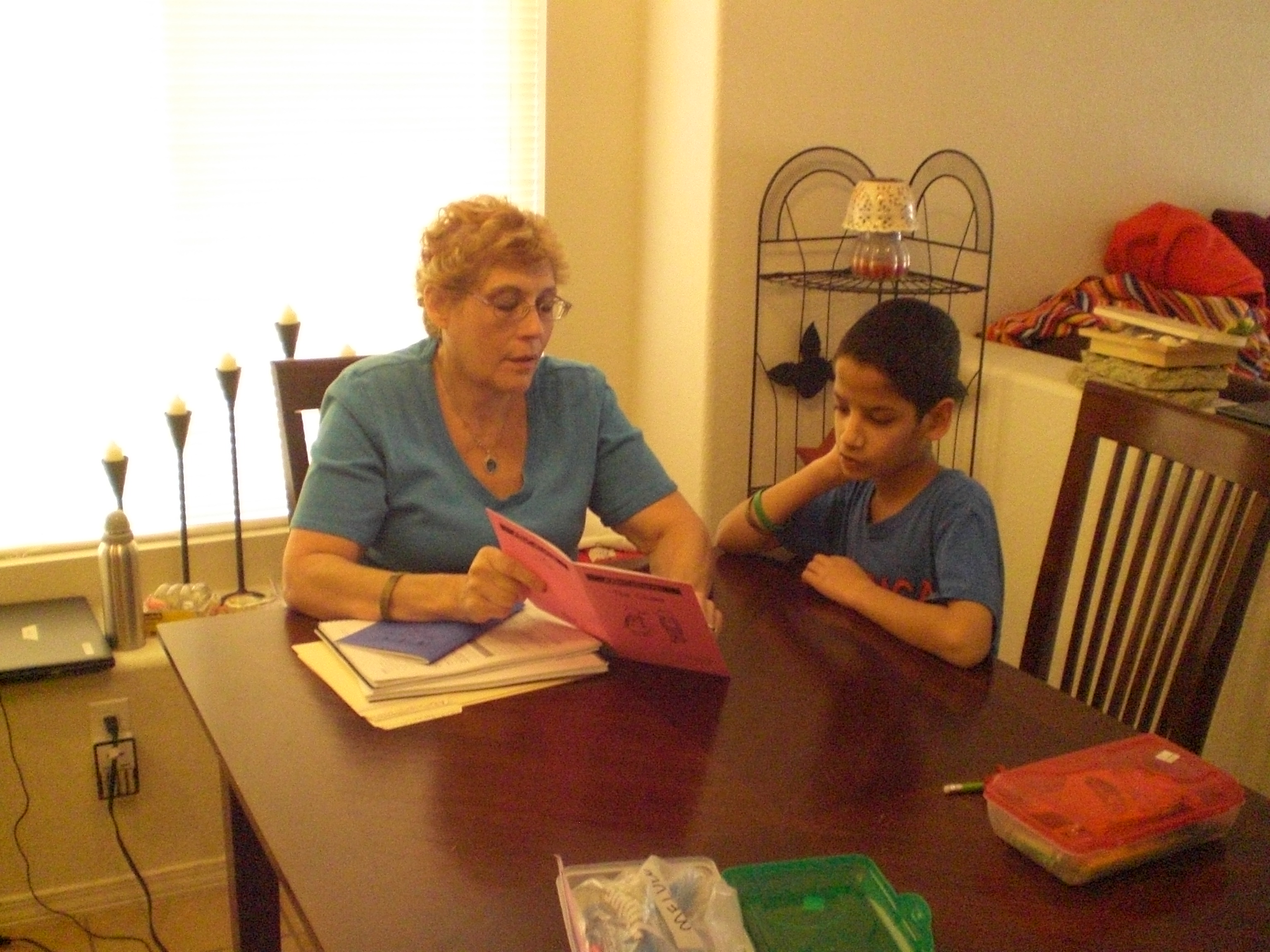
I’ve mentioned before, and my home-schooling friends know, that our youngest boys, “Mr. Loquacious” and “The Puzzler” have long struggled with reading. They came into our family at the age of 8, unable to read, and given all of the other issues they had, instruction in reading never went very well. But recently, I was given the chance to review a reading program from the ABeCeDarian Company for the Schoolhouse Review Crew.
The ABeCeDarian Reading Program is different from any other reading program we have tried in the past. This program features (from the website):
•Explicit, comprehensive, multisensory phonics instruction
•Sound blending and segmenting explicitly taught and practiced
•Letter/Sound correspondences taught in the context of reading and spelling words
•Letter sounds taught before letter names
•Code knowledge organized by sounds with engaging sorting activities
•No rules!
•Precise practice routines and error correction procedures
•Integrated handwriting and spelling instruction
•Expert oral reading fluency practice
The teacher’s manual instructed me to read a lot of material which was meant to teach me how to use this program. At first, it seemed a bit overwhelming going through it all, but eventually it began to make sense. Our past experience had me teaching consonant and vowel sounds first, and then moving on to putting them together.
I used a combination of having them do the free placement assessment, along with having them try to read the initial story books for Level A to decide where in the program they should begin. Now, “Mr. Loquacious” and “The Puzzler” have, apparently, gotten a lot further along in reading than I expected, because we were able to zip right through all of the story books for levels A1 and A2.
Using these two things together helped me to see that they needed to begin with Level B1.
With ABeCeDarian, we started right in with decoding specific sounds. For example, in Level B1, we jumped right in with learning the “o” sound, and sorting words according to the different ways the “o” sound is spelled. I did have to keep stressing for the boys that each word in this section had the “O” sound, but that there were six different ways to spell that sound. From there, we moved on to breaking the words apart, and underlining each separate sound in the word. Basically, this program is set up in such a way that letters are presented in an organized way, according to sound. The idea is that your child will practice this material not just to mastery, but become a fluent reader.
Here is “The Puzzler”, reading “The Quest” which is storybook number 10 . . .
. . . and here is “Mr. Loquacious” reading the same book.
In level B1 there are 12 units, which are completed in 24 lessons. Among the many things covered in this level are the following:
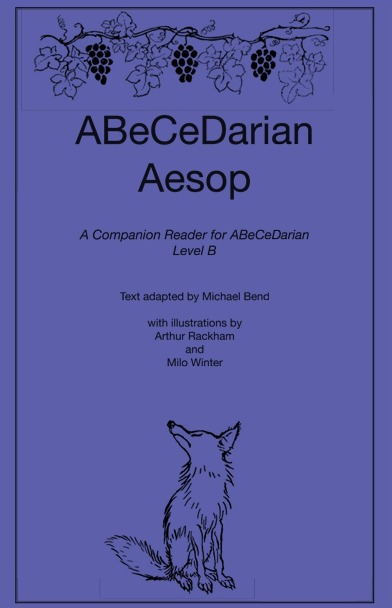
Sorting words, special instructions for recording words with o-e, breaking words apart, word reading practice, reading chains (a list of words in which one letter has been changed in each word to make it into a different word), completing sentences, completing the storybook “The Quest”, key words and letter sound practice, reading multi-syllable words, and reading all of the fables in the ABeCeDarian Aesop book.
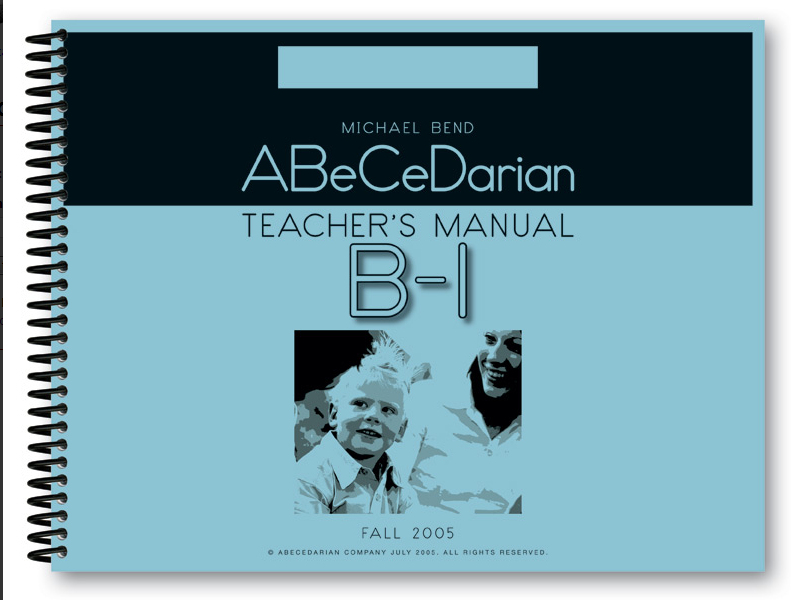
The teacher’s manual is spiral bound, so I can keep it flat. It is completely scripted, which would be very helpful for the new home-school mom, or any home-school mom who is not comfortable going “off book” and doing her own thing. The instructional material in the beginning of the teacher’s manual will teach you how to properly correct your child’s errors.
There are things that you WON’T be doing in this program, which are part of the reason it took me a little while of reading and re-reading the instructional material, given that my only experience was with a phonics based program, just as it was with my children.
There is no teaching of long and short vowels, sight words, or silent letters. It did take some time for me to get used to that, and for a while I had to constantly correct myself, as I would automatically go to those things.
Because their earlier experience with reading instruction was all strictly phonics based, the decoding process was confusing for “Mr. Loquacious” and “The Puzzler” at first. When working on the word sorting activities, “The Puzzler”, who actually reads better than his brother, had a lot of problems at first, and told me it was very confusing and hard to do. However, “Mr. Loquacious” caught on to the decoding idea right away. I think this just shows that it is true that children learn in different ways, and that perhaps “The Puzzler” simply has an easier time learning with a phonics based program. In fact, when I think back to when we were working with phonics, “The Puzzler” was “getting it”, while “Mr. Loquacious” was not.
The student workbook is very nice, there are no distracting colors or pictures, which is a big plus in our family, since our children have extremely short attention spans. The lessons are fairly short, which is also helpful with distractable children. The lines for copying words and sentences are nicely spaced, with plenty of room for them to print. The workbook is spiral bound, which I like, as it lays nice and flat. It is in landscape format, which I think is easier for my kids to write in.
I think that ABeCeDarian is turning out to be a good fit, at least for “Mr. Loquacious”. I’m not so sure it will work as well for “The Puzzler”, but we do intend to keep going and see how well they both do. I would recommend this program, especially if you have a struggling reader.
Be sure to click below and read what other crew members thought of ABeCeDarian!































 My Journeys Through Life . . . Herding Cats In New Mexico!