Supercharged Science . . . TOS Review

When I was given the opportunity to review the e-science program from Supercharged Science, I was both excited, and nervous. I have NEVER really been much of a “science geek”, and so I’ve always wondered if I was short-changing my kids in some way, or even creating a science phobia in them.

science_zps3636642f

With e science, Aurora Lipper has created a fun, exciting way to get kids (and their science phobic moms!) right in there actually DOING science! 🙂 When I told my kids about Aurora, especially when I told them she was a “real” rocket scientist, they all exclaimed “Just like Mrs. J.”! (Mrs. J. just so happens to be my very best friend, and did, in fact, work as a rocket scientist. :-)) But, I digress . . .

Back to Aurora, who has worked at NASA, taught mechanical engineering at Cal Poly, flew airplanes, launched rockets, and help design engines for a very special F-15.

escience-full-600px_zps738b5d59

While teaching at the university, Aurora came to realize how bored the students appeared to be, and decided to look at how science was being taught to kids. At that point, she thought that if she were being taught that way, she would be bored, too, and eventually, Supercharged Science was the company she created, in order to get e-science out there and make science FUN!

The first thing I did, when I received my log in information, was to go on the site and just start exploring. This would be when I REALLY began to get nervous! There is SO much content, it was really hard to decide where to begin. Of course, I wanted to begin with something basic, so since my kids and I have never really done much formal science, we began with learning the scientific method.

First, we watched the video in which Aurora walked us through all the steps of the scientific method by just doing it so we could really see it in action.

012

After that, my kids really, really wanted to do an experiment, so we decided we were now confident enough to move on to the “scientific method experiment” section of the web site. Here, we found a very cool experiment called “Underwater Presidents“. The idea is to use the scientific method in this (and every experiment), to do the following:

1. Observe: look at the penny. How big is it? is it clean, dirty, in between? is it heads or tails? Basically, we wrote down in our notebook the size of the penny (yes, we actually measured the diameter, LOL), we wrote that it was relatively clean, and that we were using it heads up.

2. Make our hypothesis: here, we each made a guess as to how many drops of water we could put on the penny, before it would overflow. Our guesses were, “The Batman” – 20, “The Artist” – 35, “Mr. Loquacious” – 24, “The Puzzler” – 15, and Mom – 10.

3. Conduct our test (experiment): we each had a turn with the medicine dropper, to see how many drops we could put on the penny before it would overflow.

4. Collect our data: we kept careful count, drop by drop, on each person’s turn, writing them down beside each person’s name. Then, we added all the totals together, and divided that number by five (because that’s how many tests we did) to arrive at our average amount of drops on the penny before it overflowed.

5. Report the results: Here is where we wrote in our notebook what happened. In test 1, I had my turn, and got 18 drops on the penny before it overflowed. In test 2, “The Artist” beat me out by getting 33 drops to stay on the penny. “The Batman” did test 3, and he managed to get 29 drops to stay put. “Mr. Loquacious” got 18 drops in test 4, and “The Puzzler” got 25 drops in test 5. We added them together, for a total of 123 drops, and then divided that by five, the number of tests we conducted. Our average came out to 24.6 drops which stayed on the penny before the next drop would overflow.

“The Puzzler . . . conducting his Underwater Presidents test . . .

007

Here is “Mr. Loquacious”, doing his test . . .
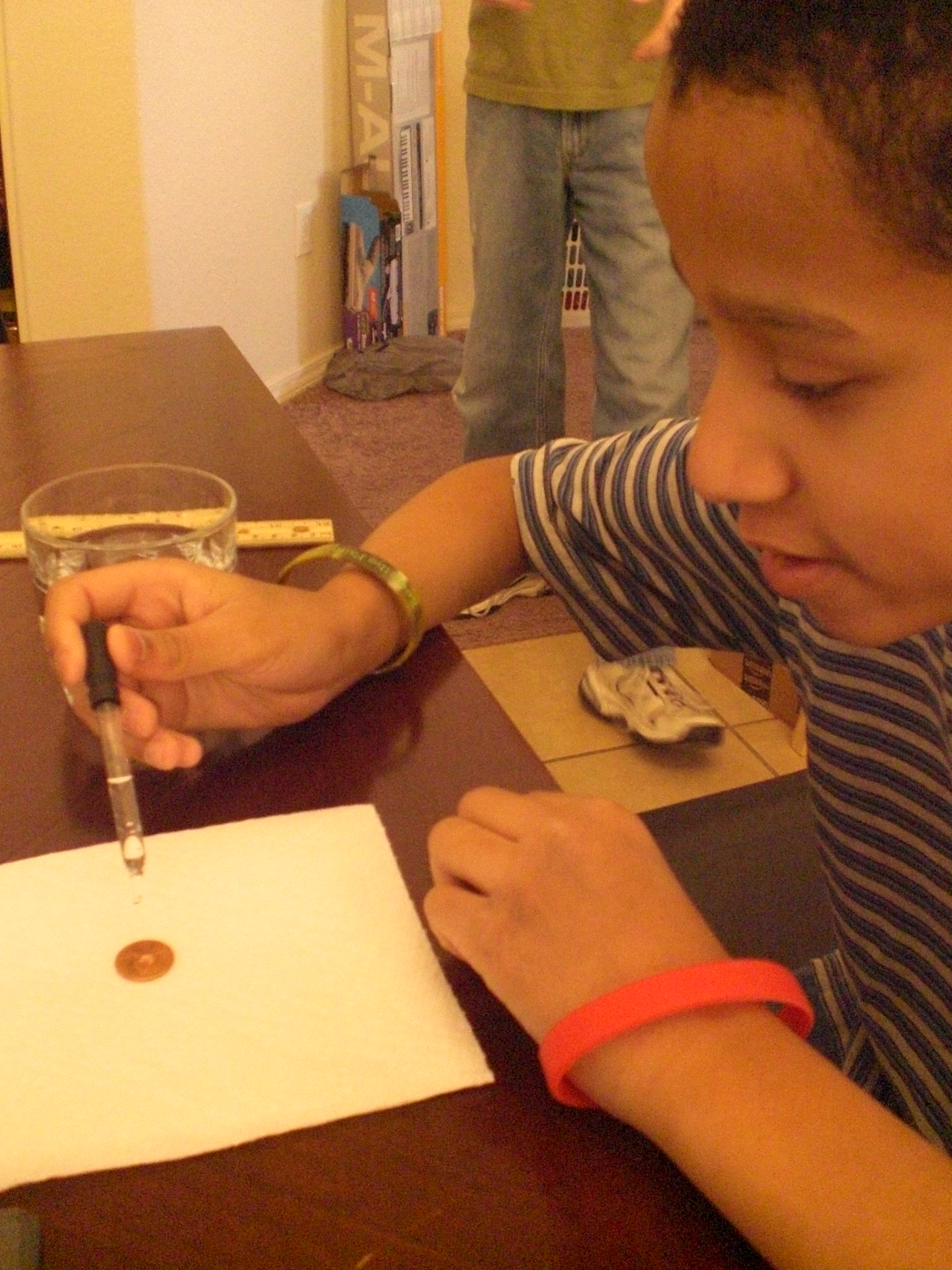
005

“The Batman” is putting drops of water onto his penny . . .

003

And finally, “The Artist” is seeing how many HE can get on there!

002

OK, so now, we were getting a little more confident, and my kids were wanting to get moving on to “more real experiments, Mom”! So, it was time to decide what unit we were going to work in.

After looking over the abundance of topics provided, we chose to go with Unit 3, which is “Matter”. I’m going to be quite honest here, and admit to you that the primary reason I chose this unit for us to begin with is that we already had about half of the required materials in our house, and the remaining supplies were extremely easy to find with one quick stop at Wal-Mart. In fact, if I had more time the day I went out, I probably could have gotten many of the supplies at the dollar store. The other reason for my choice was simply this, it all looked so interesting, and when I was reading to them what kinds of things we would be doing, my kids thought it was a cool unit to go with, as well.

In unit 3, “Matter“, we first watched a seven and a half-minute long video in which Aurora gave us information about the different forms of matter. After that, we were ready to jump in and DO STUFF!

Here are just SOME of the cool experiments that we did in this unit (we will be completing as many of the remainder as we can get the supplies for, as we find time to fit them in around other studies):

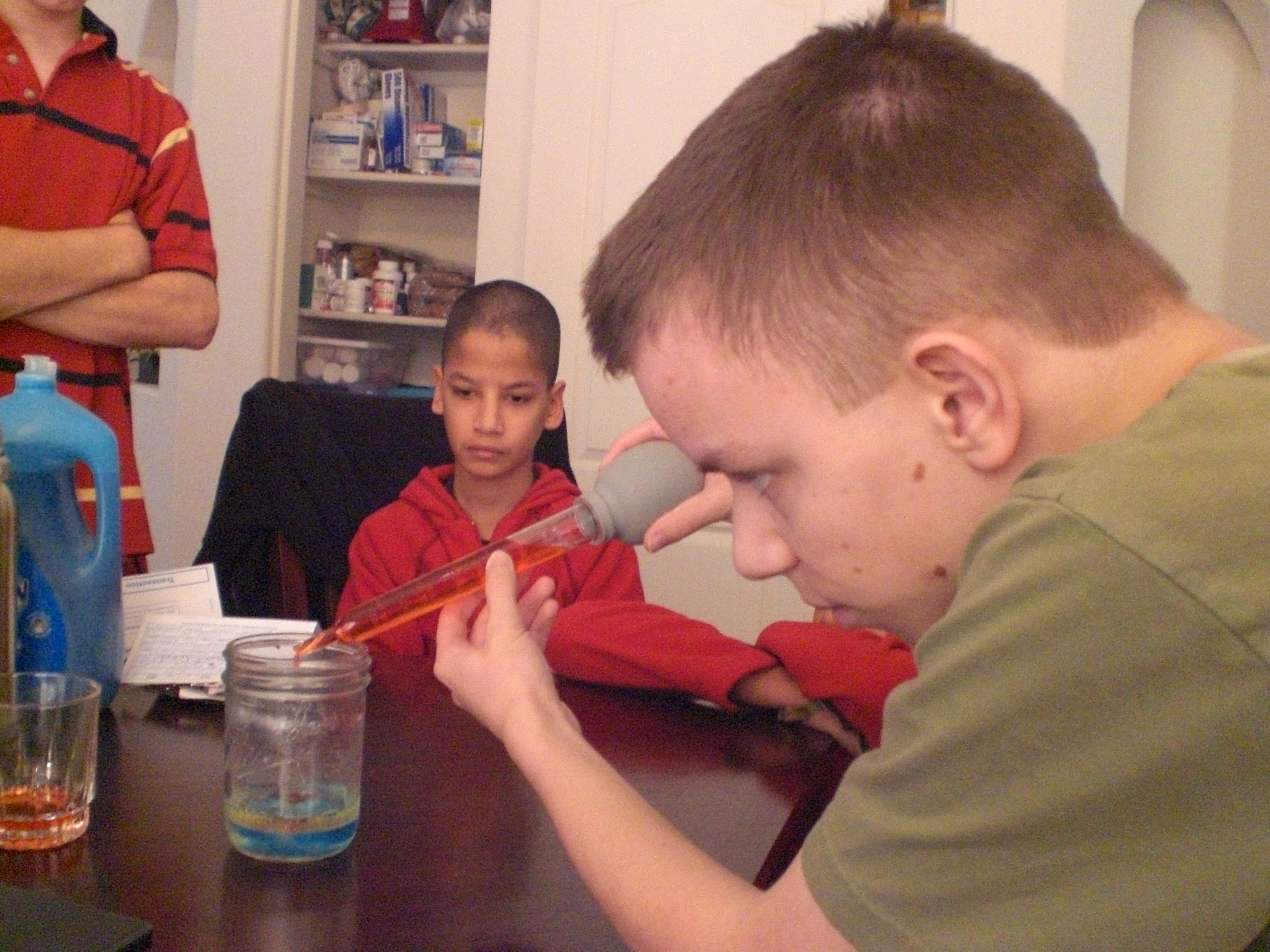
We made a density jar . . .

021

022

020

019

032

We turned this:

034

into this . . .

035

047

046

045

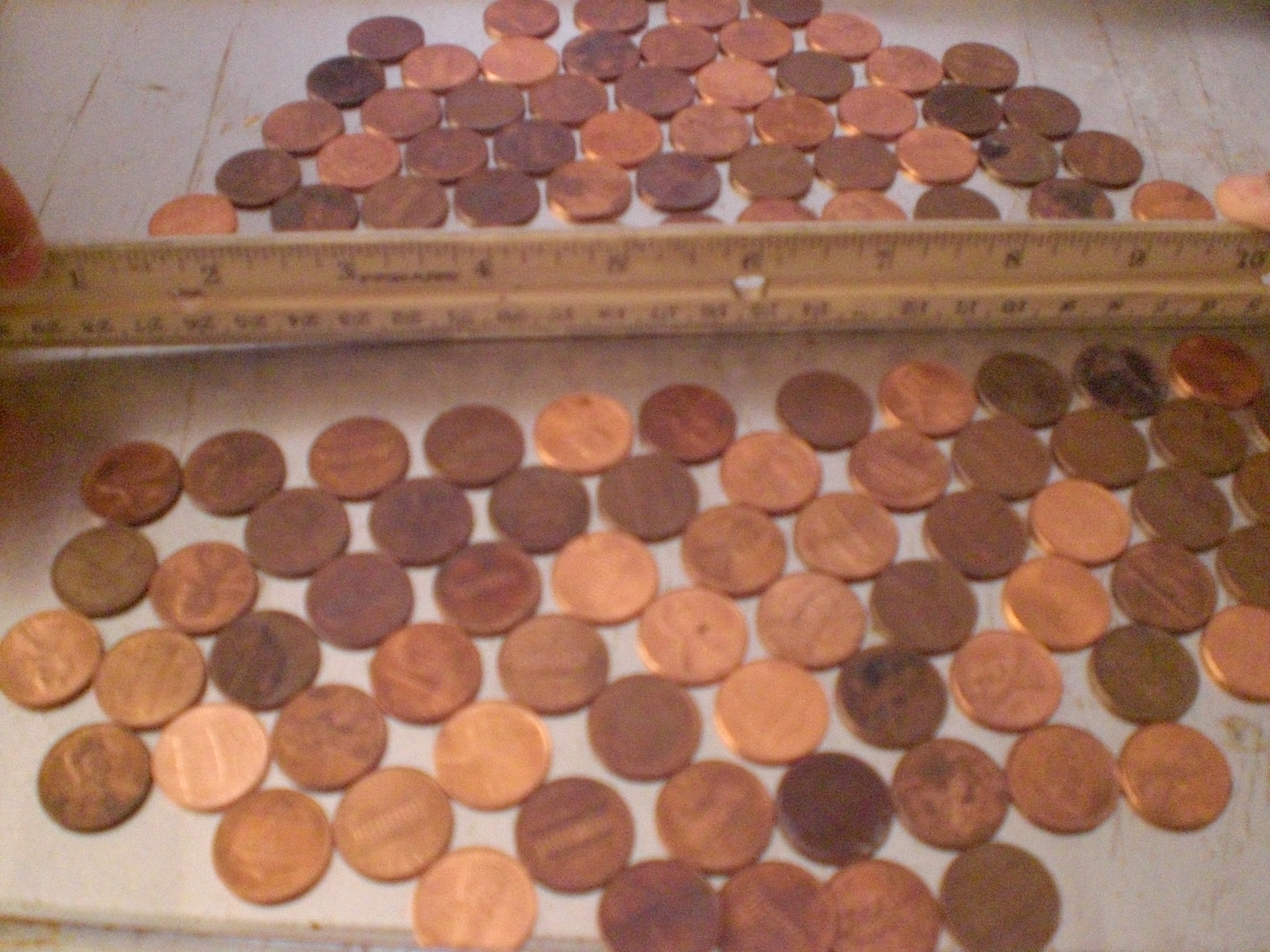
We created a penny crystal structure . . .

039

040

042

043

And we grew some laundry soap crystals!

054

We also made plasma gas. I was not able to get a good video of OUR experiment, so here is one of Aurora doing it . . .

As you can see, we found so much to keep us interested in science! We will continue using e-science on the Supercharged Science web site for the next year, and I can see already that just doing this we will learn so much!

As a reviewer, I was given access to everything all at once, specifically so that we could choose which portion we would use during the review period. When you subscribe to e science, you will receive immediate access to the first seven units, along with units such as “The Scientific Method“. Each month after that, you’ll get one or two more units, but if there is a unit you want that hasn’t yet been opened to you, all you need to do is send an email requesting it, because Aurora wants you to be able to follow your interests, or to be able to use a unit which goes along with what you are currently studying.

This program is great for homeschooling families, particularly if you have multiple children.

If you want to use e-science along side another home school curriculum, there is a conversion chart on the website to show you what to use, when.

If you go here, and scroll down, you will see another chart giving you a comparison of e-science to 13 home school curriculum providers that charge more, and still don’t include everything the e-science program gives you.

If this is important to you, e-science aligns with most state standards.

One thing that is important to me is whether or not a science curriculum covers evolution. As a Christian, I prefer that it not. From the website . . .

“The e-science program does not cover creation or evolution so all families may participate with our program. We focus on how to build the robot, take data and measurements, work a microscope, launch the rocket, why a laser works…basically sticking to the physics of what’s going on and how to build the projects. Of course, you can always add to it in any way you see fit. Our curriculum is fully compatible with any religious perspective and has been used by thousands of Christian, secular, and others”.

The only down-side I can see is the price. I think it’s a wonderful program, and I hope my family can continue to use it after our review membership is over, but I think many homeschooling families will be priced out of using e-science. Most homeschooling families are one income families, and on pretty tight budgets. It would be nice if a substantial discount were offered for paying a whole year at once.

We reviewed the K – 8 section of e-science. The e-Science K-8 Membership (Standard) is available for $37.00 per month. If you would prefer to go with the e-Science 9-12 & Advanced 5-8 grade plus K-8 Membership (Premium), you can get that for $57.00 per month. You can try it for one month, with a full money-back guarantee.

There is a free sample offered for you on the Supercharged Science website.

Overall, I think this is an awesome program, and Aurora Lipper does a fantastic job of getting kids AND parents involved and excited about what they are doing.

Some crew members reviewed grades K – 8 of Supercharged Science, while others reviewed grades 9 – 12. Sail on over to see what they all thought of his program!
Photobucket

disclaimer

35 Comments

Filed under Christian faith, education, family, home education, homeschool products, homeschooling, Kids, Schoolhouse Review Crew Post

“J” Is For . . .

Jumping up and down in excitement, which my kids were doing today, first, this morning, when we did another fun experiment for the “Matter” unit in the online science program we have been reviewing (post on that program coming within the next couple of days, people!), and second, because we went to our first home-school park day In I’m not even sure how many weeks! Between my husband’s TWO back surgeries within FIVE weeks, coupled with some sort of plague stomach virus that has been going through our family, and our church . . . add all that to the fact that I hurt my own back a couple of weeks ago, and was hobbling about on a cane until last night . . . well, we’ve not made it to park day in quite a while. So today, my kids were just about JUMPING for JOY, because we did go, finally, to park day, and if I could have, I would have been JUMPING for JOY myself, because I got to spend time with the other homeschool parents who come to park day. YAY! 🙂

1 Comment

Filed under Blogging From A to Z April Challenge 2013, education, exercise, home education, Kids

“I” is for Isotopes . . .

. . . as in the Isotopes baseball game we were supposed to attend last night, unfortunately it was postponed due to “rain and cold weather”. Sadly, the game was to be made up today, in two seven inning games, which we were unable to work into our schedule. The Isotopes do allow for the tickets to be rain checked, so it is my hope that when our friend is re-scheduled to sing the National Anthem, that we can exchange our block of tickets for a block at THAT game! 🙂 So for today, “I” is for Isotopes! 🙂

2 Comments

Filed under Blogging From A to Z April Challenge 2013

“H” . . . Home Run!

We are going to see the Albuquerque Isotopes Baseball Team play tonight! It’s a minor league farm team for the Los Angeles Dodgers. I haven’t been to a baseball game in a LONG time! One of the ladies in our church (who just happens to be the wife of our Youth Pastor, and one of our pianists) is singing the National Anthem for the game, and we were able to get a block of discount tickets to go and support her. We will be, I understand, in very good seats! I sure hope we see a bunch of Home Runs . . . and that they are made mostly by the Isotopes! 🙂

Leave a comment

Filed under Uncategorized

“G” . . . The Great Grape Experiment!

So today, the kids and I watched some science how-to videos for a curriculum we are evaluating. One of them told us how to do the Plasma GRAPE experiment, which was so cool, we decided to wait and actually do it this evening when their dad would be home to see it. Also, we needed it to be darker than it is during the day, even with all the lights off and the blinds closed, LOL! So, we just did it, it was, in fact, really neat, although my camera doesn’t seem to be quite good enough to get a clear video of it. But, we did it, we used a grape, a knife, and the microwave to make plasma GAS. So, there are two things for “G”, the GRAPE, and the plasma GAS. And, you’ll hear much more about this, and other science things, when I post my review of Supercharged Science in a couple of weeks! 🙂

1 Comment

Filed under Blogging From A to Z April Challenge 2013, education, home education, homeschool products, homeschooling

“F” is for Future . . .

Day six of the Blogging From A to Z April Challenge . . .

What do any of us really know about our future? Not much.

I DO know that God knows my future.

He knows what choices I will make that will affect my future.

I live within His permissive will, which means that although I know without a doubt that should I die tomorrow, I will be in heaven with Him, He allows me free will to make whatever choices I wish.

Because of that freedom, it’s very important that I do my best to carefully consider the choices I make every day, to consider how those choices impact my own life, and the lives of those who are around me.

It means I must consider how those choices cause others to view my testimony, as well, because the last thing I would want is for a choice I make to cause someone else to refuse the free gift of salvation that can come only through the sacrifice of His only begotten Son.

“Future” . . . if you look through the Bible, you will not find anywhere that we are promised anything in the future other than our chosen eternity. For MY future, I chose to accept the gift of salvation by grace, given by the sacrifice of Jesus Christ.

What “future” have you chosen?

2 Comments

Filed under Blogging From A to Z April Challenge 2013, Christian faith

Computer Science For Kids . . . TOS Review

We’ve grudgingly admitted recently that, as part of their continuing education in today’s electronic world, we’re going to have to teach our kids how to do more with a computer than just hit the power button and push the mouse around. My husband is the techie of the family, but his last computer programming class was 25 years ago. While we were considering what route to take to show our kids just how those games they play are actually made, we received the opportunity to review Computer Bible Games for Microsoft Small Basic from Computer Science For Kids.

Note: For those who are interested, there is a secular version of this program as well.

The Christian version of this course, which is the one we reviewed, is currently available and priced as follows:

Option #2
Single User License
Digital E-Book Download Only
Item #104-DL $59.95
$34.95 – SALE PRICE!

The secular version is available and priced as follows:

Option #2
Instant Internet “Download Only”
Digital E-Book Edition
Single User License
Item #111-DL $59.95
$34.95 – SALE PRICE!

From the vendor on how long the sale will last:

“We plan to keep the $34.95 sale price going though July 4th, 2013”

From the website:

“Computer Bible Games for Microsoft Small Basic is designed to help beginner Christian middle-school students understand Small Basic programming concepts while developing “fun and simple” learning games and Computer Bible Games. Microsoft Small BASIC is a simple BASIC programming environment designed specifically for kids to help prepare them for more complex programming languages like Visual Basic, Visual C# and Java. Small Basic also includes a “graduate code” button which automatically converts the student’s source code into Microsoft Visual Basic”.

While you don’t need to be a computer programmer to take or teach this course, it is recommended you have some familiarity with navigating the Windows environment. You don’t have to know how to write a program, but you do need to know how to find them in your computer! Knowing how to move and re-size windows is a plus. You’ll also want to be able to print Microsoft Word files and download Microsoft Small Basic. There’s a “Start Here” file included that outlines all this and tells you where you can find Small Basic.

Once you’ve installed Small Basic and Computer Bible Games, you’ll find yourself looking at a step-by-step guide to learning Small Basic. There are over 400 pages of documentation included with this course, so I asked my husband to help me get everything printed out, collated and 3-hole-punched into a large binder (it was at this point that I gave in to temptation and purchased a heavy-duty hole puncher from our local warehouse club, along with a couple of bulk packages of three-ring binders in different sizes!). He opted to print it out a class at a time for me, as he is stingy about ink and was running low.

Here’s a quick look at the Table of Contents:
• Class 1: Introducing Small Basic – gives you a brief history of the BASIC programming language, plus download and installation instructions for the Microsoft Small Basic Program
• Class 2: Small Basic Program Basics
• Class 3: Your First Small Basic Program
• Class 4: Small Basic Program Design, Input Methods
• Class 5: Debugging, Decisions, Random Numbers
• Class 6: Small Basic Looping, Subroutines
• Class 7: More Small Basic Looping, Arrays
• Class 8: Small Basic Graphics, Mouse Methods
• Class 9: Timers, Animation, Keyboard Methods
• Class 10: Noah’s Ark Project
• Class 11: Daniel and the Lions Project
• Class 12: Elijah and the Ravens Project
• Class 13: More learning Games and Computer Bible Games

“The Artist” volunteered to be the student for this review. He has a favorite computer game that he “invents” characters for (on paper). And while I am game to try anything to further my children’s education, I was very happy to have my husband to fall back upon for technical support!

The “Start Here” file states: “Computer Bible Games is a self-paced course.” It’s recommended for anyone age 10 and up, and is designed in bite-sized chunks that the student can run with, asking questions as needed. This turned out to be a good thing. In spite of some non-fatal form of plague that hit our household, we managed to get through the first five classes during the review period.

Computer Science for Kids recommends one class per week and 3 to 6 hours of study for each class. There were a couple of weeks where first Dad, then Mom, then “The Artist”, were in no shape to work. In fact, whatever this virus was, it hit just about every member of the family one right after the other, even necessitating a trip to the emergency room one night! Fun times, right? And here’s where a compliment to the course developers comes in: the course is written in such a manner that, if you do need to take a break for any reason (Ebola virus, vacation, life interference, etc.), it is incredibly easy to pick up where you left off! When my husband or I were down, “The Artist” read the material and did the class project alone. When we were healthy enough to help, The Artist was down for a few days. I was able to use the time to get back up to speed and then check The Artist’s work while awaiting his recovery.

We asked “The Artist” how he liked taking the Computer Bible Games for Small Basic course. His response? “I like it . . . it’s fun! It’s teaching me how to create my own programs. At some point, I’d like to write my own computer games, and I think this is a good beginning.”

Here is “The Artist”, studying and learning to program small things at this point . . .
004

If I didn’t make it clear earlier, I am NOT a techie. But I do like the way the class is formatted, and I did manage to pick up some programming education along the way. The important thing is that “The Artist” is enjoying learning computer programming, and is able to do so without a huge amount of parental support. He is looking forward to writing his own computer games, and his brothers are looking forward to playing them in the near future!

Other crew members also reviewed Computer Science For Kids, along with Beginning Microsoft Small Basic. Please go check out what they thought of these courses, too!

Photobucket

Leave a comment

Filed under education, home education, homeschool products, homeschooling, Kids, Schoolhouse Review Crew Post

“E” is for earrings . . .

. . . or more precisely, my very favorite earrings, called Flirty, from the Lia Sophia company. I was wearing them a few weeks ago while out running errands, and somewhere along the line I lost one of them. 😦 Sadly, they are retired. And the Lia Sophia consultant from whom I purchased them didn’t have them in her kit, so I can’t get a new set from her. I’ve been stalking ebay, but there are none up for auction at the moment.. apparently, I just missed a set, the auction ended on march 24th, and they went for only $14.99. So, I will continue to stalk ebay, and perhaps one of our children (the best finder there is) will go search my minivan in the morning. If it fell off in my vehicle, I can guarantee that “The Puzzler” will be able to find it. However, I don’t hold out a ton of hope for that, I’m pretty certain I couldn’t be that lucky, it probably fell out of my ear in a parking lot somewhere!

Leave a comment

Filed under Blogging From A to Z April Challenge 2013

ABeCeDarian . . . My Review

I’ve mentioned before, and my home-schooling friends know, that our youngest boys, “Mr. Loquacious” and “The Puzzler” have long struggled with reading. They came into our family at the age of 8, unable to read, and given all of the other issues they had, instruction in reading never went very well. But recently, I was given the chance to review a reading program from the ABeCeDarian Company for the Schoolhouse Review Crew.

abecedarianlogo_zps0ce11eae

The ABeCeDarian Reading Program is different from any other reading program we have tried in the past. This program features (from the website):

•Explicit, comprehensive, multisensory phonics instruction
•Sound blending and segmenting explicitly taught and practiced
•Letter/Sound correspondences taught in the context of reading and spelling words
•Letter sounds taught before letter names
•Code knowledge organized by sounds with engaging sorting activities
•No rules!
•Precise practice routines and error correction procedures
•Integrated handwriting and spelling instruction
•Expert oral reading fluency practice

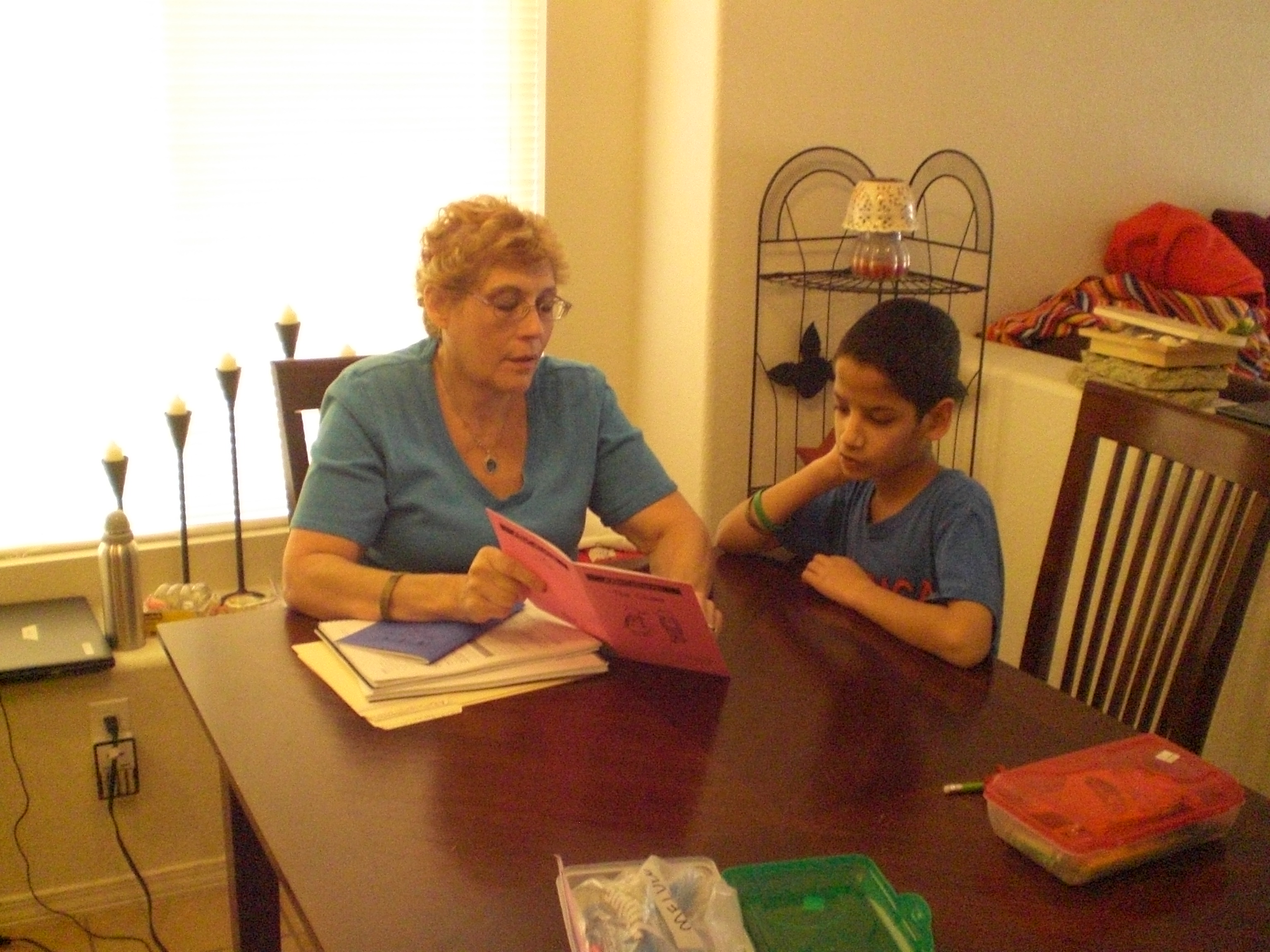
The teacher’s manual instructed me to read a lot of material which was meant to teach me how to use this program. At first, it seemed a bit overwhelming going through it all, but eventually it began to make sense. Our past experience had me teaching consonant and vowel sounds first, and then moving on to putting them together.

I used a combination of having them do the free placement assessment, along with having them try to read the initial story books for Level A to decide where in the program they should begin. Now, “Mr. Loquacious” and “The Puzzler” have, apparently, gotten a lot further along in reading than I expected, because we were able to zip right through all of the story books for levels A1 and A2.

Using these two things together helped me to see that they needed to begin with Level B1.

With ABeCeDarian, we started right in with decoding specific sounds. For example, in Level B1, we jumped right in with learning the “o” sound, and sorting words according to the different ways the “o” sound is spelled. I did have to keep stressing for the boys that each word in this section had the “O” sound, but that there were six different ways to spell that sound. From there, we moved on to breaking the words apart, and underlining each separate sound in the word. Basically, this program is set up in such a way that letters are presented in an organized way, according to sound. The idea is that your child will practice this material not just to mastery, but become a fluent reader.

Here is “The Puzzler”, reading “The Quest” which is storybook number 10 . . .

ABeCeDarian review 003

. . . and here is “Mr. Loquacious” reading the same book.

ABeCeDarian review 004

In level B1 there are 12 units, which are completed in 24 lessons. Among the many things covered in this level are the following:

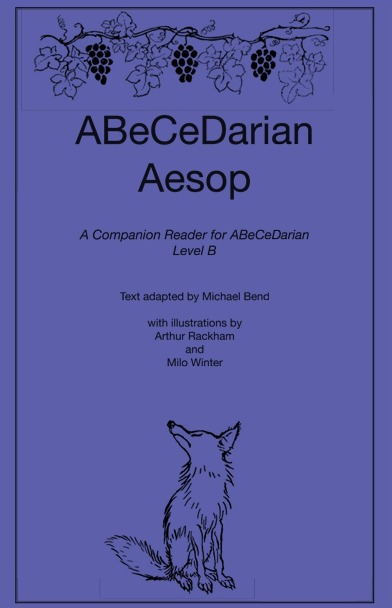
Sorting words, special instructions for recording words with o-e, breaking words apart, word reading practice, reading chains (a list of words in which one letter has been changed in each word to make it into a different word), completing sentences, completing the storybook “The Quest”, key words and letter sound practice, reading multi-syllable words, and reading all of the fables in the ABeCeDarian Aesop book.

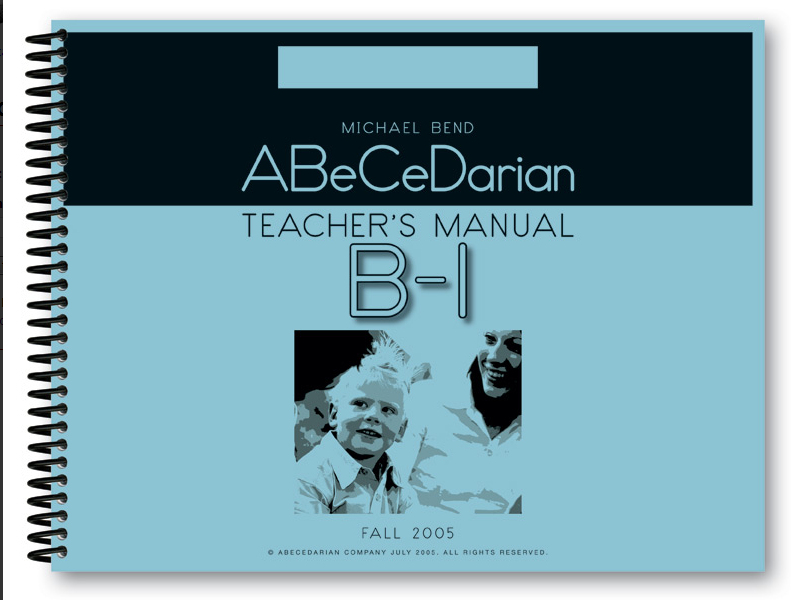
The teacher’s manual is spiral bound, so I can keep it flat. It is completely scripted, which would be very helpful for the new home-school mom, or any home-school mom who is not comfortable going “off book” and doing her own thing. The instructional material in the beginning of the teacher’s manual will teach you how to properly correct your child’s errors.

There are things that you WON’T be doing in this program, which are part of the reason it took me a little while of reading and re-reading the instructional material, given that my only experience was with a phonics based program, just as it was with my children.

There is no teaching of long and short vowels, sight words, or silent letters. It did take some time for me to get used to that, and for a while I had to constantly correct myself, as I would automatically go to those things.

Because their earlier experience with reading instruction was all strictly phonics based, the decoding process was confusing for “Mr. Loquacious” and “The Puzzler” at first. When working on the word sorting activities, “The Puzzler”, who actually reads better than his brother, had a lot of problems at first, and told me it was very confusing and hard to do. However, “Mr. Loquacious” caught on to the decoding idea right away. I think this just shows that it is true that children learn in different ways, and that perhaps “The Puzzler” simply has an easier time learning with a phonics based program. In fact, when I think back to when we were working with phonics, “The Puzzler” was “getting it”, while “Mr. Loquacious” was not.

The student workbook is very nice, there are no distracting colors or pictures, which is a big plus in our family, since our children have extremely short attention spans. The lessons are fairly short, which is also helpful with distractable children. The lines for copying words and sentences are nicely spaced, with plenty of room for them to print. The workbook is spiral bound, which I like, as it lays nice and flat. It is in landscape format, which I think is easier for my kids to write in.

We received the following items for review:

Student Workbook A1, $12.25

studentworkbookA1_zps65d68892

Teacher’s Manual A1, $28.50

teachersmanualA-1_zps89a4a53d

Student Workbook A2, $12.25

StudentworkbookA2_zps49b232e4

Teacher’s Manual A2, $28.50

teachermanualA2_zpsd2f59266

Set of 10 Storybooks, $21.50

Student Workbook B1, $10.25

workbookb1_zps7c43534e

Teacher’s Manual B1, $25.50

teachermanualb1_zpsfc7fb5ed

ABeCeDarian Aesop, $2.50

aesop_zpse1629279

I think that ABeCeDarian is turning out to be a good fit, at least for “Mr. Loquacious”. I’m not so sure it will work as well for “The Puzzler”, but we do intend to keep going and see how well they both do. I would recommend this program, especially if you have a struggling reader.

Be sure to click below and read what other crew members thought of ABeCeDarian!

Photobucket

 photo DisclaimerGraphic1_zpsf612f371.gif

1 Comment

Filed under education, home education, homeschool products, homeschooling, Schoolhouse Review Crew Post

“D” is for Delight-directed”

On this, the fourth day of the Blogging From A to Z April Challenge,

I’m talking a little bit about delight- directed education. As a home-schooling mom, I really believe it’s important to try to make learning fun. I don’t believe there’s a necessity for “drudgery” when it comes to learning, if one has the option of making it enjoyable. That doesn’t mean my kids ONLY learn with fun things, or that they NEVER experience drudgery while learning something, it just means that whenever I am able, I try to find ways to make their learning be something fun, engaging, and often-times, stealthy, so that they don’t even realize they ARE learning something!

When any of them expresses an interest in a particular topic, we can find resources like books, games, TV shows, movies, all kinds of things that are related to that topic. That, in a nutshell, is delight-directed learning! 🙂

Leave a comment

Filed under education, home education, homeschooling, Kids